Playing Heartopia solo is great and all, but to be honest? The game gets even better when you bring friends along (playing with friends is always fun). Whether you’re quietly decorating your dream home or laughing together while fishing by the pond, Heartopia’s multiplayer features turn a peaceful life sim into a genuinely fun shared experience.
What’s cool about Heartopia’s co-op is that it’s not competitive or stressful. You’re not racing anyone or getting forced into group content. Instead, the game gently nudges you to invite friends, visit each other’s spaces, and enjoy hobbies together at your own pace. No pressure, just good vibes.
This guide breaks down everything you need to know about multiplayer in Heartopia—from unlocking co-op features to adding friends and enjoying shared activities. And if you’re brand new to the game, check out our Heartopia Beginner’s Guide for a smooth start. Don’t forget to grab some free goodies with our Heartopia codes too.
How to Unlock Co-op in Heartopia?
Here’s the thing: you can’t jump straight into multiplayer the second you boot up the game. Heartopia makes you complete the early tutorial first, which honestly makes sense. The game wants you to understand the basics before you start inviting friends over.
Here’s how it works:
During the tutorial, you’ll meet Bob, an NPC who teaches you essential crafting and building skills. You’ll go through a few early quests, learn how the game works, and eventually build your house. Once you officially move in, the Friendship Journal unlocks—and that’s when multiplayer becomes available.
From that point on, you can add friends, visit their towns, and participate in shared activities. So just power through those first few quests, and you’ll be playing with friends in no time.
How to Add Friends in Heartopia?
Before you can hang out with friends, you obviously need to add them first. The process is pretty straightforward once you know where to look, but there are a couple small details worth mentioning.
Follow these steps to add friends:
- Get their UID (User ID). You’ll need your friend’s UID to send them a request. You can find your own UID by opening the menu at the top left and tapping on your profile.
- Open the Friendship Journal. This is your hub for managing friends and invitations.
- Search for your friend using their UID. Once you find them, you’ll see a small “+” icon on their profile card.
- Tap the “+” icon to send a friend request. Just note that sending a request costs one Star, which acts as a minor social currency. You earn Stars mainly through quests, so if you’re out, just complete a few tasks first.
- Wait for them to accept. Once they accept, you’ll both appear in each other’s Friendship Journal and can visit whenever you’re both online.
Pro tip: The person receiving the friend request doesn’t need to spend anything, so if you’re low on Stars, just have your friend send the invite instead.
Also, when you’re running around in shared spaces, you’ll sometimes see other players wandering by. You can interact with them, view their profiles, and send friend requests directly—which makes meeting new people feel way more natural than some clunky friend code system.
How to Play with Friends in Heartopia
Once you’ve added friends, actually playing together is super easy. The game removes unnecessary barriers, so you can jump straight into shared experiences without any hassle.
Here’s how to visit a friend:
- Open your Friendship Journal.
- Find the friend you want to visit and check their online status.
- If they’re online, just tap Visit.
- You’ll instantly load into their world—no extra Stars or resources needed.
And just like that, you’re in their Heartopia. Pretty smooth, right?
What to Do with Friends in Heartopia
Alright, so you’re in your friend’s world. Now what? Heartopia supports several shared activities that feel even better with friends, and honestly, some of them are way more fun in co-op than solo.
Explore Their Town and Home
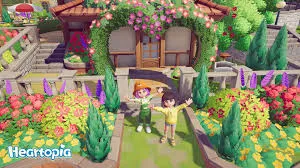
One of the best parts of multiplayer? Just walking around your friend’s space and seeing how they’ve decorated everything. You can check out their garden, peek inside their house, and get tons of inspiration for your own designs.
If your friend’s got a sick setup, take notes. If their place is a mess… well, maybe offer some friendly decorating advice.
Shared Hobbies
Hobbies are already a huge part of Heartopia, but they hit different when you do them with friends:
- Fishing together feels way more relaxing, especially when you both catch something rare and celebrate together.
- Bird watching and bug catching become mini competitions—or you can team up to spot rare creatures more efficiently.
- Gardening is chill co-op content. Help each other out, swap tips, or just vibe while your crops grow.
These activities form the core of Heartopia’s gameplay, so sharing them with friends makes the whole experience feel more rewarding.
Photography and Emotes
Playing with friends unlocks special poses and emotes that you can’t use solo. This means you can take cool screenshots together, creating memories that feel personal and genuinely fun.
Whether you’re striking a pose by the pond or goofing around in matching outfits, the photo opportunities are honestly top-tier.
Exploration
Traveling the map together makes finding rare plants, unique items, and hidden corners way easier. More importantly, it turns exploration into a shared adventure instead of a solo stroll.
Plus, having a friend along makes discovering new areas feel more exciting—like you’re both uncovering secrets together instead of just checking off waypoints.
Tips for a Better Co-op Experiance
- Coordinate outfits. Matching (or hilariously mismatched) outfits make screenshots way funnier.
- Share resources. If you’ve got extra materials your friend needs, help them out. Co-op is about teamwork, not hoarding.
- Visit regularly. Seeing how your friend’s town evolves over time is half the fun. Plus, they’ll appreciate the company.
- Don’t rush. Heartopia isn’t about speedrunning. Take your time, enjoy the vibes, and just hang out.
FRequently Asked Questions
Do I need to spend Stars every time I visit a friend?
Nope! You only spend one Star when sending a friend request. After that, visiting is completely free as long as you’re both online.
Can I play Heartopia co-op offline?
Unfortunately, no. You need an internet connection to visit friends or interact with other players in shared spaces.
Is there a friend limit in Heartopia?
The game hasn’t explicitly stated a hard cap, but most similar games have limits around 50-100 friends. You’ll probably be fine unless you’re planning to friend everyone.
Can I kick someone out of my town if they’re being annoying?
The game doesn’t have a “kick” button (at least not yet), but you can always unfriend someone if needed. Just keep your friend list to people you actually vibe with.
Heartopia’s co-op features are honestly one of the best parts of the game. It’s not about competition or grinding—it’s about sharing experiences, building memories, and enjoying a chill world together.
Whether you’re exploring, fishing, or just admiring each other’s home designs, playing with friends makes everything feel more alive. So grab your crew, unlock that Friendship Journal, and start vibing together.
For more tips and guides, check out the XD Entertainment Town hub and stay updated on everything Heartopia.
Now go visit your friends. They’re probably waiting.