If you’re like me, you probably hoard every material you come across in Hytale—Thorium, Cobalt, Shadoweave Scraps, stacks of Iron Ingots… the list goes on. But here’s the problem: regular chests fill up fast, and before you know it, your storage room looks like a messy warehouse with chests everywhere.
You can create bigger chests in Hytale that double your storage capacity. The trick isn’t crafting a special “large chest” recipe—it’s all about smart placement.
Let me show you exactly how to build double chests and avoid the common mistakes that break workbench auto-detection.
Why All Chests Have the Same Storage Capacity in Hytale
Here’s something that might surprise you: every chest in Hytale has the exact same storage capacity, regardless of what material it’s made from. Whether you craft a basic wooden chest or a fancy Iron Chest, they all hold 18 slots.
This can be frustrating when you’re drowning in crafting materials. Hytale has dozens of recipes requiring tons of resources, so 18 slots per chest fills up almost immediately if you’re serious about crafting.
And before you ask—stacking chests vertically doesn’t work. If you place a chest on top of another chest, workbenches won’t detect the resources in the upper chest, which defeats the whole purpose of organized storage.
So what’s the solution?
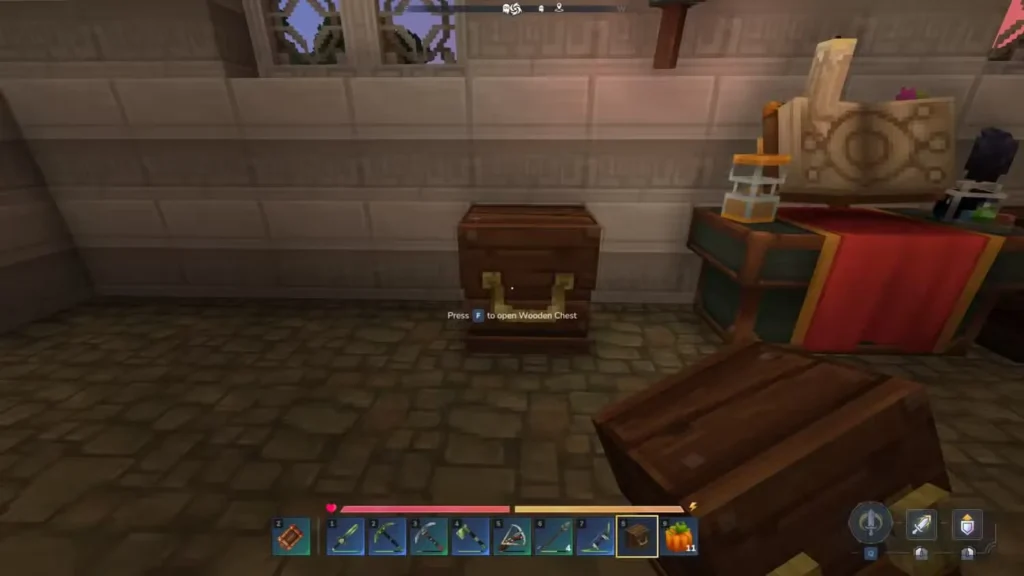
How to Create Double Chests (Large Chests)
The secret to bigger chests in Hytale is simple: place two identical chests side by side, and they’ll automatically merge into a single large chest.
Step-by-Step: Building a Double Chest
- Craft two chests of the same type (e.g., two Crude Chests, two Iron Chests, etc.)
- Place the first chest where you want it
- Place the second chest directly next to it (horizontal placement, not stacked)
- The chests will merge into a double chest automatically
When done correctly, you’ll see the two chests visually connect into one larger storage unit. The storage capacity doubles from 18 to 36 slots—a huge improvement.
Naming Convention
When two chests merge, Hytale renames them:
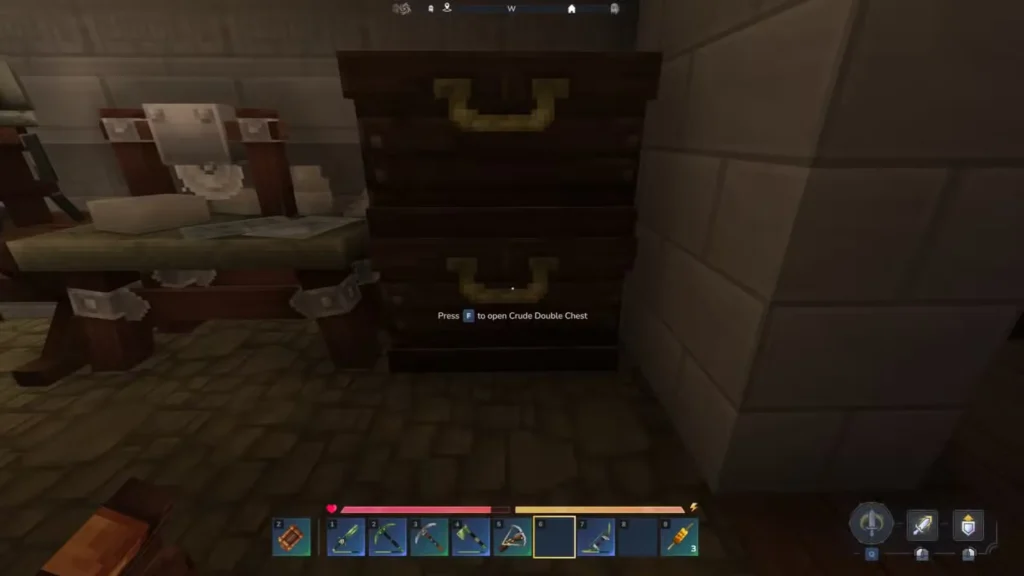
- Crude Chest → Crude Double Chest
- Iron Chest → Large Iron Chest
- Hardwood Chest → Hardwood Double Chest
And so on. The naming makes it easy to identify your double chests at a glance.
Important Placement Rules (Don’t Break These!)
You Can Only Merge Two Chests
Trying to place four chests in a 2×2 grid won’t create a massive quad-chest. Instead, you’ll end up with two double chests stacked vertically, and the top one won’t be detected by workbenches. Stick to horizontal pairs only.
Chests Must Be on the Same Floor Tile
This is critical and trips up a lot of players: chests must be placed on the same floor material as your workbenches for auto-detection to work.
If your workbench is on a stone tile but your chest is on a wooden tile, the workbench won’t recognize the stored materials. This means you’ll have to manually transfer items every time you want to craft something—super annoying.
Pro tip: Build your entire crafting area on uniform flooring. If you want aesthetic variety, use mods that help with this limitation (more on that below).
Vertical Stacking Breaks Auto-Detection
I mentioned this earlier, but it’s worth repeating: workbenches only detect chests at ground level. Any chest placed above floor level (even just one block up) becomes invisible to your crafting stations.
This is why you see experienced players building sprawling horizontal storage rooms instead of compact vertical towers.
Does Chest Material Quality Matter?
Short answer: Not for storage capacity, but yes for durability.
All chests hold the same 18 slots (or 36 for double chests), regardless of material. However, the material does affect how much damage the chest can take before breaking.
For example:
- Basic wooden chests are fragile
- Hardwood or Lightwood chests are more durable
- Iron chests are the toughest
Right now, this doesn’t matter much because raids aren’t implemented in Early Access. But theoretically, when raids do get added, higher-quality chests will survive attacks better and keep your loot safe.
If you’re just building for storage efficiency, stick with cheap wooden chests. If you’re planning for future raid mechanics (or just want your base to look fancy), upgrade to metal or high-tier wood chests.
Organizing Your Storage Room
Here are some practical tips for setting up an efficient storage system:
Group Chests by Resource Type
Use separate double chests for:
- Raw materials (ores, Cobalt, Thorium)
- Refined materials (Iron Ingots, Copper Ingots)
- Crafting components (Rope, Linen Scraps, Leather)
- Wood types (Darkwood, Lightwood, Azure Logs)
- Magical items (Essences, Mana items)
- Junk/extras (things you want to keep but don’t need often)
Place Chests Near Relevant Workbenches
Position your double chests close to the workbenches that use those materials. For example:
- Wood and tool materials near the upgraded Builder’s Workbench
- Metal ingots near the Blacksmith station
- Fabric scraps near tailoring stations
This minimizes the back-and-forth when crafting in bulk.
Use Labels (If Playing Modded)
Some mods allow you to label or color-code chests. If you’re into installing mods, check CurseForge for chest organization mods that make large storage systems easier to navigate.
Build a “Junk Chest” System
Keep a dedicated double chest for items you’re not sure about yet. This prevents cluttering your main storage with random drops. When it fills up, sort through it or use the delete items feature to clear out true garbage.
Testing in Creative Mode
If you want to experiment with chest layouts before committing in survival, use Creative Mode console commands to quickly spawn chests and test different arrangements.
Just type:
/give [username] [chest type] --quantity=10This lets you prototype your storage room design without wasting resources.
Future Updates & Changes
Keep in mind that Hytale is still in Early Access, so chest mechanics might change in future patches. For example:
- Material quality could eventually affect storage capacity
- Raid mechanics might make chest durability more important
- New chest types or upgrades might be added
I’ll update this guide if any major changes happen, but for now, the double chest method is your best bet for maximizing storage.
FAQs About Bigger Chests in Hytale
Can I stack more than two chests together?
No. Placing four chests in a 2×2 grid just creates two separate double chests stacked vertically. The top double chest won’t be detected by workbenches, so you’ll lose the auto-crafting benefit.
Why won’t my workbench detect materials in my chest?
Three common reasons: (1) The chest is on a different floor tile material than the workbench, (2) the chest is stacked above ground level, or (3) the chest is too far away. Make sure all chests are on the same flooring as your workbenches and placed at ground level.
Do Iron Chests hold more than wooden chests?
No. All chest types Crude, Hardwood, Iron, etc.—hold exactly 18 slots (or 36 when doubled). The only difference is durability, which will matter more once raid mechanics are implemented.
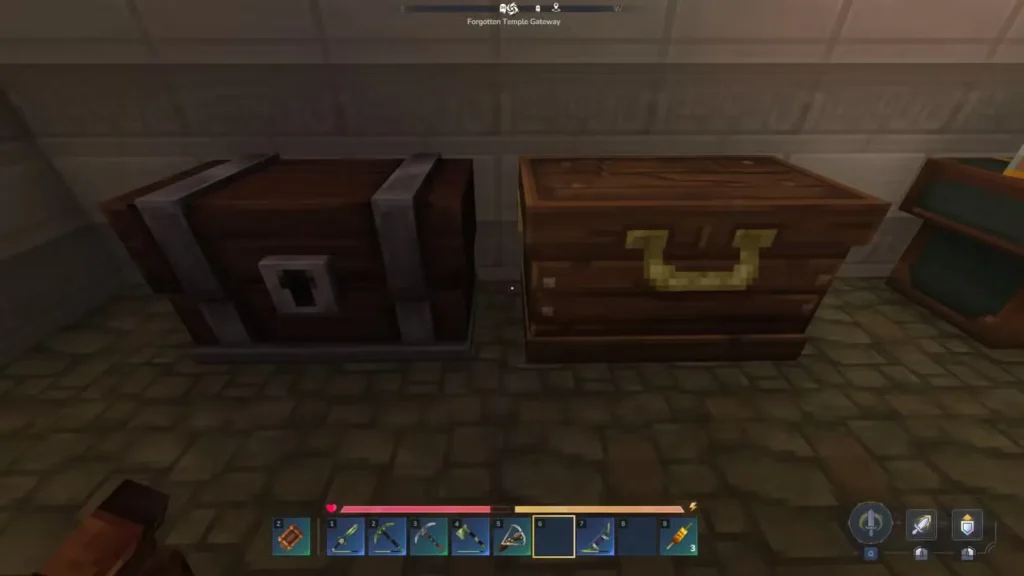
Can I use different chest types to make a double chest?
No. Both chests must be the same type to merge. You can’t combine a Crude Chest with an Iron Chest they’ll just sit next to each other as separate storage units.
Related Guides: