Introduction
If you keep losing gunfights despite good positioning and game sense, your sensitivity settings are likely the problem. Missing headshots or losing control during a spray often isn’t about your aim — it’s about your sensitivity. Finding the best sensitivity for PUBG Mobile is the key to smoother recoil control, faster reflexes, and more accurate target tracking.
PUBG Mobile’s sensitivity system is actually three interconnected systems working together: Camera Sensitivity (your free-look scanning), ADS Sensitivity (scope aiming), and Gyroscope Sensitivity (tilt-based control). Getting all three right is what separates beginners from pro-level players.
This guide breaks down the optimal settings for each category, updated for 2026, so you can stop guessing and start dominating.
Why Sensitivity Settings Matter So Much
The recoil system in PUBG Mobile is dynamic. All weapons behave differently depending on scope type, grip attachment, and firing style. Sensitivity determines the speed of your aim when you swipe or drag — too low and you become sluggish, too high and you lose precision.
Many players make the mistake of copying someone else’s code and sticking with it forever. The truth is you need separate settings tuned for close-range spray, mid-range beaming, and long-range sniping. A one-size-fits-all approach will always leave gaps in your game.
It’s also worth noting that recent PUBG Mobile updates have shifted weapon balance — AR damage was adjusted at range while DMRs became more stable — meaning many previously optimized settings may now feel off. A small 2–10% adjustment across the board can bring your aim back to peak performance.
Camera Sensitivity Settings
Camera sensitivity controls how fast your viewpoint moves when you scan around freely without aiming down sights.
Aggressive players should run camera sensitivity between 120–150% for rapid corner-checking and scanning. More conservative or defensive players should stick to 95–100%. Free Look sensitivity should always be set to 150% — this is non-negotiable for maintaining spatial awareness during third-party situations.
For FPP (First Person Perspective) players, the baseline shifts slightly. Aim for 100–120% camera sensitivity and increase it by 10–15% if you play aggressively, since the field of view and camera distance differ significantly from TPP.
ADS (Aim Down Sight) Sensitivity Settings
ADS sensitivity is where most of your recoil control comes from. The golden rule is simple: the higher the magnification, the lower the ADS sensitivity should be.
Here is the cascading pattern that works for most players:
- No Scope: 100–130% (for hipfire situations)
- Red Dot / Holo: 50–70% (your bread and butter for 25–75m fights)
- 2x Scope: 35% (handles 50–150m combat)
- 3x Scope: 25% (for 100–200m engagements)
- 4x Scope: 20% (works for both DMRs and ARs)
- 6x Scope: 15% (for serious long-range work)
- 8x Scope: 12% (for 200m+ sniper shots)
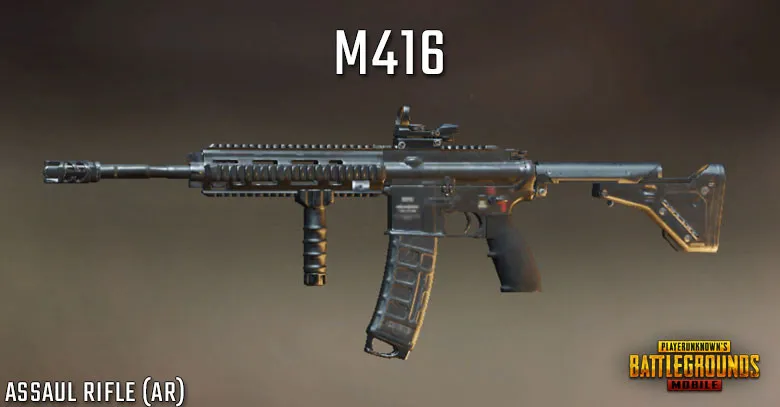
Individual weapons also require slight tweaks. The M416 performs smoothly with Red Dot ADS at 50–60%, but the AKM demands 55–65% because of its notorious right-side drift after the first 5 bullets. DMRs like the Mini14 perform best with 4x scope sensitivity between 22–27%.
Gyroscope Sensitivity Settings
Gyroscope is the most powerful — and most misunderstood — part of PUBG Mobile sensitivity. It controls how fast your aim moves when you tilt your phone. Instead of swiping, you physically tilt to aim, which makes tracking moving enemies, controlling sprays, and long-range shots noticeably smoother and more precise.
The optimal gyroscope values follow a cascading pattern:
- TPP / FPP No Scope: 400%
- Red Dot and 2x: 400%
- 3x and 4x: 275%
- 6x: 120%
- 8x: 80–90%
Before anything else, calibrate your gyroscope. Place your device on a flat surface, go to Settings > Sensitivity > Gyroscope > Calibrate, and test tilting in all four directions. Do this regularly or you will experience drift that constantly throws off your aim.
Enable gyroscope in settings and choose “Scope On” for ADS-only activation or “Always On” for continuous tilt control. Also disable device auto-rotation to prevent unwanted screen flips during intense firefights. If you are new to gyroscope, start at 200–300% for most scopes and increase gradually based on comfort.
Best Sensitivity Settings by Play Style
Not every player uses the same finger setup, and sensitivity should reflect that.
2-Finger Thumb Players: Thumb players should use moderate sensitivity with 200–300% gyroscope assistance. If your aim feels shaky or uncontrollable, reduce by 50–100 points at a time until it feels stable.
4-Finger Claw Players: A 4-finger claw setup works well with aggressive 60–70% Red Dot ADS and 300% gyroscope sensitivity, prioritizing rapid close-to-mid range combat with gyroscope handling recoil compensation.
Pro Standards: Professional players generally use high gyroscope values (300–400%) for recoil compensation paired with moderate ADS (50–70%) for spray control. Asian pros tend to favor slightly higher sensitivity values overall compared to Western pros who prefer more conservative settings — but both groups always maintain separate profiles for each engagement range.
Android vs. iOS: Device-Specific Adjustments
Your device type matters more than most guides acknowledge.
iPhone users should add 5–10% across the board due to superior touch precision. Android users on high-refresh-rate devices (90Hz and above) may need to dial back by 5–10% on older hardware. Tablet players should increase overall sensitivity by 20–30% because the larger screen real estate changes how inputs register and how far your thumb travels.
Sensitivity Codes for Quick Import
If you want a solid starting point without building settings from scratch, sensitivity codes are a great option. They are numerical strings that configure camera, ADS, and gyroscope settings all at once. No external tools or modifications are required — simply navigate to Settings > Sensitivity > Cloud and import the code.
For beginners, code 1-7412-8257-5673-1968-774 is ideal for 2-finger play, while 6960-5068-1059-6336-109 works well for a 3-finger setup. These provide balanced, moderate values for gradual skill development.
For more experienced players, the code 1-7435-8846-3421-0303-0728 pairs gyroscope at 400% for no-scope with cascading reductions down to 80% for 8x scopes, creating natural recoil compensation.
Always back up your current settings before importing any code, and spend at least 10–15 minutes testing in Training Mode before jumping into ranked matches.
How to Practice and Lock In Your Settings
Finding the right sensitivity is only half the battle. Consistent practice with optimized settings typically shows measurable improvement within 2–3 weeks, with significant performance gains appearing after 4–6 weeks of dedicated daily training.
Effective drills to build muscle memory include:
- Wall spray drills: Fire full magazines at training ground walls using only gyroscope for recoil control.
- Moving target tracking: Follow training dummies using exclusively tilt movements.
- Scope transition practice: Rapidly switch between different magnification levels while maintaining target focus.
- Flick shot exercises: Practice 90-degree quick turns and rapid target acquisition at varying distances.
Avoid changing your settings too frequently. Even minor adjustments feel awkward for several matches, and constant tweaking prevents your muscle memory from ever locking in. Pick a base setting, commit to it for at least a week, then make small refinements.
Final Thoughts
The best sensitivity for PUBG Mobile in 2026 does not come from blindly copying someone else’s setup. It comes from finding the perfect balance that fits your reflexes, play style, and device. Use the recommended camera, ADS, and gyroscope values as a foundation, then adjust gradually until aiming feels completely natural.
Once your muscle memory adapts, you will notice faster reactions, steadier recoil control, and far more consistent headshots — and that is the difference between dying in the top 10 and winning the Chicken Dinner.