Minecraft’s iconic blocky aesthetic has remained largely unchanged for over 15 years, and honestly? That’s part of its charm. But after thousands of hours exploring the same landscapes, sometimes you crave something different. Something that makes your worlds feel fresh, atmospheric, and visually stunning without abandoning what makes Minecraft… well, Minecraft.
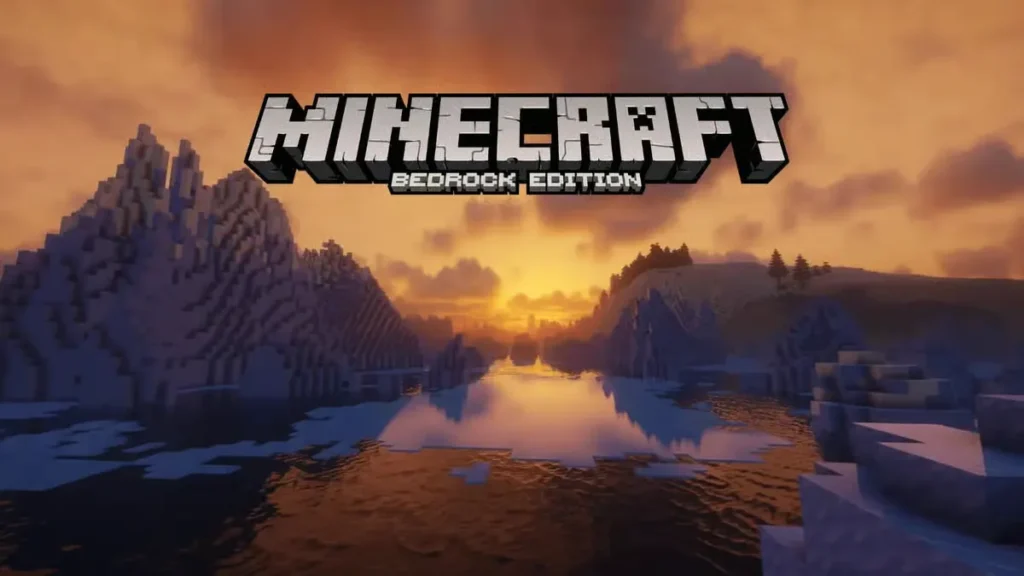
That’s exactly what Minecraft Bedrock shaders deliver. These shader packs apply entirely new lighting systems, texture enhancements, and visual effects to transform your game. We’re talking realistic water that reflects the sky, dynamic shadows that shift with the sun, god-ray lighting piercing through tree canopies, and clouds that look like they belong in a nature documentary.
Whether you’re running Minecraft on a beast of a gaming PC with RTX capabilities, a modest laptop, a console, or even mobile, there’s a shader pack designed for your setup. This guide covers the 12 best Bedrock shaders for version 1.21, plus a complete step-by-step installation tutorial so you can start playing with stunning visuals today.
The 12 Best Minecraft Bedrock Shaders for 1.21
1. Prizma Visuals 2.0
Best For: Players who want cutting-edge visuals with the new Vibrant Visuals mode
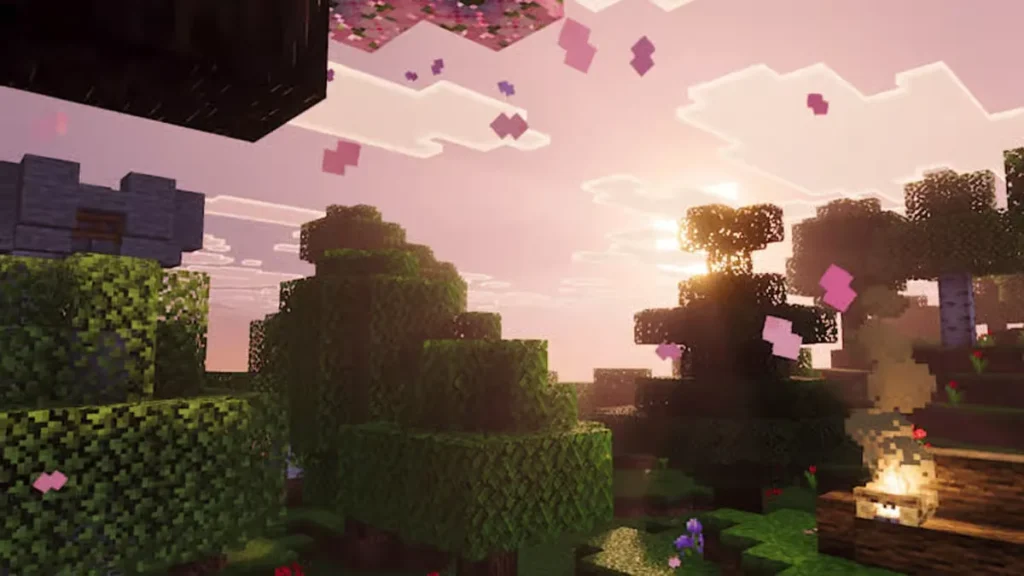
Prizma Visuals 2.0 sits at the top of the popularity charts for good reason. This shader pack delivers stunning 3D effects while maintaining that classic Minecraft aesthetic—it enhances without completely replacing what you love about the game’s look.
Key Features:
- Full integration with Minecraft’s new Vibrant Visuals mode
- Beautiful skybox that changes dynamically throughout the day
- Enhanced lighting that makes lanterns and torches feel warm and inviting
- Improved shadow rendering without tanking performance
- Perfect balance between realism and Minecraft’s signature style
This is the shader pack you want if you’re running the latest Minecraft updates and want visuals that take full advantage of new features. The way it handles sunrise and sunset is particularly breathtaking—those golden hour moments will make you stop mining just to watch.
2. SERP Shaders
Best For: Low-end PCs, laptops, and players who prioritize performance
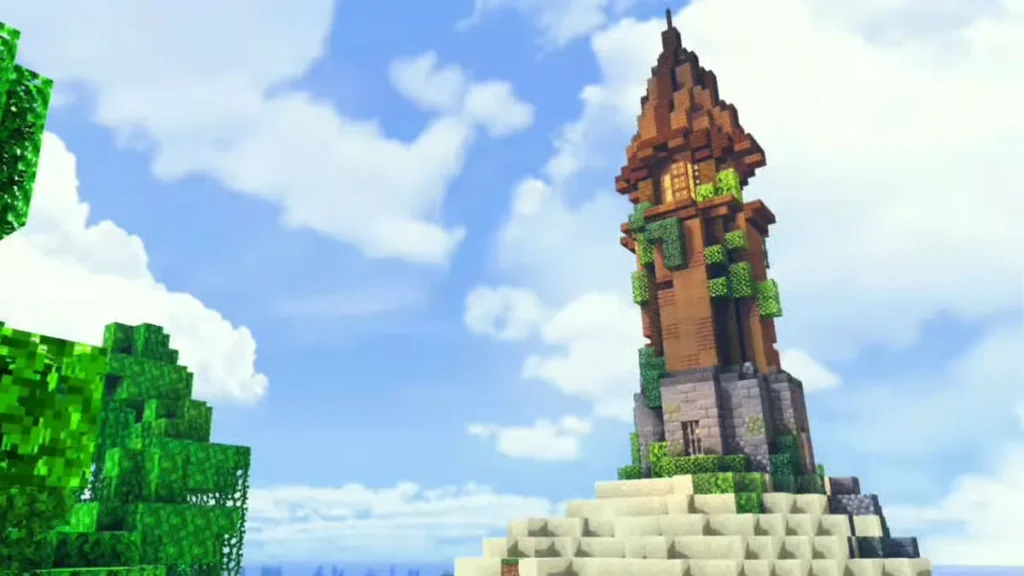
Not everyone has a gaming rig that can handle intensive shader packs, and that’s where SERP absolutely shines. This shader runs smoothly on systems with just 1GB of RAM, making it accessible to virtually any player.
Key Features:
- Incredible performance optimization—works on nearly any device
- Beautiful water textures with realistic reflections
- Enhanced lighting that doesn’t sacrifice FPS
- Animated leaves that gently sway in the wind
- No noticeable lag even on older hardware
Don’t let the lightweight nature fool you—SERP doesn’t look cheap or basic. It simply focuses on the visual improvements that matter most while cutting out the performance-hungry bells and whistles. If you’ve been hesitant to try shaders because of your PC specs, SERP is your answer.
3. RTX Vanilla
Best For: RTX graphics card owners who want photorealistic visuals
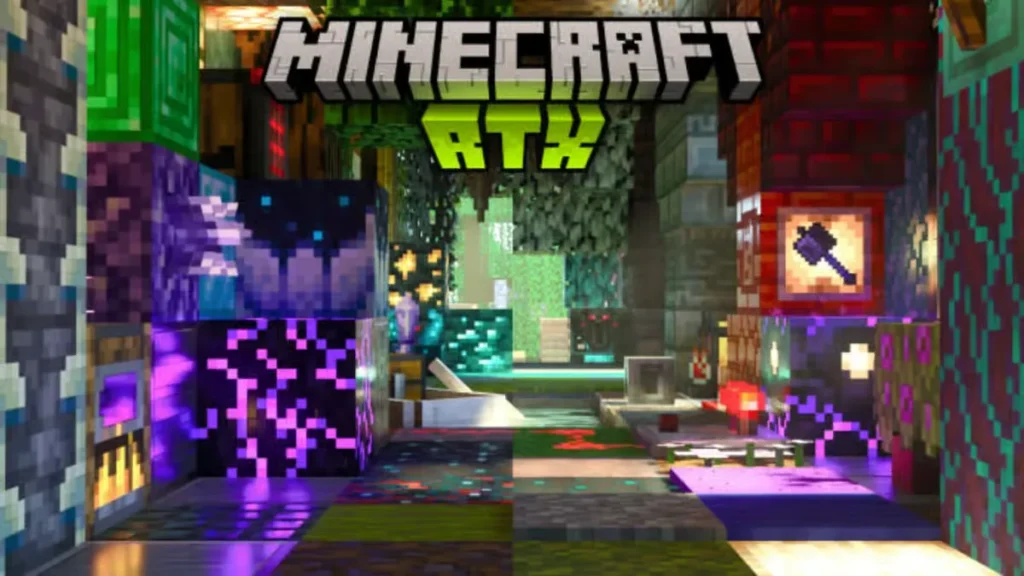
If you’ve invested in an RTX-capable graphics card, you absolutely need to experience RTX Vanilla. This shader pack is specifically designed to leverage ray-tracing technology, creating lighting and reflections that rival AAA games.
Key Features:
- Photorealistic ray-traced lighting and shadows
- God-rays that pierce through blocks and illuminate dust particles
- Materials respond to light realistically (shiny metals, reflective glass, glowing Redstone)
- Enhanced textures for Netherite, Lapis, Redstone, and other materials
- Dramatically improved interior lighting—your builds will look magazine-worthy
- Spooky forest atmospheres with fog and dynamic lighting
The way glass reflects colored light from nearby blocks is mesmerizing. Build a cathedral with stained glass windows, and you’ll see multicolored light patterns dancing across the floor. It’s the kind of visual detail that makes you appreciate Minecraft in an entirely new way.
Fair warning: This shader pack requires significant hardware. You’ll need an RTX 2060 or better to run it comfortably.
4. Sonic Ether’s Unbelievable Shaders (SEUS)
Best For: Players seeking realistic visuals with Optifine compatibility
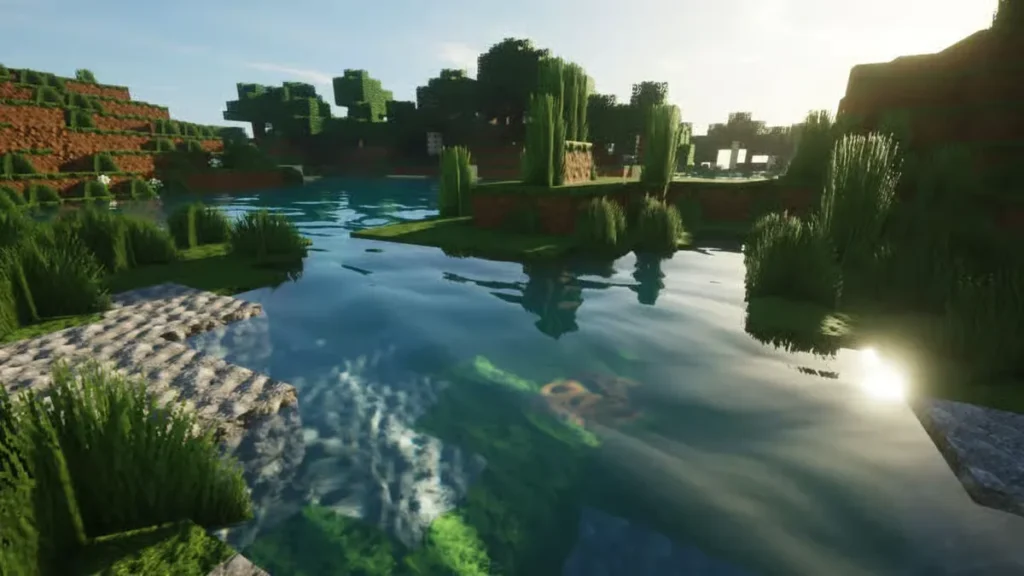
SEUS has legendary status in the Minecraft community, and for good reason. This shader pack has been refined over years to deliver realistic visuals that still feel like Minecraft.
Key Features:
- Excellent Optifine integration for smooth performance
- Upgraded wood grain textures that add depth to builds
- Realistic water with proper reflections and depth
- Enhanced bookshelf designs that make libraries look incredible
- Subtle but impactful improvements across the board
- Great balance between realism and game performance
What makes SEUS special is restraint. It doesn’t try to turn Minecraft into a photorealistic game—instead, it enhances what’s already there. Your builds will look better, natural landscapes will feel more alive, and the overall atmosphere gets a serious upgrade without losing that Minecraft soul.
5. Slidurs Vibrant Shaders
Best For: Players who want bold, saturated colors and dramatic visuals
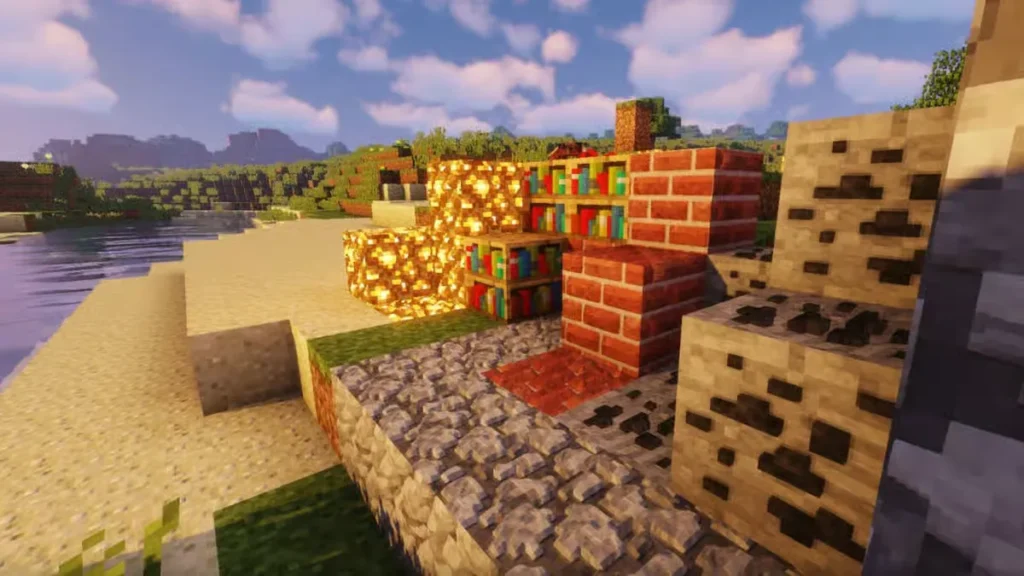
If you want your Minecraft world to look like a fantasy painting, Slidurs Vibrant Shaders delivers exactly that. This pack cranks up the color saturation and contrast, creating worlds that pop off the screen.
Key Features:
- Incredibly vibrant color palette—everything looks more alive
- Dramatic lighting with strong contrasts between light and shadow
- Beautiful water that shifts colors based on surrounding biomes
- Enhanced sky rendering with stunning sunsets and sunrises
- Perfect for screenshots and content creation
- Multiple configuration options to adjust intensity
This shader makes biomes feel distinct and memorable. Deserts glow with warm golden light, forests burst with deep greens, and oceans shimmer with rich blues. It’s not subtle, but that’s the point—Slidurs Vibrant is all about making your world feel like an adventure.
6. EBIN Shaders
Best For: Sky enthusiasts and players who love dramatic atmospheric effects
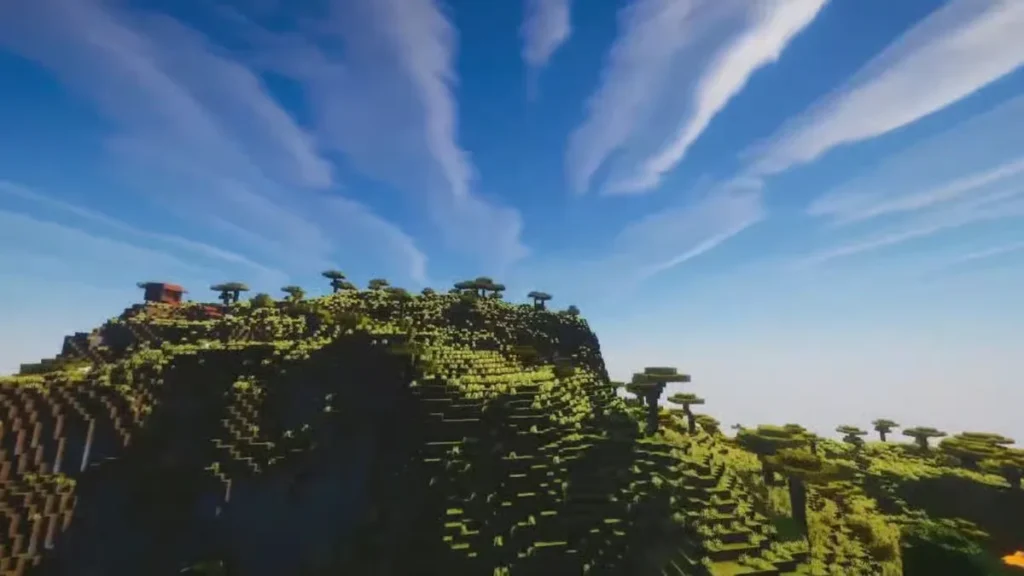
EBIN Shaders puts special emphasis on the sky and atmospheric elements, creating some of the most impressive cloud formations and lighting effects you’ll find in any shader pack.
Key Features:
- Absolutely stunning realistic clouds with dynamic formations
- Incredible sunlight and shadow interactions
- Beautiful water reflections that mirror the sky above
- Atmospheric fog that changes with weather and time
- Perfect contrast between sky and water elements
- Great for building in open areas where the sky is visible
The way this shader handles sunset and sunrise is genuinely spectacular. The clouds catch the light in ways that feel authentic, and the reflections on water surfaces create moments where you’ll forget you’re playing a blocky building game.
7. Continuum
Best For: Players who want the most realistic lighting and shadows possible
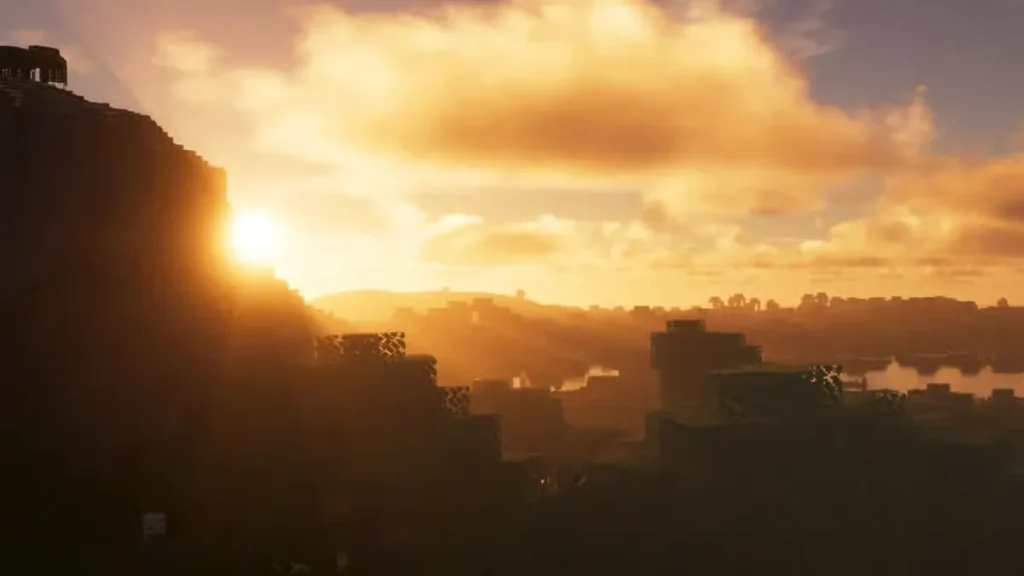
Continuum consistently ranks among the most visually impressive shader packs available. This is the shader you show people when you want to blow their minds with what Minecraft can look like.
Key Features:
- Photorealistic lighting engine with proper global illumination
- Advanced shadow rendering with soft edges and realistic falloff
- Materials respond to light source types (torches look different than sunlight)
- Incredible depth and atmosphere in caves and interiors
- So realistic you might forget you’re playing Minecraft
- Requires decent hardware but worth every frame
The level of detail in Continuum is absurd. Underground mining becomes atmospheric and moody. Your builds look like professional architectural photography. Natural landscapes feel like you’re exploring a real place. It’s transformative.
8. Spectrum Shader
Best For: Mobile players (iOS and Android)
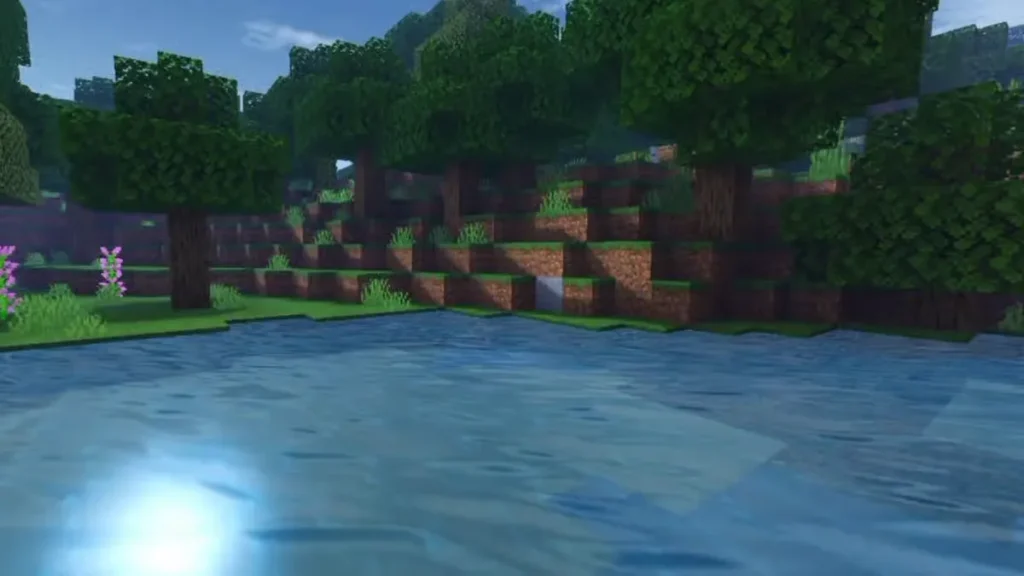
Finally, a shader pack designed specifically for mobile Minecraft players! Spectrum Shader brings visual enhancements to phones and tablets without destroying battery life or causing crashes.
Key Features:
- Optimized specifically for mobile devices
- Realistic sky rendering with proper day/night cycles
- Beautiful water effects that work smoothly on touchscreens
- Wind effects on foliage that add life to the environment
- Mobile-friendly performance that won’t drain your battery instantly
- Makes mobile Minecraft feel premium
Mobile Minecraft often gets overlooked when it comes to visual mods, so Spectrum fills an important niche. If you primarily play on your phone or tablet, this shader will make your worlds look significantly better without technical headaches.
9. RedHat BE
Best For: Players who want stunning skies without overhauling everything else
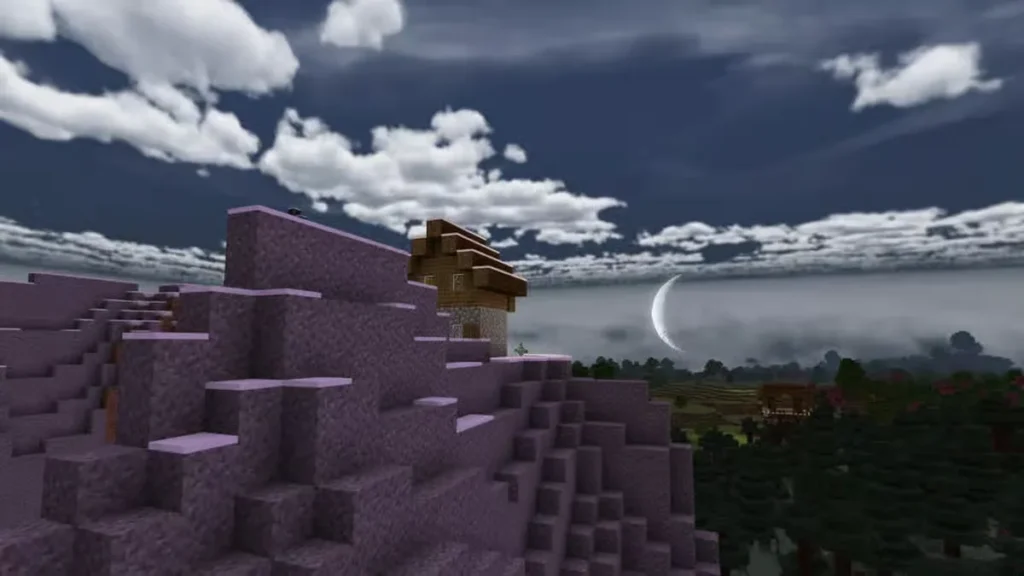
Sometimes you don’t want to change everything—you just want that skybox to look absolutely incredible. RedHat BE focuses specifically on enhancing the sky while leaving most other elements relatively untouched.
Key Features:
- Dreamlike clouds with realistic formations and movement
- Enhanced sun and moon rendering
- Beautiful color gradients during sunrise and sunset
- Minimal impact on ground-level visuals
- Great performance even on modest hardware
- Perfect for players who like vanilla Minecraft but want better skies
This shader is ideal if you’ve built something impressive and want to take epic screenshots with dramatic skies as your backdrop. The way the clouds catch light during different times of day creates those postcard-perfect moments.
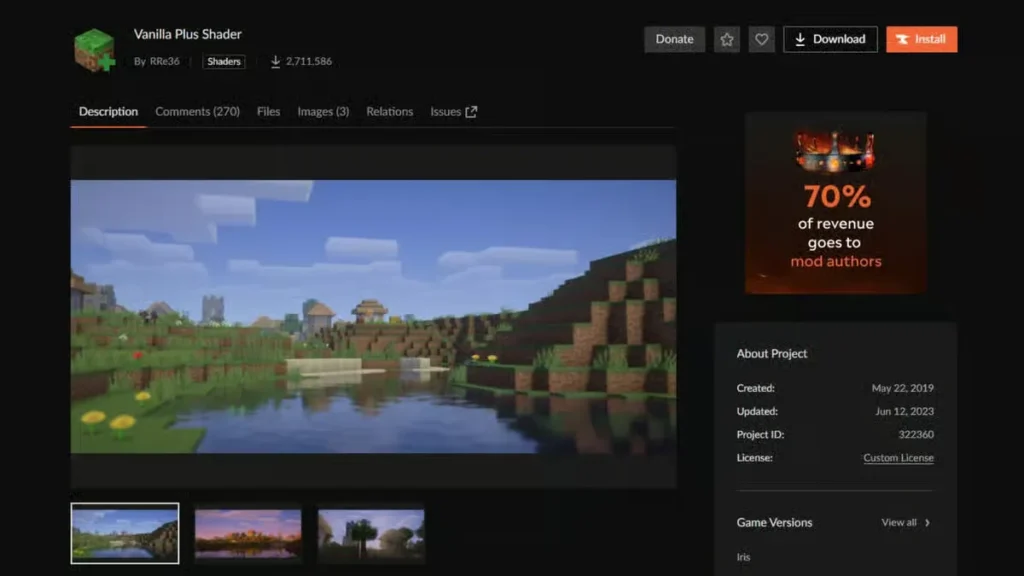
10. Vanilla Plus Shaders
Best For: Players who want subtle improvements without straying from vanilla aesthetics
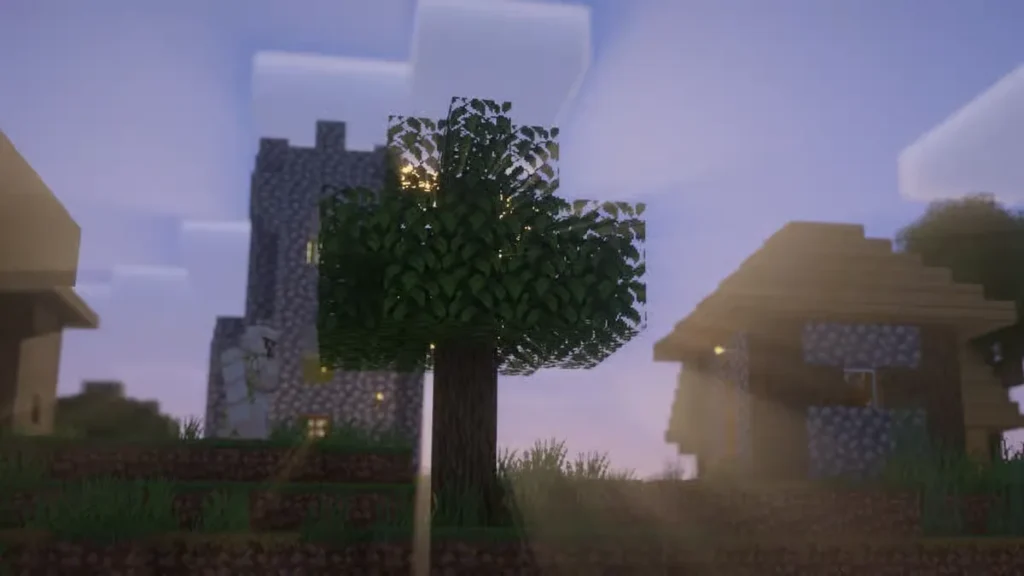
As the name suggests, Vanilla Plus keeps the original Minecraft look almost entirely intact while adding just enough polish to make everything feel premium.
Key Features:
- Preserves vanilla Minecraft aesthetic
- Dynamic shadows that change based on sun position
- Improved cloud rendering
- Atmospheric mist particles that shift colors at sunset
- Enhanced light reflection without going overboard
- Perfect starter shader for players new to visual mods
This is the shader pack you install when you love Minecraft exactly as it is but want the lighting to feel more sophisticated. It’s subtle enough that you might not immediately notice what changed, but once you do, you can’t go back to vanilla.
11. Sunflawer Shaders
Best For: Players who want extreme detail in reflections and shadows
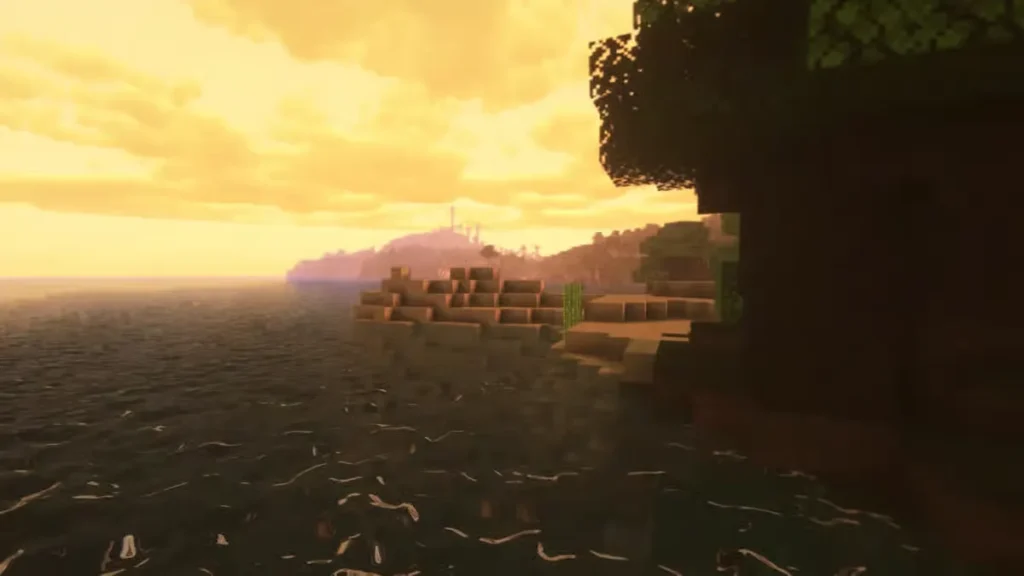
Built as an enhanced version of BSL Shaders, Sunflawer takes that foundation and cranks the detail slider to maximum. Where BSL is gentle, Sunflawer is intense and dramatic.
Key Features:
- Extremely detailed reflections on all surfaces
- Advanced shadow rendering with multiple light bounce calculations
- Spectacular cloud formations that look almost photographic
- Water that looks good enough to drink
- Highly detailed terrain rendering
- Best experienced on powerful hardware
The standout feature here is definitely the clouds. They look three-dimensional, cast proper shadows, and change formation realistically. Combined with the detailed water reflections, you get some of the most screenshot-worthy skies in Minecraft.
12. Photon Shaders
Best For: Players who want cutting-edge visual features and dynamic weather effects
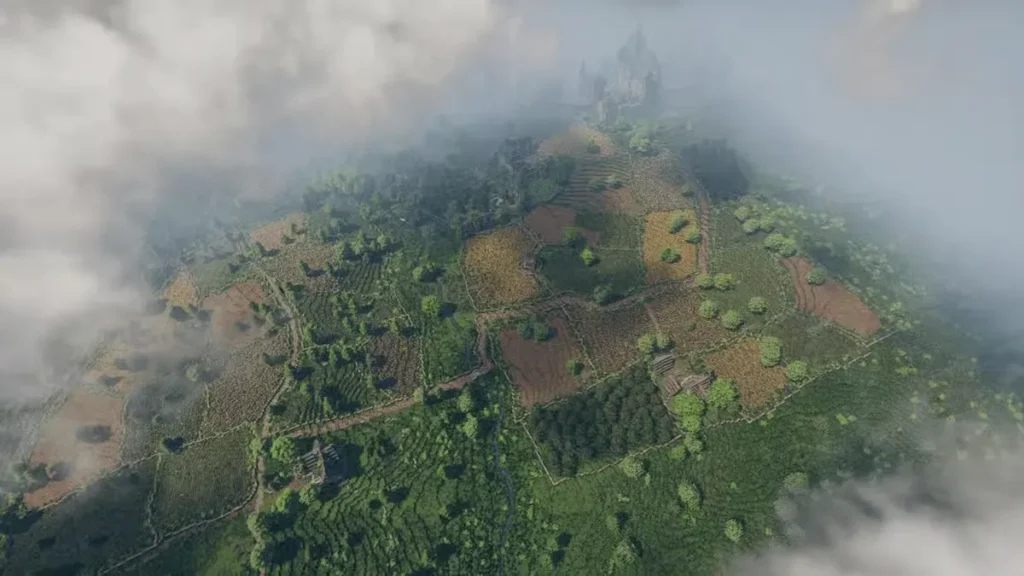
Photon Shaders is relatively new to the scene but has quickly gained popularity thanks to its impressive feature set and attention to detail.
Key Features:
- Dynamic clouds that change shape and color based on weather and time
- Improved ambient occlusion for better depth perception
- Depth of field effects that create cinematic focus
- Motion blur for smoother movement (can be toggled)
- Volumetric lighting that creates god-rays and atmospheric fog
- Constantly updated with new features
What makes Photon special is how reactive it is to in-game conditions. Stormy weather creates dark, ominous clouds. Clear days produce wispy formations. The lighting changes dramatically based on what’s happening around you, creating an immersive atmosphere that feels alive.
How to Download & Install Bedrock Shaders (Complete Guide)
Ready to transform your Minecraft world? Here’s the complete step-by-step process for installing Bedrock shaders:
Step 1: Choose Your Shader Pack
Browse the shader options above and decide which one matches your hardware capabilities and visual preferences. Click through to the shader’s official website or trusted download source.
Step 2: Download the Shader File
Download the shader pack file. It will typically be in .mcpack or .zip format. Make sure you’re downloading the version compatible with Minecraft Bedrock 1.21.
Important: Only download shaders from official sources or trusted repositories. Avoid sketchy third-party sites that might bundle malware with shader files.
Step 3: Ensure You Have the Latest Version
Make sure your Minecraft Bedrock edition is updated to the latest version. Most modern shaders require recent game versions to function properly.
Step 4: Install Optifine (If Required)
Some shaders work better with Optifine installed. Download and install the latest version of Optifine compatible with your Minecraft version if the shader recommends it.
Step 5: Launch Minecraft
Open Minecraft Bedrock and reach the main menu. Don’t jump into a world yet—you need to install the shader first.
Step 6: Navigate to Settings
Click on “Settings” in the main menu, then scroll down to find the “Global Resources” tab.
Step 7: Access Your Packs
Select “My Packs” to view all available resource packs and shaders on your system.
Step 8: Import the Shader
Click “Import” or simply double-click the downloaded shader file if it’s in .mcpack format. The shader should automatically appear in your available packs list.
If you downloaded a .zip file, you may need to manually place it in Minecraft’s resource pack folder:
- Windows:
C:\Users\[YourUsername]\AppData\Local\Packages\Microsoft.MinecraftUWP_8wekyb3d8bbwe\LocalState\games\com.mojang\resource_packs - Android:
Internal Storage/games/com.mojang/resource_packs - iOS: Use the Files app to navigate to Minecraft’s folder
Step 9: Activate the Shader
Find your newly imported shader in the available packs list and click on it to move it to the “Active” section. Make sure it’s positioned correctly in the load order.
Step 10: Apply and Play
Click “Apply” or “Done” to confirm your selection, then launch your world. Your shader should now be active!
Troubleshooting Tips:
- Shader not appearing: Make sure the file is in the correct folder and compatible with Bedrock edition
- Game crashes: Your hardware might not support the shader—try a lighter option like SERP
- Weird visual glitches: Ensure your graphics drivers are updated
- Performance issues: Lower your render distance or try a less demanding shader pack
Performance Optimization Tips
Getting shaders to run smoothly requires some tweaking:
Lower Your Render Distance
Shaders multiply the performance cost of each rendered chunk. Reducing render distance from 20+ chunks to 10-12 can dramatically improve FPS.
Adjust Shader Settings
Most shader packs have internal settings. Access them through the shader menu and disable expensive features like volumetric fog or extreme shadow distances.
Close Background Applications
Minecraft with shaders is resource-intensive. Close unnecessary programs to free up RAM and CPU cycles.
Update Graphics Drivers
Outdated drivers can cause compatibility issues and performance problems. Keep them current.
Allocate More RAM
If possible, allocate more RAM to Minecraft (4-8GB recommended for shader use).
FAQ: Minecraft Bedrock Shaders
What’s the difference between Bedrock and Java Edition shaders?
Bedrock and Java Edition use completely different rendering engines, which means their shader systems are fundamentally incompatible. Java Edition shaders (like those using Optifine or Iris) won’t work on Bedrock, and vice versa. Bedrock shaders are technically called “render dragon shaders” because they use Minecraft’s Render Dragon engine. They’re installed differently (as resource packs through the game menu) rather than being placed in separate shader folders like Java Edition. Performance characteristics also differ—Bedrock is generally better optimized, so some Bedrock shaders can run on hardware that would struggle with equivalent Java shaders.
Will shaders work on console versions of Minecraft Bedrock?
Yes and no. Technically, consoles run Bedrock Edition, but shader support varies by platform. Xbox and PlayStation have limited shader support compared to PC and mobile. Some shaders work on consoles, but many require workarounds or simply aren’t compatible due to platform restrictions. RTX shaders, for example, work on Xbox Series X/S but require specific packs designed for console hardware. Your best bet is checking each shader’s compatibility notes before downloading. PC and mobile have the most reliable shader support.
Do shaders affect gameplay performance, and how much FPS should I expect to lose?
Yes, shaders significantly impact performance because they’re essentially replacing Minecraft’s entire rendering pipeline with more complex visual calculations. The FPS impact varies wildly based on the shader pack and your hardware. Lightweight shaders like SERP might only drop your FPS by 10-20%, while photorealistic packs like Continuum or RTX Vanilla can cut FPS by 50-70% or more. On high-end hardware (RTX 3070+, modern CPU, 16GB+ RAM), you might maintain 60+ FPS with heavy shaders. On modest hardware, expect 30-45 FPS with light shaders and potentially unplayable framerates with heavy ones. Always test shaders in creative mode first to check performance before committing to survival gameplay.
Can I use multiple shader packs simultaneously?
No, Minecraft Bedrock only allows one shader pack to be active at a time since they fundamentally replace the rendering engine. However, you can combine shaders with resource packs and texture packs—those are complementary rather than exclusive. For example, you could run Prizma Visuals 2.0 shader alongside a custom texture pack that changes block appearances. Some players create their own custom shader combinations by manually editing shader files, but this requires technical knowledge and isn’t officially supported. If you want variety, keep multiple shaders installed and switch between them by deactivating one and activating another through the resource pack menu.
Minecraft Bedrock shaders transform the game from a charming blocky adventure into a visually stunning experience that can rival modern AAA titles. Whether you’re running RTX Vanilla on a beast of a gaming PC and watching god-rays pierce through your cathedral’s stained glass, or using SERP on a modest laptop while still enjoying beautiful water reflections, there’s a shader pack designed for your setup.
The beauty of Minecraft shaders is how they enhance without replacing what makes the game special. You’re still building with blocks, still mining in caves, still fighting creepers—but now everything looks and feels more atmospheric, more immersive, and more visually impressive.
Start with lighter packs like SERP or Vanilla Plus if you’re new to shaders or have modest hardware. Once you’re comfortable and understand the performance impact, you can experiment with more demanding options like Continuum, RTX Vanilla, or Photon Shaders.
Don’t forget that installation is straightforward—just download, import through the Global Resources menu, and activate. If you run into issues, the troubleshooting tips above should get you sorted.
Now go transform those blocky worlds into something absolutely beautiful. And if you’re looking for more gaming guides and tips, check out our articles on Anime Rangers X tier list, Marvel Rivals Celestial Codex location, Clash Royale best Arena 6 decks, and Roblox Every Second Add 1 Skill Point codes.
Happy building, and enjoy those stunning new visuals!