Managing inventory in Hytale can get messy fast. You’re constantly picking up loot, crafting new gear, and accumulating broken tools—and before you know it, your storage is overflowing with junk you don’t need. The problem? Hytale doesn’t have an obvious “delete” button for getting rid of unwanted items.
Fortunately, there are several methods for destroying or disposing of trash, from simple item despawning to specialized workbenches and mods. Let me walk you through all your options so you can keep your inventory clean and organized.

Three Methods to Delete Items in Hytale
You’ve got three main approaches for getting rid of unwanted items:
- Throw items on the ground and let them despawn naturally
- Use a Salvager’s Workbench to deconstruct equipment into materials
- Install the Trash Can mod for instant, convenient deletion
Each method has pros and cons depending on what you’re trying to delete and how quickly you need it gone.
Method 1: Throwing Items Away (Natural Despawn)
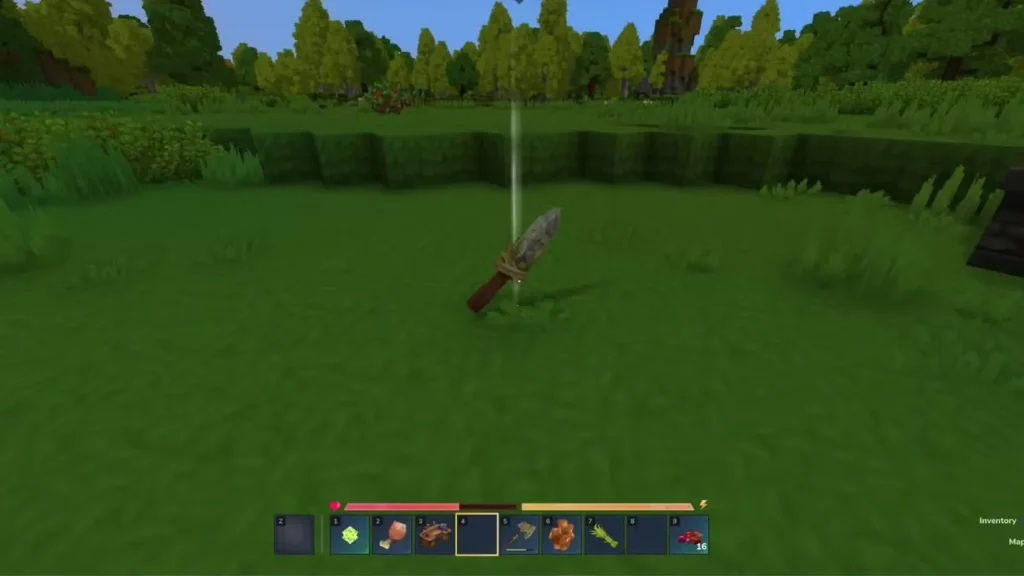
The simplest—though slowest—method is just dropping items on the ground and letting the game automatically delete them.
How Natural Despawning Works
When you place any item in the overworld (by dropping it from your inventory), it won’t stay there forever. After a certain amount of real-world time passes, the item will automatically despawn and disappear from the world permanently.
Despawn timer: 8-10 minutes
Based on testing, items left on the ground vanish after approximately 8-10 minutes of real time. This applies to:
- Tools and weapons
- Armor pieces
- Raw materials (ore, wood, stone, etc.)
- Crafted items
- Food and consumables
- Literally anything you drop
How to use this method:
- Open your inventory
- Click and drag the unwanted item out of your inventory window
- Drop it on the ground
- Walk away and forget about it
- Come back 10+ minutes later—it’ll be gone
Important Warning: Mined Ores Despawn Too
Here’s something critical to remember: mined ore that drops to the ground follows the same despawn rules. If you break an ore block and don’t pick up the dropped material within 8-10 minutes, it’ll vanish permanently.
This can happen if you’re mining carelessly and ore drops fall into lava, water, or inaccessible crevices. Always collect your mined materials promptly to avoid losing valuable resources.
Pros and Cons of Natural Despawning
Advantages:
- No crafting required—works immediately
- Can delete any item type
- Zero resource cost
- Simple and straightforward
Disadvantages:
- Takes 8-10 minutes to complete
- No material recovery from deleted items
- Items clutter the area while waiting to despawn
- Accidental deletion if you forget what you dropped
This method works fine for occasional cleanup but isn’t ideal for mass disposal or when you want materials back from crafted equipment.
Method 2: Using a Salvager’s Workbench (Recommended)
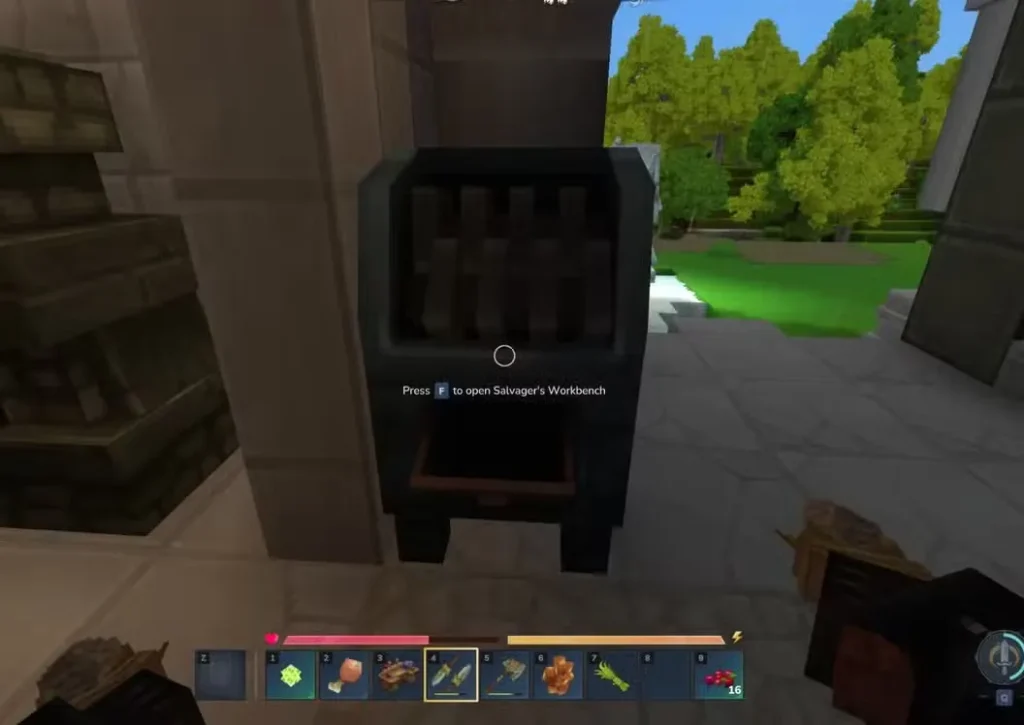
The Salvager’s Workbench is a specialized crafting station designed specifically for deconstructing equipment back into base materials. This is hands-down the best method for disposing of old tools, weapons, and armor while recovering some of your investment.
How to Craft a Salvager’s Workbench
You’ll need a Tier 2 Workbench to craft a Salvager’s Workbench. If you haven’t upgraded your workbench to Tier 2 yet, that’s your first step.
Salvager’s Workbench Recipe:
- 6x Iron Ingots
- 5x Tree Trunk (any type)
- 5x Stone (any type)
Craft it at your Tier 2 Workbench, then place it somewhere convenient in your base—ideally near your other crafting stations for easy access.
How to Use the Salvager’s Workbench
Using the Salvager’s Workbench is dead simple:
- Interact with the workbench to open its interface
- Place the item you want to destroy in the input slot
- The workbench automatically deconstructs the item
- Collect the refunded materials from the output slots
The salvager returns some of the crafting materials originally used to make the item. It’s not a 100% refund—you won’t get everything back—but recovering some resources is way better than getting nothing.
Example: Salvaging a Crude Pickaxe
If you place a Crude Pickaxe in the Salvager’s Workbench, you’ll get back:
- Some Rubble
- Some Plant Fiber
- Some Sticks
Not the full crafting cost, but enough to make salvaging worthwhile, especially for higher-tier equipment made with expensive materials like Cobalt or Mithril.
What You CAN and CAN’T Salvage
Items you CAN salvage:
- Tools (pickaxes, axes, shovels)
- Weapons (swords, bows, crossbows)
- Armor pieces (helmets, chestplates, leggings, boots)
- Crafted equipment of any tier
Items you CANNOT salvage:
- Raw materials (ore, stone, wood)
- Food and consumables
- Uncrafted items
- Quest items or special drops
If you need to delete raw materials, you’ll need to use Method 1 (natural despawn) or Method 3 (Trash Can mod).
Why Salvaging is Better Than Despawning
Advantages over natural despawn:
- Instant deletion—no waiting 10 minutes
- Material recovery—get resources back instead of losing them
- Efficient disposal of broken or obsolete equipment
- Clutter-free—no items lying around your base
The only real disadvantage is that you need a Tier 2 Workbench and the materials to craft the Salvager first. But once you’ve got it set up, it’s the go-to solution for managing outdated equipment.
Method 3: Trash Can Mod (Most Convenient)
If you’re comfortable installing mods, the Simply Trash mod by Jaredlll08 is hands-down the most convenient way to delete anything in Hytale.
What the Trash Can Mod Does
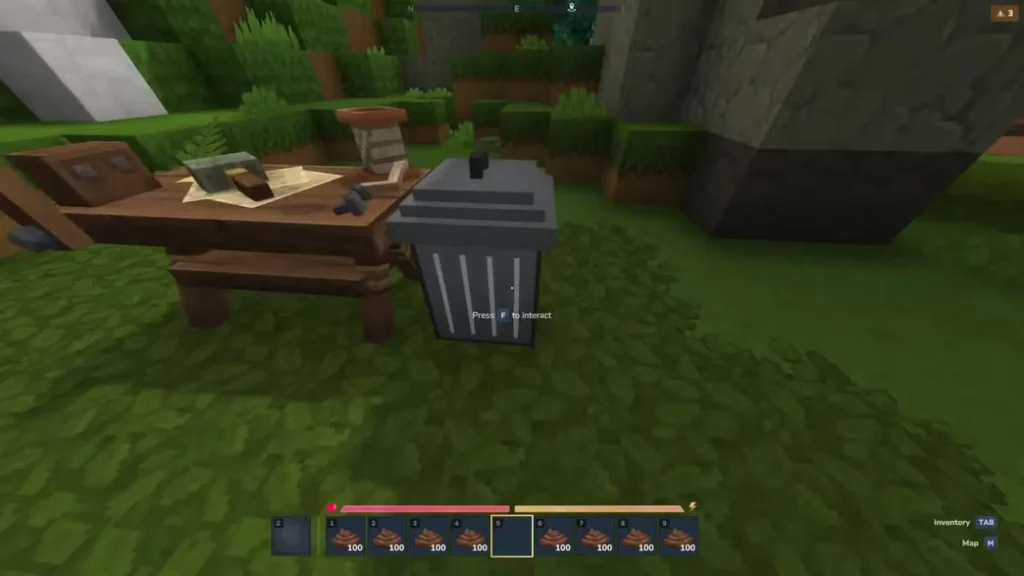
This mod adds a Trash Can block to the game that functions like a permanent deletion chest. Anything you place inside it gets destroyed instantly and permanently—no waiting, no material recovery, just gone.
Mod Link: Search for “Simply Trash” by Jaredlll08 on CurseForge
How to Install and Use the Trash Can Mod
Step 1: Download and install the mod
Follow standard Hytale mod installation procedures:
- Download from CurseForge
- Place mod files in your Hytale mods folder
- Launch the game
Step 2: Craft the Trash Can
Once the mod is installed, you can craft a Trash Can at your Workbench.
Trash Can Recipe:
- 20x Iron Ingots
Craft it and place the Trash Can block somewhere convenient in your base, just like you would a chest.
Step 3: Delete items
- Right-click the Trash Can to open it
- Place any items you want to delete inside
- Close the interface
- Reopen the Trash Can—all items inside are now permanently deleted
It’s that easy. No waiting, no confirmation prompts, no material recovery—just instant deletion.
Pros and Cons of the Trash Can Mod
Advantages:
- Instant deletion of any item type
- Works for raw materials, equipment, consumables—literally anything
- Extremely convenient for mass cleanup
- No waiting for despawn timers
Disadvantages:
- Requires mod installation (not vanilla)
- No material recovery—items are gone forever
- Costs 20 Iron Ingots to craft
- Accidental deletion is permanent (be careful what you throw away)
If you’re okay with using mods, this is honestly the best quality-of-life improvement for inventory management in Hytale.
Which Deletion Method Should You Use?
Here’s a quick decision guide:
Use natural despawning when:
- You don’t have access to other methods yet
- You’re deleting small amounts of trash occasionally
- You don’t care about material recovery
- You don’t mind waiting 10 minutes
Use the Salvager’s Workbench when:
- You want to recover materials from crafted equipment
- You’re disposing of old tools, weapons, or armor
- You’ve reached mid-game and have a Tier 2 Workbench
- You value resource efficiency
Use the Trash Can mod when:
- You want maximum convenience
- You’re comfortable installing mods
- You need to delete raw materials or consumables
- You’re doing mass inventory cleanup
Personally, I use both the Salvager’s Workbench and the Trash Can mod. Salvage equipment for material recovery, trash everything else instantly. Best of both worlds.
Additional Inventory Management Tips
Beyond just deleting items, here are some strategies for keeping your inventory organized:
Expand Your Storage Capacity
Upgrade your backpack ASAP to carry more items and reduce clutter. More inventory space means fewer hard decisions about what to keep.
Organize with Labeled Chests
Create dedicated storage areas with chests for different item categories:
- Metals and ores
- Tools and weapons
- Armor and equipment
- Consumables and food
- Building materials
- Crafting components
Labeling chests (if possible) or organizing them logically prevents the “where did I put that?” scramble.
Regular Cleanup Sessions
Set aside time periodically to:
- Salvage broken or obsolete equipment
- Delete excess low-tier materials
- Consolidate duplicate items
- Clear out your “miscellaneous junk” chest
Regular maintenance prevents overwhelming clutter buildup.
Be Selective About What You Pick Up
Not everything needs to be collected. If you’re swimming in Copper Ingots and never use Copper gear anymore, stop picking up Copper Ore. Leave low-value items on the ground instead of clogging your inventory.
Use Charcoal for Fuel Consolidation
Convert all your scattered fuel types (sticks, plant fiber, tree trunks) into stackable Charcoal. This frees up multiple inventory slots and keeps fuel management simple.
What NOT to Delete
Before you start trashing everything, remember some items are harder to replace than others:
Keep these materials:
- Venom Sacs (needed for workbench upgrades)
- Essences of the Void (rare endgame material)
- Azure Kelp (for teleporters)
- Linen Scraps, Cindercloth Scraps, Shadoweave Scraps (fabric materials)
- Rare drops from difficult enemies
- Leather and crafting components
Only delete items you’re absolutely sure you won’t need. When in doubt, store it in a chest instead.
Frequently Asked Questions
Is there a way to delete items instantly in vanilla Hytale without mods?
No, vanilla Hytale doesn’t have an instant delete button or trash can feature. Your only options without mods are natural despawning (8-10 minutes) or using the Salvager’s Workbench (which only works for crafted equipment, not raw materials). If you want instant deletion of any item type, you’ll need to install the Trash Can mod.
Can I recover items after deleting them with the Salvager’s Workbench or Trash Can mod?
No, deletion is permanent with both methods. The Salvager’s Workbench refunds some crafting materials when deconstructing equipment, but you can’t get the original item back. The Trash Can mod deletes items completely with zero recovery. Natural despawning is also permanent—once items vanish after 8-10 minutes, they’re gone forever. Always double-check before deleting valuable items.
What happens if I accidentally drop something important and it despawns?
Unfortunately, it’s gone permanently. Hytale doesn’t have an item recovery system or “undo” feature. This is why you should be extremely careful when dropping items, especially valuable materials like Cobalt Ingots or rare drops. Consider storing important items in chests instead of risking accidental deletion. If you’re prone to misclicks, the Trash Can mod is safer since it requires intentionally placing items inside and closing the interface.
Can I use the Salvager’s Workbench to delete raw materials like ore or wood?
No, the Salvager’s Workbench only works on crafted items—tools, weapons, and armor. You cannot use it to delete raw materials like ore, stone, wood, or plant fiber. For raw material disposal, you need to either drop them and wait for natural despawning (8-10 minutes) or install the Trash Can mod for instant deletion. This limitation makes the Salvager specialized for equipment disposal only.