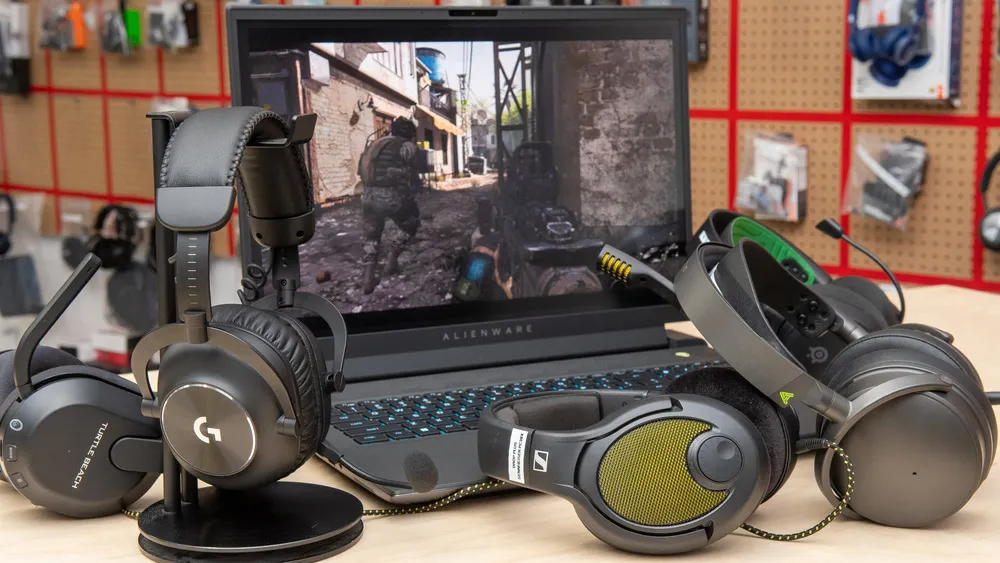
TL;DR: You can absolutely get a solid gaming headset for under $50 in 2026 — the trick is knowing which brands cut the right corners and which ones cut the wrong ones. Our top picks: HyperX Cloud Stinger 2 for best all-round comfort and reliability, Razer BlackShark V2 X for best competitive/FPS audio, Logitech G432 for best mic at the price, ASTRO A10 Gen 2 for best build durability, Turtle Beach Recon 70 for best budget pick for casual and younger players, and Razer Kraken X for the best overall sound quality in the range. All six work on PC, PS5, Xbox Series X, and Nintendo Switch via 3.5mm.
Affiliate Disclosure: GamingProMax.com is a participant in the Amazon Services LLC Associates Program, an affiliate advertising program designed to provide a means for sites to earn advertising fees by advertising and linking to Amazon.com. When you click on product links on this site and make a purchase, we may earn a small commission at no additional cost to you. This helps us keep the site running and continue creating free content for our readers. We only recommend products we genuinely believe offer value, and our editorial opinions are never influenced by affiliate relationships.
Let’s clear something up right away: the “you get what you pay for” rule doesn’t apply cleanly to gaming headsets below $50. There are genuinely good options in this range — headsets from HyperX, Razer, Logitech, and ASTRO that deliver on the things that actually matter for gaming. There’s also a lot of no-name RGB garbage that sounds like you’re talking through a tin can from a dollar store. This guide is only the former.
Under $50 is the most popular price tier for gaming headsets — the budget category pulled in roughly 43% of all gaming headset revenue in 2024. That means manufacturers are competitive here in a way they aren’t at higher price points. The result: a handful of legitimately impressive options if you know what you’re looking for.
Here’s what actually matters at this price (and what you should stop caring about):
Do care about: stereo sound accuracy, microphone clarity, comfort over long sessions, build durability, and cross-platform compatibility.
Stop caring about: “7.1 surround sound” labels. At sub-$50, software-simulated surround is almost always a gimmick that muddies the audio and only works on PC anyway. Clean, accurate stereo with a good soundstage is better for gaming every time.
The Six Best Gaming Headsets Under $50 — Quick Comparison
| Headset | Price | Drivers | Mic Type | Best For | Platforms |
|---|---|---|---|---|---|
| HyperX Cloud Stinger 2 | ~$39 | 40mm | Swivel-to-mute | All-round daily use | PC, PS5, Xbox, Switch |
| Razer BlackShark V2 X | ~$49 | 50mm cardioid | Fixed boom | Competitive FPS | PC, PS5, Xbox, Switch |
| Logitech G432 | ~$49 | 50mm | Flip-to-mute boom | Best mic in range | PC, PS5, Xbox, Switch |
| ASTRO A10 Gen 2 | ~$49 | 40mm | Unidirectional boom | Durability, console | PC, PS5, Xbox, Switch |
| Turtle Beach Recon 70 | ~$29 | 40mm | Removable flip mic | Budget/casual players | PC, PS5, Xbox, Switch |
| Razer Kraken X | ~$39 | 40mm | Retractable cardioid | Best sound quality | PC, PS5, Xbox, Switch |
🥇 1. HyperX Cloud Stinger 2 — Best All-Round Pick Under $50
Price: ~$39 | Connection: 3.5mm | Weight: ~275g Platforms: PC, PS5, PS4, Xbox Series X|S, Xbox One, Nintendo Switch, Mobile

The HyperX Cloud Stinger 2 is where most people should start and where most people should end up. It’s simple, comfortable, reliable, and sounds good — which is the entire checklist for a budget gaming headset. HyperX has been refining this formula since the original Cloud Stinger, and the second generation gets the fundamentals right without overcomplicating anything.
The 40mm drivers produce a warm, balanced sound profile that doesn’t go overboard on bass the way a lot of budget headsets do to fake “punch.” The soundstage is solid for positional audio — footsteps and directional cues in FPS games come through cleanly without the audio feeling congested. The swivel-to-mute mic is convenient: rotate the arm up and you’re muted, rotate it down and you’re live. No fumbling for a button mid-game.
Comfort is where the Stinger 2 earns real praise in this price bracket. The memory foam ear cushions are genuinely soft and the clamping force is light enough that extended sessions — two, three, four hours — don’t leave you with sore ears or a headache. The build is mostly plastic, which keeps weight down but means it’s not indestructible. Treat it reasonably and it’ll last.
HyperX rates this at an impedance of 32Ω with a frequency response of 10Hz–21kHz. The swivel earcup design also lets you fold one cup back for monitoring your environment — useful if you’re in a shared space.
What it doesn’t do: The mic isn’t the strongest in this roundup. It’s fine for team chat and party voice — clear enough that teammates won’t constantly ask you to repeat yourself — but it has a slight tendency toward background noise pickup compared to the cardioid options below. Also no virtual surround on console (PC only via HyperX NGenuity software).
Buy it if: You want a comfortable, reliable daily driver for all-round gaming across any platform and don’t want to overthink it. Skip it if: Microphone quality is your top priority, or you play primarily on console and want virtual surround features.
🥈 2. Razer BlackShark V2 X — Best for Competitive and FPS Gaming
Price: ~$49 | Connection: 3.5mm | Weight: ~240g Platforms: PC, PS5, PS4, Xbox Series X|S, Xbox One, Nintendo Switch

The BlackShark V2 X is the pick if your primary concern is hearing enemies. It was designed with competitive gaming in mind and that intention shows in how it’s tuned. The 50mm drivers with Razer’s TriForce Titanium tuning deliver a sound profile that’s optimized for picking out high-frequency cues — footsteps, reload sounds, distant gunfire — with clarity rather than bass impact.
At 240g it’s one of the lighter options in this roundup, which matters more than you’d think during long sessions. The memory foam earcups have a firm enough density to provide good passive noise isolation — useful for staying focused in shared spaces — though this does mean a slight reduction in breathability during warmer weather compared to the Stinger 2’s softer cushioning.
The cardioid microphone is fixed-position rather than removable but it performs well above the price expectation. In back-to-back mic tests against other sub-$50 options, voice clarity on the BlackShark V2 X consistently comes through cleaner and with noticeably less background noise pickup than similarly-priced competitors. The 7.1 virtual surround sound feature works exclusively on Windows PC via Razer’s software — it adds some spatial dimensionality to game audio, but experienced ears will notice it’s processed rather than natural. Use it or don’t; the stereo performance is excellent either way.
Cross-platform compatibility is full and via the universal 3.5mm jack — no adapters needed for PS5, Xbox, Switch, or mobile.
What it doesn’t do: Console players don’t get the 7.1 surround feature. The fixed mic means it’s harder to use as a casual music or video-call headset when you’re not gaming. Build feels slightly less sturdy than the ASTRO A10 at roughly the same price.
Buy it if: You primarily play competitive FPS games like Valorant, CS2, Apex Legends, or Call of Duty and want the best audio advantage for the money. If you’re already working on your aim, pairing this with solid audio fundamentals makes a real difference — your ears are doing as much work as your eyes. For more on the competitive FPS side of things, our PC vs console gaming breakdown covers why platform choice affects competitive play. Skip it if: Comfort over 4+ hour sessions is more important to you than audio accuracy.
🥉 3. Logitech G432 — Best Microphone in the Sub-$50 Range
Price: ~$49 | Connection: 3.5mm (+ USB adapter for PC surround) | Weight: ~259g Platforms: PC, PS5, PS4, Xbox Series X|S, Xbox One, Nintendo Switch

If your teammates are constantly complaining about your mic, the Logitech G432 solves that problem at this price point more definitively than any other option. The flip-to-mute boom mic delivers what reviewers consistently describe as the clearest voice pickup in the sub-$50 bracket — tested against the BlackShark V2 X, Stinger 2, and Turtle Beach options, the G432’s mic repeatedly produces cleaner recordings with less background noise bleed.
The 50mm drivers sound good — a wide soundstage compared to the competition — and the DTS Headphone:X 2.0 surround sound feature is the most capable virtual surround implementation at this price, accessible via a USB adapter on PC. Unlike the software-only surround on other budget headsets, the DTS implementation on the G432 adds genuine spatial dimensionality rather than just adding reverb. That said, surround only works on PC via the USB connection — drop to 3.5mm for console use.
Nearly 13,000 Amazon reviews and a consistent 4.2-star rating tell the real story here: this is a headset with a proven multi-year track record. Users who’ve had it for 3+ years consistently report the construction holding up, which is above average for this price bracket. The earcup rotation to 90 degrees is a useful quality-of-life feature for wearing around the neck.
What it doesn’t do: The leatherette ear cushions, while comfortable, retain heat more than fabric alternatives — some users report ear warmth during extended summer sessions. The G432 also runs slightly heavier than the Kraken X or BlackShark V2 X, which is noticeable over long sessions.
Buy it if: You’re in a squad or party-based game where voice communication is central — co-op games, MMOs, MMORPGs, multiplayer games with heavy comms. The best mic in this price range makes a meaningful difference to your team. Skip it if: You’re primarily a solo player or primarily play console and want the surround features — the DTS is PC-only.
4. ASTRO A10 Gen 2 — Best Build Quality Under $50
Price: ~$49 | Connection: 3.5mm | Weight: ~308g Platforms: PC, PS5, PS4, Xbox Series X|S, Xbox One, Nintendo Switch

ASTRO is known for its premium-tier headsets (the A50 is one of the best wireless gaming headsets at any price), and the A10 Gen 2 brings some of that build philosophy down to budget pricing. The result is the most physically durable headset on this list by a clear margin. The frame uses a reinforced design that feels meaningfully more solid than the plastic-dominant builds from Razer and HyperX at similar prices. If you’re the kind of gamer who throws a headset around, travels with it, or shares it with younger family members, build quality is worth prioritizing.
The 40mm drivers are tuned for a fuller, slightly warmer profile rather than the competitive-focused tuning of the BlackShark V2 X. Gaming immersion — environmental audio, cinematic moments, explosions, music — sounds more impactful than the clinical accuracy of the Razer. The unidirectional boom mic picks up voice well and flips out of the way cleanly.
At ~308g it’s the heaviest option on this list. Some players won’t notice. Others who’ve used ultra-light headsets like the Kraken X (260g) will find the difference tangible over four-plus hours.
What it doesn’t do: No virtual surround at any price or on any platform — this is strictly stereo. At $49 it sits at the top of this price range and the Logitech G432 or BlackShark V2 X offer more audio features for the same money.
Buy it if: Longevity and durability matter more than audio feature sets — this is the headset for people who know they’re hard on gear. Skip it if: You want the best sound quality per dollar. The A10 spends budget on build rather than drivers.
5. Turtle Beach Recon 70 — Best Entry-Level Pick for Casual and Younger Gamers
Price: ~$29 | Connection: 3.5mm | Weight: ~220g Platforms: PC, PS5, PS4, Xbox Series X|S, Xbox One, Nintendo Switch, Mobile

The Recon 70 is the one you buy when $29 is what you’re working with and you want something from a real brand rather than a no-name Amazon listing. At this specific price, Turtle Beach’s experience in the budget/family gaming space shows — the Recon 70 is lightweight (220g), comfortable enough, and comes in multiple colors. It’s a proper plug-in-and-play solution with zero setup friction.
The audio is honest budget-tier — it won’t win any comparison tests against the options above, but it’s clean enough that you won’t spend sessions fighting uncomfortable or distorted sound. The removable flip mic is a practical call at this price, keeping the headset usable for music or video calls without a boom arm in the way when you’re not gaming. Reviewers consistently note slightly fuzzy audio compared to the Kraken X or G432 — this is real, but at $20 less, it’s expected.
Where the Recon 70 punches above its weight is the value story for casual gamers, younger players, or anyone who simply needs a functional gaming headset without research overhead. It passes the fundamental test: your teammates will understand your callouts.
What it doesn’t do: Audio fidelity isn’t the strength here — if you play competitive FPS and want accurate positional audio, the BlackShark V2 X or Kraken X are better investments for a bit more money. The build is almost entirely plastic and feels accordingly at this price.
Buy it if: Budget is the primary constraint and you need something functional from a recognized brand without spending $40+. Also a solid choice as a backup/travel headset or for younger gamers. Skip it if: You play competitive FPS games or want audio quality that will actually enhance your gaming rather than just provide functional comms.
6. Razer Kraken X — Best Sound Quality Under $50
Price: ~$39 | Connection: 3.5mm (+ USB for PC surround) | Weight: ~250g Platforms: PC, PS5, PS4, Xbox Series X|S, Xbox One, Nintendo Switch

When CNN Underscored tested budget gaming headsets comprehensively, the Razer Kraken X came out as the clear standout for sound quality and comfort combination — and that conclusion has held up through subsequent testing rounds. At just over half a pound and with plush memory foam earcups, the Kraken X is the headset most testers consistently reported forgetting they were wearing during hour-plus gaming sessions.
The retractable microphone (it slides into the headset frame when not in use) delivers voice clarity that a reviewer noted wasn’t far off from the pricier BlackShark V2 at $99. For a $39 headset, that’s a real achievement. The mic is cardioid-pattern, picking up your voice while rejecting ambient noise from the sides and behind.
Sound quality leans toward a slightly warmer, more musical profile rather than pure competitive tuning — which means it’s excellent for immersive single-player experiences and works well for competitive gaming too, just not as laser-focused on high-frequency footstep clarity as the BlackShark V2 X specifically.
The 7.1 surround via USB and Razer’s Synapse software is PC-only and adds some genuine spatial effect. Not essential, but a nice-to-have if you’re on PC and want to experiment.
What it doesn’t do: The retractable mic, while convenient, isn’t quite as loud or present as dedicated boom mics. It’s clear enough for team chat but not the option for anyone who wants broadcast-quality voice pickup. Also the aesthetic is plain — if you want something that looks like a gaming headset, the Kraken X might look underwhelming compared to its competitors.
Buy it if: Comfort and sound quality for immersive single-player or all-round gaming are your priorities and you want the best audio per dollar under $50. Skip it if: Microphone performance is your top priority — the G432’s boom mic is meaningfully better.
What to Actually Look for When Buying a Budget Gaming Headset
Before pulling the trigger on any of these, here’s the real checklist that matters. Ignore spec sheet numbers that sound impressive but don’t affect your actual experience.
Driver Size Isn’t the Whole Story
Marketing loves to trumpet driver size (40mm vs 50mm) as if bigger automatically means better. It doesn’t. Tuning matters more than raw size. The 40mm drivers in the Razer Kraken X outperform the 50mm drivers in many budget headsets because Razer knows how to tune them. Focus on reviews and sound descriptions, not millimeter counts.
Wired Beats Wireless Under $50 — Every Time
To fit wireless into a $50 budget, manufacturers cut audio quality, microphone quality, and build quality to pay for the radio hardware and battery. The result is almost always worse than a wired headset at the same price. Every pick on this list is wired for that reason. The zero-latency connection also matters in competitive gaming where audio sync has to be perfect. Save wireless for when your budget reaches $80+.
3.5mm Means True Cross-Platform
Every headset on this list uses a 3.5mm audio jack which plugs directly into your controller, PC headphone jack, or Switch. No adapters, no compatibility concerns. USB headsets at this price restrict you to PC (and sometimes PlayStation via USB-A). Stick with 3.5mm for flexibility.
Stereo Over Software Surround
Virtual 7.1 surround in the sub-$50 tier is overwhelmingly a processing effect that adds artificial reverb to fake spatial separation. Real-world testing consistently shows that clean stereo with accurate driver tuning gives better positional audio in FPS games than budget surround processing. Skip the 7.1 marketing and focus on soundstage quality in the stereo experience.
Microphone Reality Check
At this price, the mic goal is one thing: can your teammates clearly understand your callouts in a chaotic firefight without asking you to repeat yourself? If yes, the mic is doing its job. Streaming quality, broadcast audio, noise cancellation — those are features for the $80+ tier. The G432 comes closest to those standards in this range, but all six picks pass the basic clarity test.
Which One Should You Buy? — The Decision Guide
Not sure which one is right for you? Here’s the shortest path to the right pick:
| Your Situation | Recommended Pick |
|---|---|
| Want the best all-round daily driver, don’t want to overthink it | HyperX Cloud Stinger 2 |
| Primarily play competitive FPS — Valorant, CS2, Apex, CoD | Razer BlackShark V2 X |
| In squads/party games where comms are everything | Logitech G432 |
| Hard on gear, want something that lasts 3+ years | ASTRO A10 Gen 2 |
| Working with under $30, casual gamer or younger player | Turtle Beach Recon 70 |
| Want the best pure sound and comfort combo | Razer Kraken X |
Does Platform Matter for These Picks?
All six headsets use 3.5mm jack and work across every platform — PC, PS5, Xbox Series X|S, Nintendo Switch, and mobile — with no adapters required.
One platform-specific note: virtual surround features (where included) only function on Windows PC via USB or companion software. On PS5, Xbox, or Switch you’ll get stereo audio regardless of what the box says about surround. This isn’t a problem — as covered above, stereo is better for gaming in this price range anyway.
If you’re on PC and also thinking about whether you’re on the right platform for your gaming habits overall, our PC vs console gaming comparison breaks down the real trade-offs across cost, performance, game library, and ease of use in 2026. Worth a read if you’re still figuring out your setup.
Final Word
You don’t need to spend $100+ to hear footsteps clearly, communicate with your team, or enjoy game audio. The six headsets above all deliver where it counts for under $50. The HyperX Cloud Stinger 2 is where most people should start — it’s reliable, comfortable, and genuinely good. The Razer BlackShark V2 X is the upgrade if competitive audio matters. The Logitech G432 solves mic problems. The rest serve specific use cases clearly enough that the decision guide above should make the call straightforward.
Buy one, put it on, and stop worrying about headsets. There are games to play.
Which headset are you running right now and what platform are you on? Drop it in the comments — always curious what the actual community is using at every price point.


