Learn how to get your first vehicle in Borderlands 4, all 10 Digirunner variants and how to unlock them, Hover Drives explained, and how to summon your ride anywhere on Kairos.
TL;DR
Your first vehicle — the Digirunner — unlocks during the 3rd main mission “Down and Outbound”, roughly 90 minutes into the game. Press X (PC) or Left D-Pad (console) to summon it anywhere outside of buildings and restricted areas. There are 10 Digirunner variants to collect in total: 6 come from completing main story missions, and 4 unlock by leveling specific Vault Hunters to level 50. Vehicle appearance is cosmetic — but Hover Drives are performance upgrades that meaningfully change speed, acceleration, handling, and boost, and are unlocked through manufacturer weapon challenges.
The old Borderlands ritual of hunting down Catch-a-Ride stations every time your car exploded is gone. Borderlands 4 replaces it with a personal, summonable Digirunner — a jet-boosted hover bike you can call in almost anywhere with a single button press. It’s one of the best quality-of-life upgrades in the series, and knowing exactly how the system works makes traversal, combat, and trophy hunting all significantly smoother.
When You Get Your First Vehicle: Mission 3, “Down and Outbound”
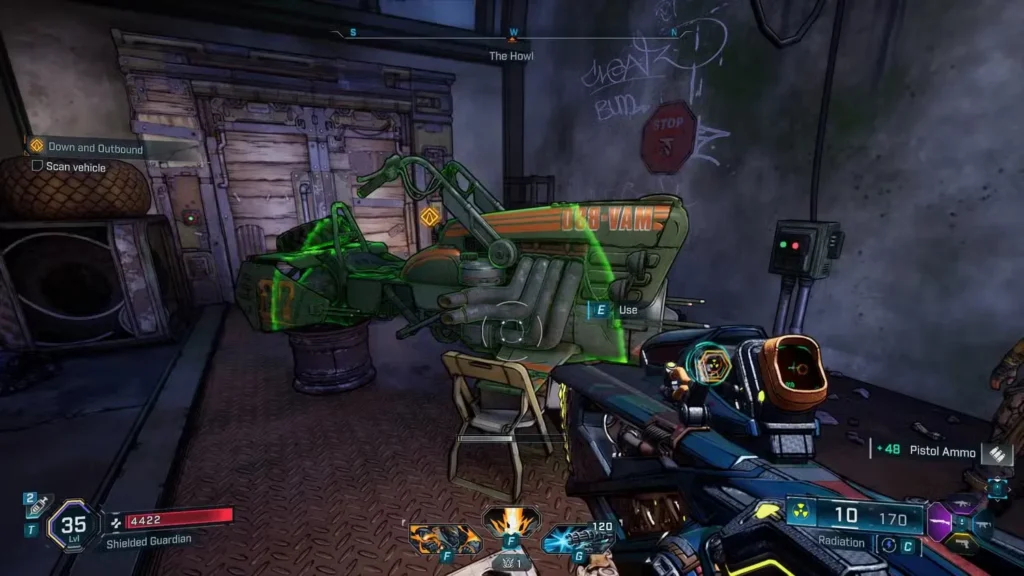
Your first Digirunner unlocks during “Down and Outbound” — the 3rd main story mission, available immediately after completing “Recruitment Drive” (where you meet Claptrap). The whole mission takes around 15–20 minutes and puts you in the Fadefields area, where an NPC named Conway (also referred to as Cosway in some guides) hands you your first ride: an orange and moss-green Digirunner with a suitably battered aesthetic.
Here’s the opening mission order for reference:
- Recruitment Drive (Mission 1) — Meet Claptrap, learn the basics
- Mission 2 — Brief story progression
- Down and Outbound (Mission 3) — Digirunner unlocked
Pro tip: Rush Mission 3 before doing any serious exploration. The Fadefields are large and walking them on foot wastes significant time. Once you have the Digirunner, everything opens up.
How Vehicle Summoning Works
Once you’ve completed “Down and Outbound,” vehicle summoning is instant and available almost everywhere:
Summoning Controls:
- PC: Press X
- Console: Press Left D-Pad
Key details:
- Summon anywhere outdoors — Works across all regions of Kairos you’ve unlocked. Cannot be summoned inside buildings or in restricted areas.
- No cooldown — Summon as often as you like with no penalty
- Instant respawn — If your vehicle is destroyed, just summon again immediately. No costs, no wait time.
- Co-op compatible — Each player summons their own Digirunner independently
What Your Digirunner Can Do
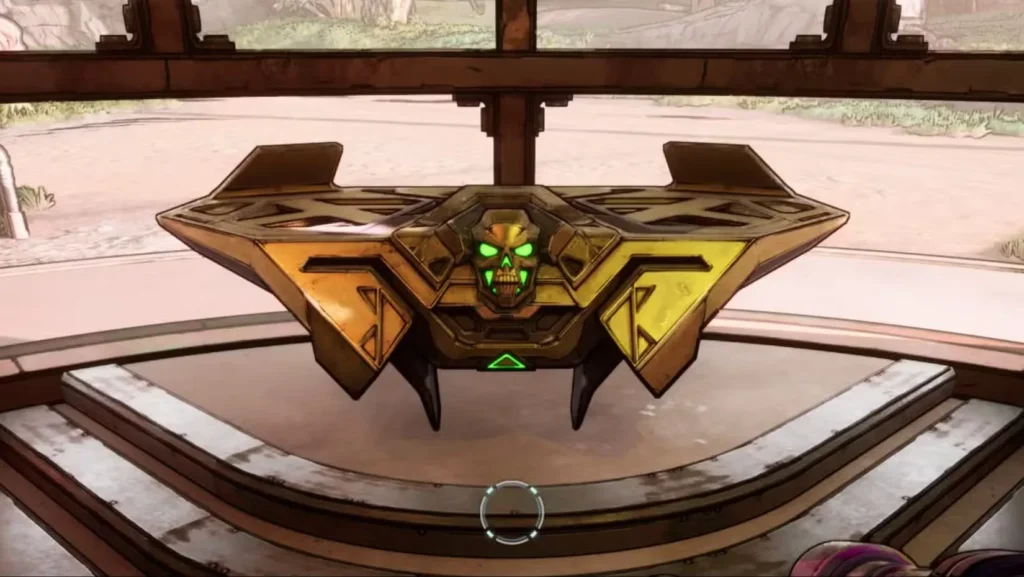
The Digirunner is a jet-boosted hover bike with both traversal and light combat capabilities. Think of it primarily as a mobility tool that can fight when needed, not a dedicated combat vehicle.
Movement abilities:
- Boost — High-speed bursts for crossing large distances; has a cooldown, so time your usage
- Jump — Launch over obstacles, gaps, and enemy groups; boost + jump together covers enormous distances
- Drift slide — Stylish cornering and evasive maneuvering in tight spaces
Combat capabilities:
- Front-mounted cannon — Useful for clearing lighter enemies while driving
- Interchangeable rocket/turret options — Good for suppression; not built for sustained fights
- Ramming — Effective against weaker enemies at speed
- Limited health pool — The Digirunner isn’t a tank; use it for hit-and-run tactics, not prolonged firefights
PC full control reference: X to summon, WASD for movement, Space for jump, Shift for boost. Console controls follow standard platform driving layouts.
All 10 Digirunner Variants: Complete Unlock List
There are 10 Digirunner variants to collect in Borderlands 4. Collecting all 10 unlocks the Catch-A-Ride trophy/achievement. The vehicle variants are cosmetically different from each other but perform identically — it’s the Hover Drive (covered below) that actually changes how your vehicle handles.
You can track your collection under Customization → Vehicle → Vehicle Select in the ECHO menu, where hovering over each variant shows its unlock requirement.
6 vehicles from main story missions (automatic, cannot be missed):
| Vehicle | How to Unlock |
|---|---|
| Digirunner | Talk to Conway during “Down and Outbound” (Mission 3) |
| Driftblade | Complete the “Rush the Gate” main story quest |
| Carapacer | Complete the “His Vile Sanctum” main story quest |
| Punchy Whoopster | Complete the “Her Flaming Vision” main story quest |
| Sprintcraft | Complete “The Timekeeper’s Order” (final main story mission) |
| Fang Glider | Complete “Another Day, Another Universe” main story quest |
4 vehicles from leveling base game Vault Hunters to Level 50:
| Vehicle | How to Unlock |
|---|---|
| Skimmer | Reach Level 50 with Vex the Siren |
| Rockslider | Reach Level 50 with Amon the Forgeknight |
| Gyrosled | Reach Level 50 with Harlowe the Gravitar |
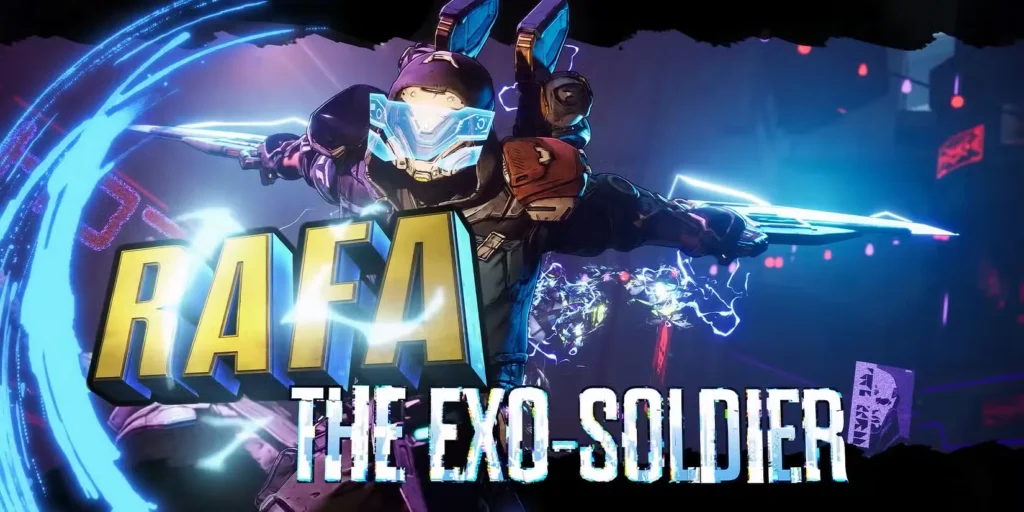
| Pulsar | Reach Level 50 with Rafa the Exo-Soldier |
Important notes for the Catch-A-Ride trophy:
- You need any combination of 10 vehicles total — you don’t necessarily need all four Vault Hunter vehicles if you have DLC alternatives
- The free “How Rush Saved Mercenary Day” Bounty Pack 1 DLC added an additional vehicle, meaning you only need 3 of the 4 base Vault Hunters at Level 50 (or 4 if you don’t have the DLC)
- The game allows you to create a Level 30 character after your first story completion, reducing the grind for alts significantly
- Progress from this trophy now transfers correctly via Cross-Platform Saves (fixed in Patch V1.10)
Hover Drives: The Real Performance System
This is where the original article’s “all vehicles are purely cosmetic” claim needs an important correction. While vehicle variants are cosmetic, Hover Drives are performance-modifying components that meaningfully change how your Digirunner handles.
Hover Drives function as the vehicle’s engine, directly affecting four core statistics:
- Speed — Top movement velocity
- Acceleration — How quickly you reach top speed
- Handling — Cornering and control responsiveness
- Boost — Burst speed power and recovery
Each Hover Drive is tied to a weapon manufacturer (Jakobs, Maliwan, Vladof, Daedalus, Torgue, Ripper, etc.), and each manufacturer has a distinct performance profile. For example, Jakobs Hover Drives are known for superior handling, while others may emphasize top speed or boost.
How to unlock Hover Drives:
- Use weapons from a specific manufacturer to build loyalty with that brand
- Complete manufacturer-specific challenges found under Missions → Challenges in the ECHO menu (e.g., “Kill 50 enemies with Daedalus weaponry” for the Recon Ranger Hover Drive)
- Hover Drives can also drop from Vehicle Reward Chests via the ECHO-4 reward system
- Hover Drives have multiple ranks that upgrade as you hit higher kill counts with that manufacturer’s weapons — Rank 2 typically requires 200 kills, for example
How to equip Hover Drives: Open the ECHO menu → Customization → Vehicles → Hover Drive. You can switch freely between any Hover Drives you’ve unlocked at no cost.
The key takeaway: if your vehicle feels sluggish, the fix isn’t finding a different vehicle variant — it’s equipping a better Hover Drive that matches your play style.
Vehicle Customization: Cosmetics vs. Performance
The full customization system has two distinct layers, accessed via the ECHO menu (open ECHO → Customization button → Vehicles tab):
- Visual customization (cosmetic only, no performance impact): Vehicle variant selection, paint jobs, skins — earned from side quests, exploration rewards, Vault Cards, and DLC
- Performance customization (meaningful stat changes): Hover Drives — these are the upgrades that actually make your vehicle faster, more agile, or better at boosting
This separation is clean and well-designed: you can run your favorite-looking variant with any Hover Drive independent of its visual style. There’s no penalty for using an aesthetic you like.
Vehicle Strategy Tips
For new players:
- Prioritize Mission 3 before heavy exploration — the Fadefields is large and foot travel wastes time
- Practice boost timing in safe areas — the boost has a cooldown, and burning it carelessly leaves you slow at critical moments
- Start building manufacturer loyalty early by sticking to one or two weapon brands — this unlocks Hover Drives passively as you play
- Summon liberally; there’s no penalty for respawning your vehicle after destruction
For exploration:
- Boost + jump is your best long-distance tool — the combination covers gaps that neither ability can clear alone
- Some indoor areas and narrow corridors require dismounting; know when to park and proceed on foot
- Hover Drives with higher handling stats make navigating Kairos’s varied terrain much smoother — prioritize these early if you plan to explore thoroughly
For combat:
- Hit-and-run is the optimal vehicle combat approach — drive by, fire, boost away before enemies can focus fire on you
- Ram groups of weaker enemies for fast crowd control
- Use the jump ability to reach elevated positions for a quick vantage point before dismounting
- When overwhelmed, summon a fresh vehicle instantly and use the boost to exit the engagement
Common Vehicle Questions
A: Simply press the summon button again. No penalties, no waiting period, no repair costs. A fresh Digirunner appears within seconds.
A: Partially. The 10 Digirunner variants are cosmetically different but perform identically. However, Hover Drives — the performance component — meaningfully change speed, acceleration, handling, and boost. Only the vehicle’s visual appearance is cosmetic; Hover Drives are real upgrades.
A: Yes. Each player summons and owns their own Digirunner independently.
A: Vehicle base performance doesn’t scale with level. Performance improves by equipping better Hover Drives, which you unlock by completing manufacturer weapon challenges. Higher Hover Drive ranks require more kills with that manufacturer’s weapons.
A: No. Vehicle summoning is restricted to outdoor areas and open spaces. You’ll receive a prompt if you’re in a restricted zone.
Platform Links
Related Guides
- Borderlands 4 Vehicle Customization: Complete Digirunner Guide
- Borderlands 4 Beginners Guide: Essential Tips
- Your First Steps in Borderlands 4: A New Player’s Survival Guide
- Borderlands 4 Character Guide: Vault Hunter Breakdown
- Borderlands 4 Level Cap: Maximum Level Progression Guide
- Borderlands 4 Complete Trophy & Achievement Guide
The Bottom Line
Getting your Digirunner during Mission 3 should be one of your first priorities. After that, the vehicle system breaks down into two things: collecting all 10 variants (6 automatic from story, 4 from leveling each base Vault Hunter to 50) for the Catch-A-Ride trophy, and equipping the right Hover Drive for how you like to play.
The key correction from the original article: vehicles in Borderlands 4 are not all purely cosmetic. The visual variants are, yes — but Hover Drives are genuine performance upgrades with meaningful stat differences. If your Digirunner feels underpowered, go unlock better Hover Drives by playing your preferred weapon manufacturer. That’s the upgrade path.
Now get out there, complete Mission 3, and start earning that Catch-A-Ride trophy. Those psychos won’t run themselves over.