
While Dragon Quest 7 Reimagined features a handy autosave system, you’ll definitely notice a gold quill icon flickering in the bottom-right corner when it kicks in, relying solely on autosaves is risky business. Taking control of your save files ensures you won’t lose hours of grinding, exploration, or story progress. Before you wrap up any play session, getting into the habit of manual saving will spare you from potential headaches.
The game gives you two straightforward methods for creating manual saves, and knowing where to find each option makes the process practically effortless.
Churches: Your Primary Save Points
Churches serve as the backbone of your saving strategy. You’ll spot them easily on both your map and mini-map thanks to their distinctive silver icon. The starting town of Pilchard Bay has one, and you’ll find these sanctuaries scattered throughout most settlements in your journey.
Here’s a helpful trick: when you’re viewing the region map, hover over any town you’ve previously visited. The interface displays all available amenities in that location, making church hunting a breeze. Once you’ve identified a town with a church, cast the zoom spell from your map to teleport directly there—no backtracking required.
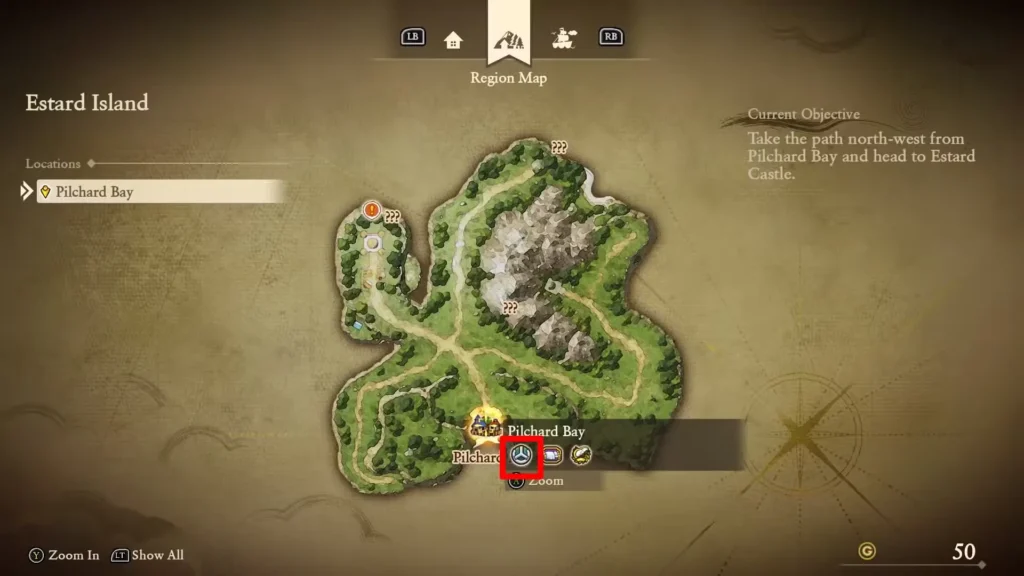
Saving at Churches:
Enter the church building and approach the NPC positioned behind the altar. During your conversation, choose “Confession (Save)” from the menu. The game will prompt you to select an adventure log slot for your save file. Pick your preferred slot, and the process wraps up in seconds.
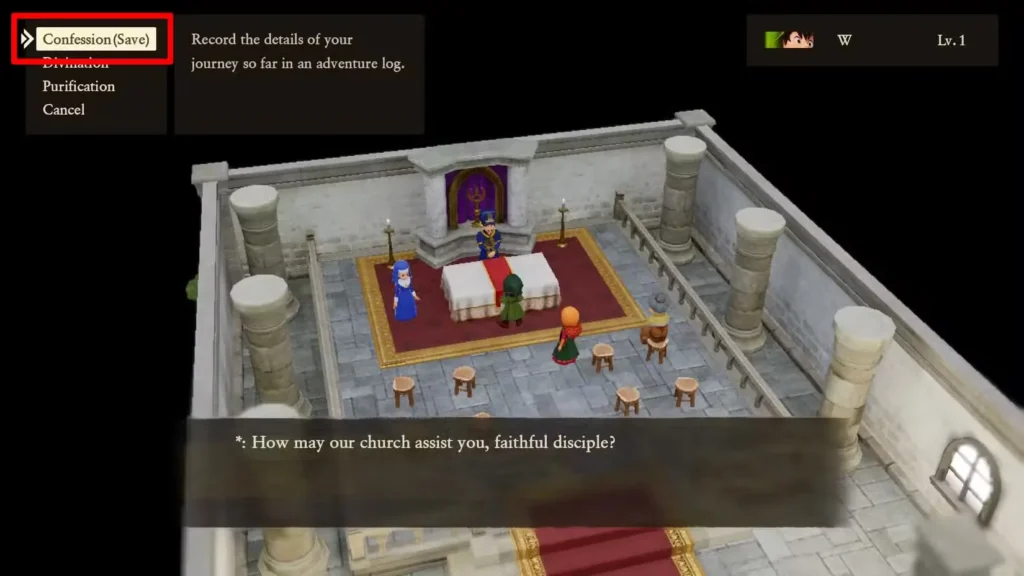
Churches offer more than just saving capabilities. While chatting with the altar attendant, you can access two additional services:
- Divination reveals exactly how much experience each party member needs before hitting their next level
- Purification removes poison status from afflicted party members
Both features come in handy for party management between major battles or dungeon runs.
Sacred Statues: Dungeon Checkpoint Lifesavers
The second saving method involves Sacred Statues, angelic figures you’ll encounter in and around dungeons. Your first meeting with one happens on the path leading into the Rainbow Mines, setting the standard for what to expect throughout the game.
These statues aren’t difficult to recognize. They’re sculpted to resemble angels and stand out visually from the surrounding environment. When you spot one, approach and interact with it, then select “Confession (Save)” just like you would at a church.
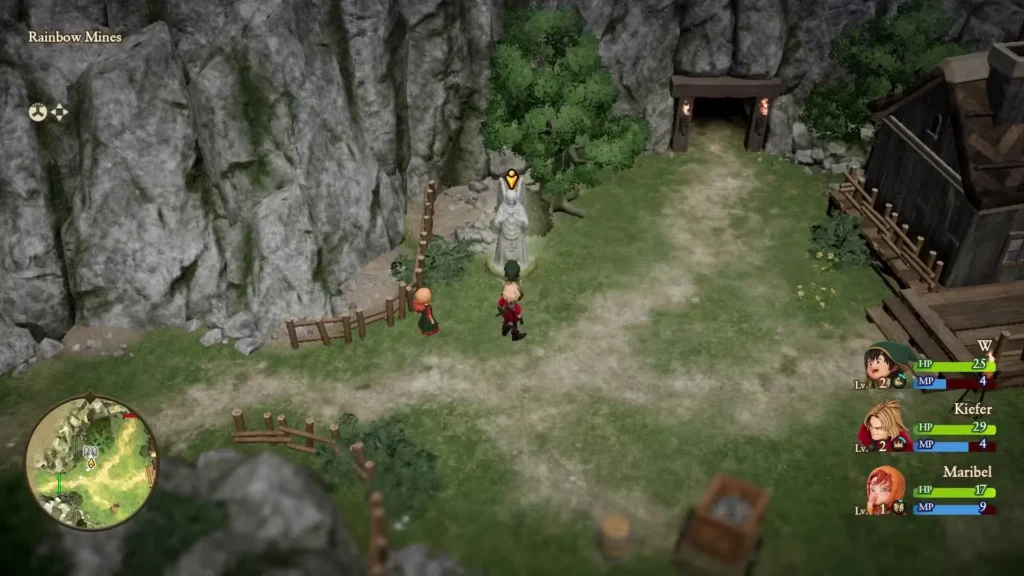
Why Sacred Statues Matter:
Beyond saving capabilities, Sacred Statues completely restore HP and MP for your entire party. This dual functionality makes them absolutely critical in combat-heavy areas where resources run thin. Instead of burning through healing items or retreating to town, you can push forward knowing a full recovery awaits at the next statue.
Sacred Statues also provide divination services, letting you check level progression without backtracking to a church. This information helps you decide whether to continue exploring or focus on experience grinding before tackling tougher encounters.
Platform Availability
Dragon Quest 7 Reimagined is available across multiple platforms. You can grab it on PlayStation, Xbox, Nintendo Switch, and Steam, so choose whichever fits your gaming setup.
Strategic Saving Tips
Make saving a routine part of your gameplay rhythm. After completing major story beats, clearing dungeons, or achieving character milestones, take the extra minute to create a manual save. The autosave system works fine for casual play, but manual saves give you control over exactly where your progress gets locked in.
Consider maintaining multiple save files in different adventure log slots. This creates backup points you can return to if a boss fight goes sideways or you accidentally sell crucial equipment. Rotating between two or three save slots provides insurance against those “I wish I could go back” moments.
Frequently Asked Questions
Where is the first church I can access in the game?
Pilchard Bay, the starting town, contains the first church available for saving. You’ll find it easily by checking your mini-map for the silver church icon.
Do Sacred Statues replace the need to visit churches?
Not entirely. While Sacred Statues handle saving and offer HP/MP restoration, churches remain valuable for their purification service, which cures poison. Sacred Statues typically appear near dungeons, whereas churches are town fixtures.
How many adventure log slots does the game provide?
The game offers multiple save slots, allowing you to maintain separate save files. This lets you experiment with different strategies or maintain backup saves without overwriting your main progress.
Does autosave work the same as manual saving?
Autosave triggers automatically at certain checkpoints, but you can’t control when or where it happens. Manual saves give you precise control over your save points, which is especially valuable before risky decisions or when ending a gaming session.
Will I lose anything if I save at a Sacred Statue instead of a church?
No, both methods create identical save files. The location you choose depends purely on convenience. Sacred Statues offer the added benefit of full party recovery, making them perfect for mid-dungeon checkpoint saves.


