TL;DR
- To change your appearance in Pokémon Pokopia, interact with any mirror and press the A button.
- Mirrors can be found in the overworld, crafted via recipes, or bought from the PC shop.
- New players can grab a Large Mirror in an abandoned house east of the Pokémon Center in Withered Wastelands — use Rock Smash to clear the rubble first.
- The character customisation screen lets you change Ditto’s hairstyle, hair colour, outfit, skin tone, and more.
- Always press the Plus (+) button to save your changes before leaving the screen.
Knowing how to change your appearance in Pokémon Pokopia is one of the first things you’ll want to nail down — especially once you realise just how many outfits and hairstyles are available for Ditto to transform into. Since Pokopia is built around the blobby Transform Pokémon, switching up Ditto’s look is part of the fun, and you may find yourself revisiting the customisation screen quite regularly.
Whether you’ve just started out or you’re deep into building your Pokémon paradise, this guide covers exactly how to change your appearance in Pokopia, where to find your first mirror, and everything you can customise. You can also check out the official Pokémon Pokopia website and the game’s Nintendo Store page for more details.
How to Change Appearance in Pokémon Pokopia
To change your appearance in Pokémon Pokopia, you need to find and interact with a mirror. Walk up to any mirror — it doesn’t matter whether it’s part of a habitat or sitting in the open world — and press the A button. This will open the character customisation screen.
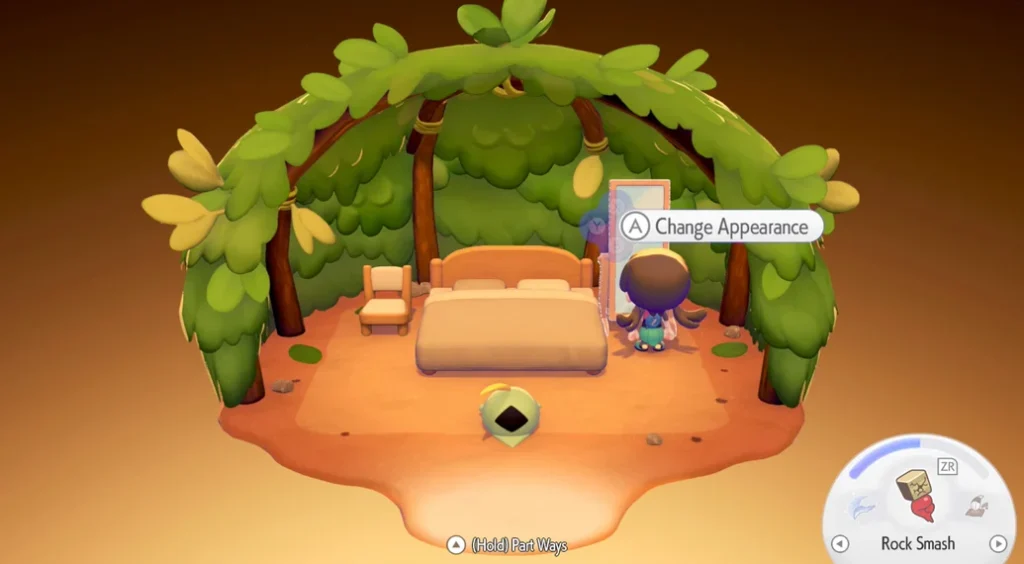
The customisation screen is the same one you use at the very start of the game, so you have full freedom to adjust any aspect of Ditto’s look from scratch. Once you’re happy with your choices, make sure you press the Plus (+) button to save your changes before exiting — otherwise they won’t be applied.
Where to Find Mirrors in Pokopia
Mirrors aren’t hard to come by once you know where to look. There are three main ways to get one:
- Found in the overworld — scattered across various locations as you explore.
- Crafted via crafting recipes — once you have the required materials.
- Purchased from the PC shop — a reliable option once you have enough in-game currency.
Where to Find Your First Mirror (Early Game)
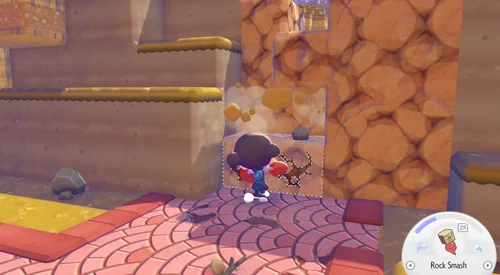
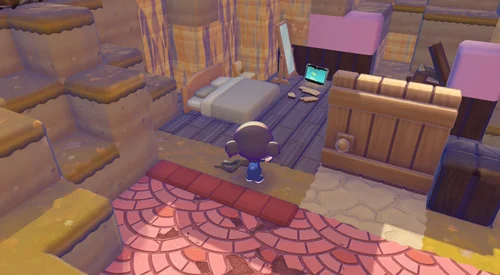
If you’ve just started Pokopia and need a mirror as soon as possible, head to the abandoned house east of the Pokémon Center in Withered Wastelands. You’ll find a Large Mirror inside, but the path is blocked by rubble. Use Rock Smash to clear it, then follow the route down — the mirror will be on your right-hand side. It’s an easy early-game pick-up that lets you start experimenting with Ditto’s appearance right away.
Tip: You can use any mirror in the game to change your appearance — it doesn’t have to be a standalone one. If you’ve placed a mirror as part of a habitat decoration, you can still interact with it to open the customisation screen.
What Can You Change in the Customisation Screen?
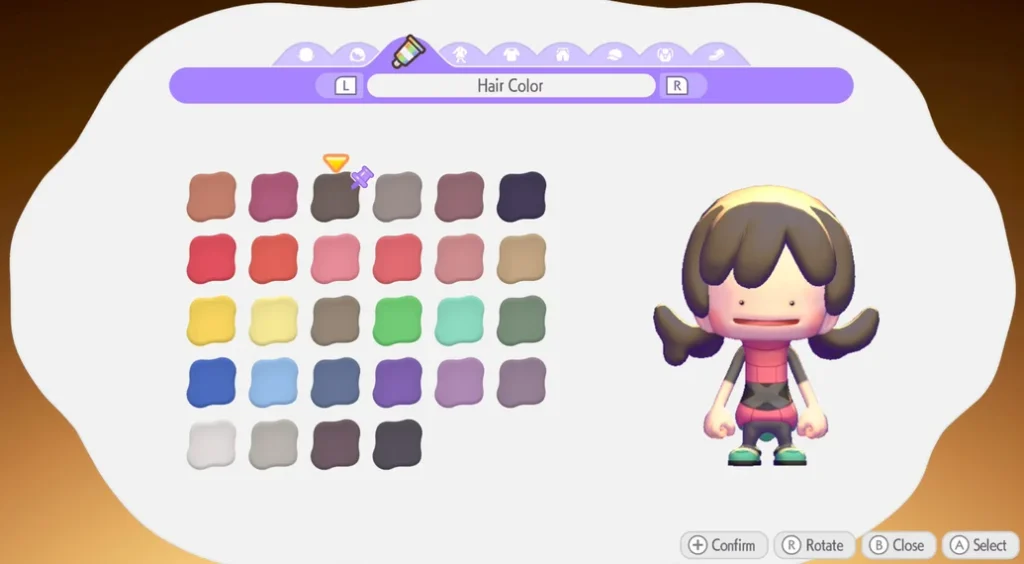
The character customisation screen in Pokopia gives you a wide range of options to personalise Ditto’s appearance. Here’s what you can adjust:
- Skin tone — choose from multiple options, changeable at any time via a mirror.
- Hairstyle — several styles available from the start, with more potentially unlockable as you progress.
- Hair colour — 28 colour options to pick from.
- Outfit — you start with two base outfits, with more unlockable through gameplay.
- Tops and accessories — mix and match to create your ideal look.
Some outfits shown in Pokopia’s promotional material aren’t available on the base customisation screen, suggesting additional clothing and styles can be unlocked by progressing through the game. It’s worth keeping an eye out for rewards and milestones that might add new options to your wardrobe.
Want to know how much storage space you’ll need before diving in? Check out our guide on Pokémon Pokopia file size.
Frequently Asked Questions
How do you change your appearance in Pokémon Pokopia?
Walk up to any mirror in the game and press the A button. This opens the character customisation screen where you can change Ditto’s hairstyle, hair colour, skin tone, outfit, and more. Press Plus (+) to save your changes when done.
Where is the first mirror in Pokémon Pokopia?
The earliest mirror you can find is a Large Mirror in an abandoned house east of the Pokémon Center in Withered Wastelands. Use Rock Smash to remove the rubble blocking the path, then follow the route down — the mirror is on the right-hand side.
Can you change your appearance at any time in Pokopia?
Yes. As long as you have access to a mirror — whether found in the overworld, crafted, or purchased from the PC shop — you can change your appearance at any point in the game. There are no restrictions tied to story progress for using a mirror.
How do you unlock more outfits in Pokémon Pokopia?
You start with two outfits, but more are expected to unlock as you progress through the game. Some outfits shown in promotional material aren’t available from the base customisation screen, suggesting they’re earned through gameplay milestones or specific in-game rewards.
Do you need to save after changing your appearance in Pokopia?
Yes — after making your changes on the character customisation screen, you must press the Plus (+) button to save them. If you exit the screen without pressing Plus, your changes will not be applied.