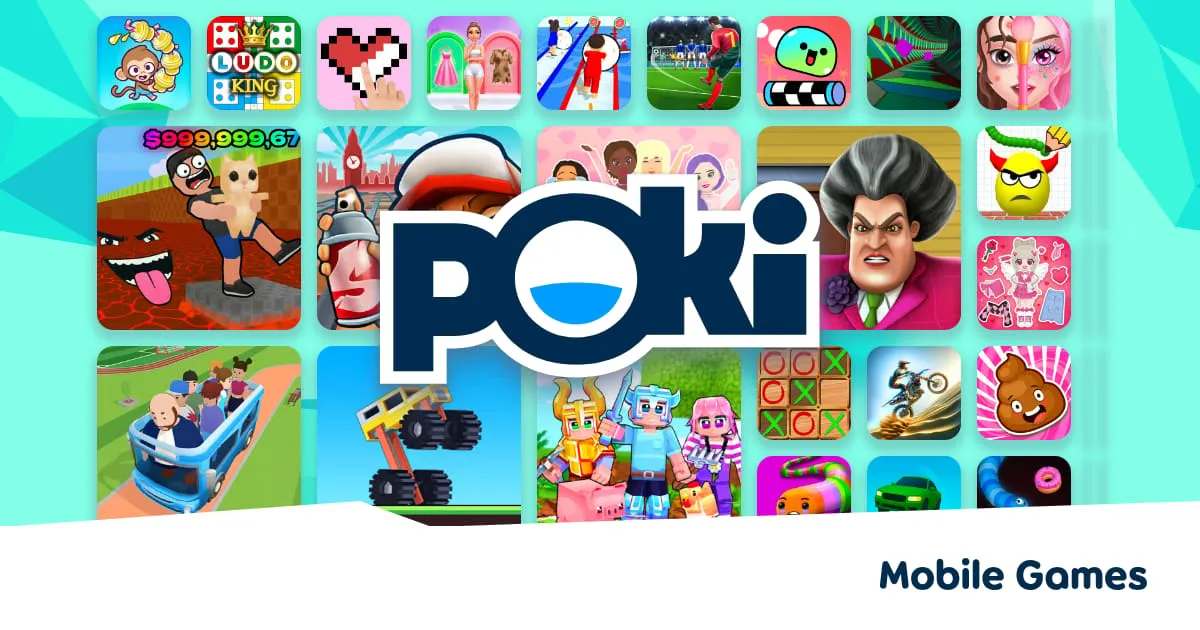
You’ve probably seen “Poki” mentioned somewhere — on Reddit, TikTok, in a classroom, or by a friend who couldn’t stop talking about a game called Drive Mad or Level Devil. Maybe you’ve never played a browser game in your life. Maybe you used to play Flash games on Miniclip and you’re wondering if this is the same thing.
Either way, this guide covers everything — what Poki is, how it works, how to find the right games, how to stay safe, and which titles are worth your time right now in 2026.
Let’s start at the beginning.
What Is Poki Games?
Poki is a free, browser-based online gaming platform that lets you play games directly in your web browser — no download, no app install, no account required. You visit the website, click a game, and you’re playing within seconds.
With 100 million monthly players, Poki is the world’s largest web gaming platform — for context, that puts it in the same conversation as PlayStation Network, which has around 119 million monthly users. This isn’t a niche hobby site. It’s a serious, global gaming platform.
Today, Poki is based in Amsterdam and has grown to become the global market leader in web games, reaching 100 million monthly players with over 1,500 curated titles built by a community of 600+ game developers.
2025 was a landmark year for Poki — the platform welcomed 625 million players, hit 1 billion gameplays in a single month, and grew its team from 50 to 65 full-time employees.
In short: Poki is big, it’s free, and it’s growing faster than ever.
Who Created Poki and When?
Poki began with a shared passion for web gaming between co-founders Michiel van Amerongen and Bas Moeys. They met at university, both working on separate web gaming projects since the early 2000s, and realised they shared a vision for building a global web gaming platform that prioritised quality gaming experiences for players and fruitful long-term partnerships with game developers.
The platform was founded in 2013 in the Netherlands. Since then, it has grown from a small startup into the dominant global force in browser-based gaming — entirely self-funded, without venture capital or acquisition by a large publisher.
The company operates from Amsterdam and has won multiple industry awards, including the Best in Business Award at the Dutch Game Awards.
How Does Poki Work? (The Simple Version)
Poki works by hosting HTML5 browser games — modern web-based games that run natively in your browser using nothing but standard internet technology. Here’s the chain from your tap to gameplay:
- You visit poki.com in any modern browser (Chrome, Safari, Firefox, Edge)
- You browse or search for a game using categories, search, or the homepage
- You click a game — a brief ad may play (this is how Poki stays free)
- The game loads directly in your browser tab — usually in under 10 seconds
- You play — controls work on keyboard, mouse, or touchscreen automatically
That’s it. No plugin. No account. No waiting. No cost.
Is Poki Actually Free?
Yes — every single game on Poki is free to play. Poki is an internet-based platform offering a vast library of free-to-play browser games designed as the “ultimate online playground,” letting users enjoy games instantly without downloads or account creation.
Poki makes money through advertising — primarily short ads that play before certain games load, similar to YouTube ads. These ads support both the platform’s operating costs and provide revenue to the game developers who build the games.
Here’s what “free” actually means on Poki:
| Feature | Cost |
|---|---|
| Playing any game | Free |
| Creating an account | Free |
| Saving game progress | Free (with account) |
| Accessing Poki Kids | Free |
| Downloading games | Not possible — not needed |
| In-app purchases | Not applicable |
There are no hidden paywalls. No premium subscription tier. No “energy” systems that stop you playing unless you pay. Every game is fully playable at no cost, every time.
What Games Are on Poki?
Poki currently hosts over 1,500 curated titles across dozens of genres. Here’s a breakdown of what you’ll find:
Game Genres Available on Poki
| Genre | Popular Examples |
|---|---|
| Endless Runners | Subway Surfers, Temple Run 2 |
| Physics / Driving | Drive Mad, Drift Boss, Moto X3M |
| Platformers | Level Devil, Stickman Hook, Blumgi Rocket |
| Puzzle | Brain Test, Who Is?, Google Feud |
| Idle / Management | Monkey Mart, My Perfect Hotel, Idle Mining Empire |
| Multiplayer / .io | Combat Online, Vectaria.io, Repuls.io |
| Sports | Penalty Shooters 2, Soccer Skills World Cup, Retro Bowl |
| Dress-Up / Creative | SnapStyle Dress Up, Diva Hair Salon, Vortella’s Dress Up |
| Shooting | Winter Clash 3D, Combat Online 2 |
| Casual | Eggy Car, Hexa Sort, Blockly Blast |
Poki’s Biggest Games Right Now (2026)
2025 was a breakthrough year for web-first Poki games like Drive Mad, Level Devil, and Vortella’s Dress Up. Here are the platform’s most consistently popular titles:
- Subway Surfers — The classic endless runner. Subway Surfers is still going strong with over 150 million monthly active users.
- Drive Mad — A wildly popular driving challenge where players drive tricky vehicles across unpredictable terrain, with chaotic physics and comedic difficulty.
- Level Devil — A “rage game” where the level itself is out to get you — platforms disappear, spikes appear out of nowhere, and the goal itself might move.
- Stickman Hook — A swing-based platformer where timing is everything
- Monkey Mart — An idle game where you control a monkey managing a supermarket, slowly collecting money for upgrades.
- Retro Bowl — A deep but accessible American football management game
- Temple Run 2 — The endless runner that defined the genre on mobile
- Drift Boss — A casual but surprisingly deep one-button drifting game
How to Use Poki — Step-by-Step for Beginners
Step 1: Open Your Browser and Go to Poki.com
Open any modern browser on any device and navigate to poki.com. The site works on:
- Desktop and laptop computers (Windows, Mac, ChromeOS)
- Smartphones (iPhone, Android)
- Tablets (iPad, Android tablets, Amazon Fire)
- Chromebooks
No app download is required. The mobile website is fully optimized for touchscreen play.
Step 2: Browse the Homepage
When you land on Poki’s homepage, you’ll see several sections:
- Featured games — highlighted picks from the editorial team
- Popular games — what millions of players are currently playing
- New games — recent additions from developers
- Category strips — rows organized by genre (Racing, Puzzle, .io games, etc.)
- Recommended for you — personalized suggestions that improve the more you play
Step 3: Find a Game
There are four ways to find games on Poki:
Search bar — Type any game title, genre, or keyword. The search is smart and will surface related titles even if you don’t know the exact name.
Browse categories — Click any genre tag to see all games in that category. Poki has categories for Action, Adventure, Puzzle, Sports, Multiplayer, 2-Player, Car, Shooting, Dress Up, Idle, and dozens more.
Popular section — The “Most Played” list is updated in real-time and shows what’s genuinely trending across Poki’s 100 million monthly players.
Recommendation algorithm — Poki uses a smart recommendation algorithm. If you play a lot of car games, the “Recommended for you” section will start showing more driving titles.
Step 4: Click a Game and Read How to Play
Every game page on Poki includes:
- A large play button to launch the game
- A brief description of the game
- Star ratings from other players
- “How to play” instructions
You’ll find ‘How to play’ instructions under every game. When you are on a phone or tablet, you can find them on the same page where you selected the game — just scroll down to see the “How to play” section.
Step 5: Watch the Ad (If One Plays)
Some games show a short ad before they load. This is normal and expected — it’s how Poki funds itself and pays its developers. Most pre-game ads are 15–30 seconds. You can often skip after 5 seconds.
???? Tip: Turning off an ad blocker will actually help games load faster and more reliably on Poki. Ad blockers sometimes interfere with the game loading process itself.
Step 6: Adjust Settings and Play
Once a game loads, look for:
- ⚙️ Gear icon — settings (volume, graphics quality, control remapping)
- ???? Sound icon — mute/unmute
- ⛶ Fullscreen button — bottom-right corner of most games
- ???? Flag button — report a bug directly to the Poki team
Many games can be played in fullscreen on your computer. When that option is available, you’ll find an expand button in the bottom right of the game screen.
Do You Need an Account on Poki?
No — you can play every game on Poki without creating an account. However, creating a free account unlocks some useful features:
| Feature | Without Account | With Account |
|---|---|---|
| Play any game | ✅ Yes | ✅ Yes |
| Save game progress | Browser cookies only | ✅ Cloud-saved |
| Progress across devices | ❌ No | ✅ Yes |
| Personalized recommendations | Limited | ✅ Better |
| Cost | Free | Free |
If you don’t have a Poki account, your game progress is saved in your browser cookies. Keep in mind that cookie blockers or private browsing can stop your progress from being saved. If you do have a Poki account, your progress is safely stored online.
How to Create a Poki Account
You can create a Poki account from the accounts menu at the top left of your screen. You can sign in with Apple, Google, Microsoft, or passkey. The whole process takes under 60 seconds and requires no personal information beyond a sign-in method.
Is Poki Safe? (For Kids and Adults)
Poki takes safety seriously, both for the games themselves and for your personal data.
Game Safety
Yes, all games and ads are reviewed by the Poki team to give a high-quality, curated experience. No game appears on Poki without being checked for content appropriateness, performance quality, and safety.
None of the games on Poki ever download or install anything on your computer or device. Everything runs directly in your browser. This means there is zero malware risk from playing Poki games — there is nothing to install, so there is nothing that can be harmful to your device.
Privacy and Data
Poki takes privacy seriously and only collects the data needed to keep the website running properly, along with some privacy-friendly analytical data to improve the experience. The platform does not sell personal data to advertisers.
All games on the website are available without registration or an account. If you never create an account, Poki has essentially no personal information about you at all.
Poki Kids — The Child-Safe Version
For younger players, Poki operates a separate, dedicated platform:
Poki has a special playground for younger players: kids.poki.com — an ad-free, child-friendly space.
Poki Kids differs from the main site in several important ways:
| Feature | Poki.com | kids.poki.com |
|---|---|---|
| Ads | Yes | ❌ Ad-free |
| Age-appropriate filtering | Partial | ✅ Strict |
| External links in games | Possible | ❌ None |
| Chat in multiplayer | Some games | ❌ None |
| Cost | Free | Free |
???? For parents: While the main Poki.com site is generally family-friendly, some games contain mild cartoon violence or competitive chat features. For children under 10, kids.poki.com is the safer default starting point.
Is Poki Blocked at School?
Some school Wi-Fi networks block access to gaming websites to keep students focused on school work. This is something Poki cannot control. You can still enjoy Poki games from your own device at home.
If Poki is blocked on your school network, this is a decision made by your school’s IT administrators — not something Poki can change from their side.
How to Get the Best Performance on Poki
Best Browsers for Poki
| Browser | Platform | Performance Rating |
|---|---|---|
| Google Chrome | Windows, Mac, Android | ⭐⭐⭐⭐⭐ Best overall |
| Microsoft Edge | Windows, Mac | ⭐⭐⭐⭐⭐ Excellent |
| Safari | iPhone, iPad, Mac | ⭐⭐⭐⭐ Very good |
| Firefox | Windows, Mac | ⭐⭐⭐⭐ Very good |
| Samsung Internet | Android | ⭐⭐⭐⭐ Good |
| Opera | Windows, Mac | ⭐⭐⭐ Good |
Performance Tips
If games aren’t loading:
- Check your internet connection is stable
- Turn off any ad blockers — these can interfere with game loading on Poki.
- Try refreshing the page
- Avoid playing in Incognito / Private mode, as this can cause loading issues
- Clear your browser’s cache — if a game is running slow or not loading, this can often resolve the problem.
If games are running slowly:
- Close other browser tabs to free up RAM
- Close other applications running on your device
- Lower the in-game graphics quality setting (available in most 3D games)
- Enable hardware acceleration in your browser settings
For mobile players:
- Use Chrome on Android for the best WebGL performance
- Use Safari on iPhone — it’s fully optimized for HTML5 games
- Play in landscape mode for most action and racing games
- Enable Gaming Mode on Samsung, OnePlus, or Xiaomi phones
Poki Game Categories Explained
Understanding Poki’s category system helps you find the right game faster. Here are the most important categories and what they contain:
Action Games
Fast-paced games requiring quick reflexes. Examples: Subway Surfers, Drive Mad, Ragdoll Hit. Best for players who want excitement and immediate engagement.
.io Games
Multiplayer browser games where you compete against real players worldwide in real-time. Examples: Combat Online, Vectaria.io, MineFun.io. Best for competitive players who want real human opponents without downloading anything.
Puzzle Games
Games that challenge your thinking rather than your reflexes. Examples: Brain Test: Tricky Puzzles, Who Is?, Blockly Blast Puzzle. Best for players who prefer calm, cerebral challenges.
Idle / Management Games
Games that progress even when you’re not actively playing. Examples: Monkey Mart, My Perfect Hotel, Idle Mining Empire. Best for players who want a game they can check in on throughout the day.
2-Player Games
Games designed for two people on the same device or screen. Examples: Fireboy and Watergirl, Basketball Stars, Combat Online. Best for playing with a friend or sibling.
Sports Games
Simulated sports with accessible controls. Examples: Penalty Shooters 2, Retro Bowl, Soccer Skills World Cup. Best for sports fans who want quick competitive sessions.
Dress-Up / Creative Games
Fashion, makeover, and design games with a strong creative element. Examples: SnapStyle Dress Up, Diva Hair Salon, Vortella’s Dress Up. Best for players who prefer expressive, artistic gameplay.
Poki vs. Other Browser Game Platforms — Quick Comparison
| Feature | Poki | CrazyGames | Miniclip | Newgrounds |
|---|---|---|---|---|
| Monthly players | 100M+ | 30M+ | Large | Moderate |
| Total games | 1,500+ | 4,500+ | 1,000+ | 10,000+ |
| Curation quality | High — hand-picked | High — curated | Medium | Varies widely |
| Poki Kids section | ✅ Yes | ❌ No | Partial | ❌ No |
| Account required | ❌ No | ❌ No | Optional | Optional |
| Mobile optimized | ✅ Excellent | ✅ Excellent | Partial | Partial |
| Ad-free option | Kids site only | No | No | Premium only |
???? Want a deeper comparison? Read our full CrazyGames vs Poki — Which Platform Has Better Free Games? (2026) for a game-by-game breakdown.
Top 10 Poki Games to Try First — Beginner Picks
If you’ve never played on Poki and don’t know where to start, use this curated starter list based on popularity, simplicity, and cross-device compatibility:
| # | Game | Genre | Why Start Here |
|---|---|---|---|
| 1 | Subway Surfers | Endless Runner | Instantly familiar, works perfectly on any device |
| 2 | Drive Mad | Physics Driving | Hilarious, short sessions, no experience needed |
| 3 | Level Devil | Rage Platformer | Funny, social, and endlessly replayable |
| 4 | Stickman Hook | Swing Platformer | One button, pure joy, perfect for mobile |
| 5 | Monkey Mart | Idle Management | Relaxing, no pressure, satisfying progression |
| 6 | Drift Boss | Casual Driving | One-click control scheme — zero learning curve |
| 7 | Retro Bowl | Sports Strategy | Deeper than it looks, works offline via cookies |
| 8 | Brain Test | Puzzle | Classic trick questions — great for all ages |
| 9 | Temple Run 2 | Endless Runner | Timeless gameplay, still excellent in 2026 |
| 10 | Penalty Shooters 2 | Sports | Quick, fun, competitive — great 5-minute game |
Understanding Poki’s Advertising — Why Ads Exist and What to Expect
Since Poki is completely free, it supports itself through advertising. Here’s exactly what to expect:
Types of ads on Poki:
- Pre-game ads — Play before a game loads; usually 15–30 seconds with a skip option after 5 seconds
- Display ads — Banner ads visible on game pages but not inside the game itself
- Rewarded video ads — Optional ads in some games that give you in-game rewards for watching
What you won’t see on Poki:
- Pop-ups that hijack your browser
- Ads that redirect you to other websites unexpectedly
- Ads inside gameplay that interrupt your session
- Malicious or deceptive ad content (Poki reviews all ads before they appear)
???? Note: If you use an ad blocker, some games may not load correctly. Poki games are loaded through the same infrastructure as the ads — disabling ad blockers on poki.com is recommended for the best experience.
How Game Progress Is Saved on Poki
Progress saving depends on whether you have an account:
Without an account:
- Game progress is saved in your browser cookies. Cookie blockers or private browsing can stop progress from being saved.
- Progress is device and browser-specific — switching browsers loses progress
- Clearing your browser cache will reset progress
With a free Poki account:
- Progress syncs to the cloud and follows you across devices
- Switching from phone to laptop and back keeps your saves intact
- Progress is permanently protected regardless of browser changes
Resetting progress:
- It is not possible to reset progress for individual single games. If you ever want a clean start, you can clear your cookies — but that will also reset your progress in all games on Poki.
Poki for Developers — How Games Get on the Platform
Curious how games end up on Poki? The platform runs a developer portal where independent creators and studios submit their titles.
Poki primarily hosts HTML5 games — games created using web technologies like HTML, CSS, and JavaScript. Your game should run smoothly on both desktop and mobile browsers.
Poki’s curation process means not every submitted game makes it onto the platform. The editorial team evaluates games on:
- Cross-device compatibility and mobile optimization
- Load time performance (fast enough for casual audiences)
- Content appropriateness for a broad age range
- Originality and gameplay quality
- Polish and bug-free presentation
Poki sees games on the platform already generating up to €1 million a year for developers, and the platform offers revenue share-based partnerships with its creator community.
This curation model is why the average quality of games on Poki is noticeably higher than open submission platforms.
Common Poki Problems and How to Fix Them
Game Won’t Load
- Disable your ad blocker for poki.com
- Check you’re not in Incognito/Private browsing mode
- Try a different browser (Chrome is most reliable)
- Check your internet connection stability
Game Running Slowly / Lagging
- Close other browser tabs
- Lower in-game graphics quality
- Restart your browser
- On mobile: close background apps and enable gaming mode
Progress Disappeared
- If you cleared cookies or cache, progress is reset
- Sign in with a Poki account to prevent this in future
- If you have an account and progress is gone, email [email protected]
Controls Not Working on Mobile
- Most games have touch controls automatically — check if touch is enabled in game settings
- Some games are desktop-only and show a warning when opened on mobile
- For typing-heavy games, ensure your mobile keyboard isn’t covering the game canvas
Can’t Find a Specific Game
- Use the search bar with the game’s exact name
- Check if the game is on Poki at all — not all browser games are available on every platform
- Browse related categories to find similar titles
Poki Quick-Reference Cheat Sheet
Cut this out and save it — everything you need as a beginner in one place:
| Question | Answer |
|---|---|
| Website | poki.com |
| Kids version | kids.poki.com |
| Cost | 100% free |
| Account needed | No (optional for cloud saves) |
| Download needed | Never |
| Works on mobile? | Yes — iOS and Android |
| Best browser | Chrome or Edge |
| Ad-free version | Only on kids.poki.com |
| Contact / bug reports | [email protected] |
| Games library size | 1,500+ curated titles |
| Monthly players | 100 million+ |
| Founded | 2013, Amsterdam |
Frequently Asked Questions — Poki Games Beginner’s Guide
What is Poki Games?
Poki is a free browser gaming platform based in Amsterdam with over 100 million monthly players. It hosts 1,500+ curated HTML5 games that play instantly in any browser with no downloads, no account, and no cost. It is currently the world’s largest web gaming platform.
Is Poki safe to use?
Yes. All games on Poki are reviewed by the Poki team before going live. The platform never installs anything on your device, only collects minimal privacy-friendly data, and operates a completely separate ad-free kids site at kids.poki.com for younger players.
Do I need to create an account to play Poki games?
No. You can play every game on Poki without an account. A free account is optional and only needed if you want to sync your progress across multiple devices.
Why does Poki show ads?
Ads are how Poki funds itself and pays its game developers. The platform is ad-supported rather than subscription-based, which is why every game is completely free. Ads appear before games load and as banners on game pages — they never appear inside gameplay itself.
What is the best game on Poki for beginners
Subway Surfers is the most accessible starting point — familiar, easy to understand in seconds, and optimized for any device. Drive Mad and Level Devil are also excellent beginner picks due to their extremely simple controls and immediate fun factor.
Can I play Poki on my phone?
Yes. Poki is fully optimized for mobile browsers on both iOS and Android. Tap poki.com in Safari (iPhone) or Chrome (Android) and start playing immediately. There’s also a dedicated app available, though the browser site gives access to more games.
Why won’t Poki load at school?
Many schools block gaming websites on their Wi-Fi networks. This is a network-level restriction set by school IT administrators — Poki cannot override it. You can access Poki freely on your own home internet connection or mobile data.
How is Poki different from CrazyGames?
Both platforms offer free browser games with no downloads required. Poki has a stronger curation model (1,500 hand-picked titles) and a dedicated kids platform, while CrazyGames offers a larger raw library (4,500+ games) with more niche and genre-specific titles. Read our full CrazyGames vs Poki comparison for a detailed breakdown.
How do I save my progress on Poki?
Without an account, progress saves to your browser cookies. This means clearing cookies or switching browsers will reset progress. Creating a free Poki account (sign in with Google, Apple, or Microsoft) saves all progress to the cloud, making it available on any device.
Does Poki have multiplayer games?
Yes. Poki hosts a growing library of real-time multiplayer games including Combat Online 2, Vectaria.io, MineFun.io, Repuls.io, and many 2-player local games like Fireboy and Watergirl. Check the “Multiplayer” and “2 Player” category sections on the homepage. For more, see our guide to the Best Multiplayer Games on CrazyGames and Poki — Play With Friends (2026).
What are the most popular games on Poki right now?
As of 2026, the most consistently popular titles are Subway Surfers, Drive Mad, Level Devil, Stickman Hook, Monkey Mart, Retro Bowl, Drift Boss, Temple Run 2, and Penalty Shooters 2. The “Popular” section on the Poki homepage is updated in real-time for the most current ranking.
Is Poki Kids completely free?
Yes. kids.poki.com is entirely free, ad-free, and requires no account. It’s a curated selection of age-appropriate games designed specifically for younger players.
Can game developers put their games on Poki?
Yes. Poki has a developer portal where studios and independent creators can submit HTML5 games for review. Games on Poki can generate up to €1 million a year for developers through Poki’s revenue share model.
Final Summary — Everything You Need to Know About Poki
Here’s the complete picture, condensed for quick reference:
- Poki is the world’s largest browser gaming platform with 100 million monthly players and 1,500+ curated free games
- No download, no account, no cost — open poki.com in any browser and start playing in seconds
- Safe for all ages — all games are reviewed, no malware possible, and kids.poki.com is a completely ad-free child-safe space
- Works on every device — desktop, laptop, Chromebook, iPhone, Android phone, tablet
- Progress saves automatically in browser cookies; create a free account to save across devices
- Ads support the platform — they keep every game free; disabling ad blockers improves load performance
- 1,500+ hand-picked games across action, puzzle, idle, sports, multiplayer, and creative genres
- Founded in 2013 in Amsterdam, now the global leader in web gaming
Whether you’re a total beginner picking up your first browser game or a returning player who used to haunt Flash game sites in the 2000s — Poki in 2026 is the best the genre has ever been.
???? Now you’re ready to play. Start your journey with the Top 30 CrazyGames to Play Online for Free in 2026 — or discover the Most Addictive Crazy Games of All Time — Ranked for the games that refuse to let you stop.
???? Playing on your phone? Don’t miss our full guide to the Best Crazy Games for Mobile Browsers in 2026 — ranked by touch control quality and load speed.
External References:
- Poki.com — Official Platform — Main website
- Poki FAQ — Official Help Center — Official answers on accounts, safety, and gameplay
- Poki Kids — Child-Safe Platform — Ad-free version for younger players
- Poki Developer Portal — For developers submitting games
- Game Industry News — Poki Co-Founder Interview 2026 — Platform milestones and growth data


The safety section is what sets this apart from most platform rundowns — parents usually get vague reassurances, not concrete tips. I didn’t realize the library was that large; no wonder kids gravitate toward it when there’s no install step. The beginner walkthrough of categories and search would have saved me some fumbling when I first tried browser gaming.
Spot on with the performance benchmarks. estimate sizes from outlines covers playsizeitup with the same rigor.