TL;DR
- The Ditto Rug is the only currently active Mystery Gift — claim it via Internet distribution at any Pokémon Center PC, available until 31st January 2027
- Mystery Gift unlocks after approximately 30 minutes of gameplay — once you reach the Pokémon Center PC in the Withered Wasteland
- Access it via: PC → Get Items → Mystery Gifts
- There are two redemption methods: Get via Internet (no code needed) or Get with Code/Password
- You do not need Nintendo Switch Online to redeem Mystery Gifts — just an internet connection and a Nintendo Account
- All Pokopia Mystery Gift codes are region-free and can be redeemed regardless of where you are in the world
- You can only download one Mystery Gift at a time — work through them one by one if you have multiple to claim
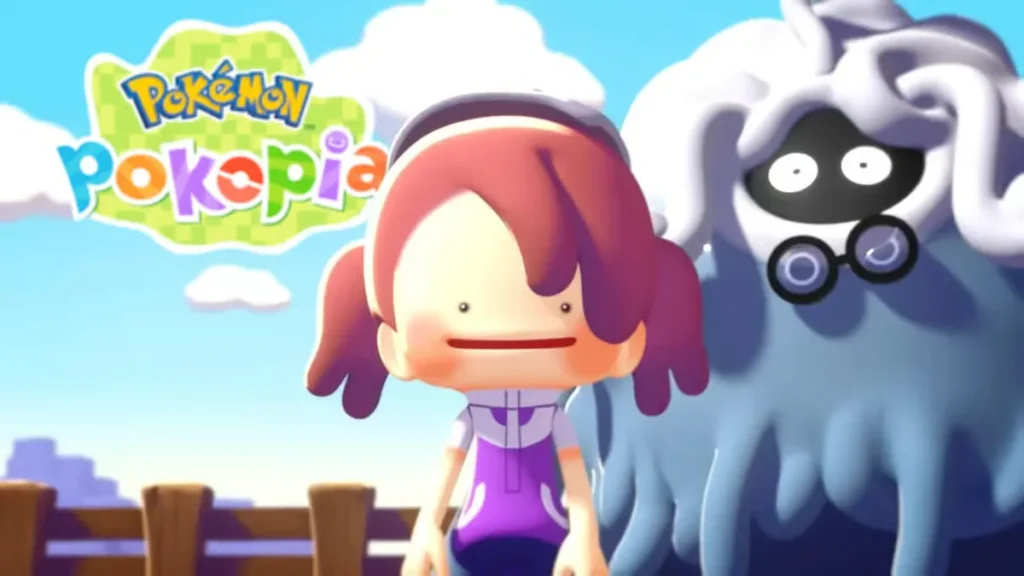
All Active Pokémon Pokopia Mystery Gift Codes (March 2026)
Here are all currently active Mystery Gifts available in Pokémon Pokopia as of 5th March 2026:
| Gift | How to Redeem | Expiry Date |
|---|---|---|
| Ditto Rug | Via Internet distribution — no code needed | 31st January 2027 |
This list will be updated as new codes and distributions are announced by The Pokémon Company.
All Other Mystery Gifts and Bonuses
Beyond the standard Internet distribution, a few additional Mystery Gifts have been tied to specific actions or purchases:
Early Purchase Bonus — Plant Pot Players who pre-ordered Pokopia received a unique code via email entitling them to a Plant Pot decoration. This code is unique to each player and cannot be shared — redeem it using the Get with Code/Password option at the Pokémon Center PC.
Social Media Bonus — Leppa Berries, Fresh Carrots & Beans Liking a specific post from the Japanese Pokémon Information account on X (Twitter) before 9:00 AM on March 5, 2026 (JST) unlocked a unique reply code containing two Leppa Berries, two fresh carrots, and two beans. This was a limited-time social reward and the window has now passed — the items are also obtainable through regular gameplay.
Important: Codes received via Nintendo emails and social media interactions are unique to each player and cannot be shared or reused by others.
Expired Pokémon Pokopia Mystery Gift Codes
There are no expired Mystery Gift codes for Pokopia at the moment. We’ll keep this section updated as gifts reach their expiry dates.
How to Unlock Mystery Gift in Pokémon Pokopia
Mystery Gift is not available from the very beginning of the game. You’ll need to complete the opening tutorial first — specifically, progress until after Ditto has rested with Professor Tangrowth, Charmander, Squirtle, and Bulbasaur following the lighting of your first campfire. This takes around 30 minutes of gameplay on average, at which point you’ll have access to the first Pokémon Center PC in the Withered Wasteland.
Once you’re past that point, here’s how to find Mystery Gift:
- Head to any PC at any Pokémon Center
- Select ‘Get Items’
- Scroll down and select ‘Mystery Gifts’
The Mystery Gifts menu will now be accessible from this point forward.
How to Redeem Mystery Gift Codes in Pokémon Pokopia
There are two different methods for claiming Mystery Gifts, depending on the type of reward. Both require an internet connection and a linked Nintendo Account, but neither requires a Nintendo Switch Online membership. All Pokopia Mystery Gift codes are also region-free, meaning you can redeem any distribution regardless of where you purchased the game.
Method 1: Get via Internet (No Code Needed)
Use this method for the Ditto Rug and any future Internet distributions:
- Visit any PC at any Pokémon Center
- Select ‘Get Items’
- Scroll down and select ‘Mystery Gifts’
- Select ‘Get via Internet’
- Your Nintendo Switch will connect online and display all currently available Internet Mystery Gifts
- Select the gift you want and wait for it to download
Method 2: Get with Code/Password
Use this method for unique codes received via email (such as the early purchase bonus plant pot) or social media:
- Visit any PC at any Pokémon Center
- Select ‘Get Items’
- Scroll down and select ‘Mystery Gifts’
- Select ‘Get with Code/Password’
- Enter your unique code exactly as received
- Wait for the Mystery Gift to finish downloading
Important notes for both methods:
- You can only download one Mystery Gift at a time — if you have multiple to claim, work through them one by one. You won’t miss any gifts by doing this
- To check which gifts you’ve already received, select ‘Check Mystery Gifts’ from the Mystery Gifts menu for a full history of your claims
Tips for Getting the Most from Mystery Gifts
- Claim the Ditto Rug as soon as you unlock Mystery Gift — it’s available via Internet distribution with no code needed, making it the easiest free item in the game right now
- Check your email if you pre-ordered Pokopia — your plant pot code may be sitting in your inbox waiting to be redeemed
- Bookmark this page — new Mystery Gifts are announced throughout the year and we’ll update this guide with every new code as it becomes available
- Use the Ditto Rug to decorate your world — decorations like this also contribute to raising Comfort Levels; for a full breakdown of how decorations affect Pokémon happiness, check our guide to increasing Comfort Levels in Pokémon Pokopia
- Don’t stress if you have multiple gifts to redeem — the one-at-a-time limit is just a minor inconvenience, not a cap on how many gifts you can ultimately receive
While you’re setting up your world, it’s also worth working through the rest of our Pokopia guides. Our Pokémon Center rebuilding guide covers everything you need to rebuild each Center across all five regions — essential for unlocking the PC and Mystery Gift features at each new location. And if you want to personalise your Ditto character while you play, check out the full Pokopia hairstyles list and our guide to changing your appearance.
Frequently Asked Questions
Q: How do I redeem Mystery Gift codes in Pokémon Pokopia?
A: Go to any Pokémon Center PC, select ‘Get Items’, then ‘Mystery Gifts’. Choose ‘Get via Internet’ for the Ditto Rug (no code needed), or ‘Get with Code/Password’ to enter a unique code received via email or social media.
Q: Do I need Nintendo Switch Online to redeem Mystery Gifts in Pokémon Pokopia?
A: No — a Nintendo Switch Online membership is not required. You only need an internet connection and a Nintendo Account linked to your console.
Q: How do I unlock Mystery Gift in Pokémon Pokopia?
A: Complete the opening tutorial (approximately 30 minutes of gameplay) until Ditto rests with Professor Tangrowth and the starter Pokémon after lighting your first campfire. Once you access the first Pokémon Center PC in the Withered Wasteland, Mystery Gift becomes available via PC → Get Items → Mystery Gifts.
Q: Are Pokémon Pokopia Mystery Gift codes region-free?
A: Yes — all Pokopia Mystery Gift codes and Internet distributions are region-free. You can redeem any gift regardless of where you purchased the game or where you are in the world.
Q: Can I share my Mystery Gift code with someone else?
A: Codes received via Nintendo emails or social media (such as the pre-order plant pot and the X/Twitter social bonus) are unique to each player and cannot be reused. Internet distribution gifts like the Ditto Rug require no code and are available to all players directly through the game.