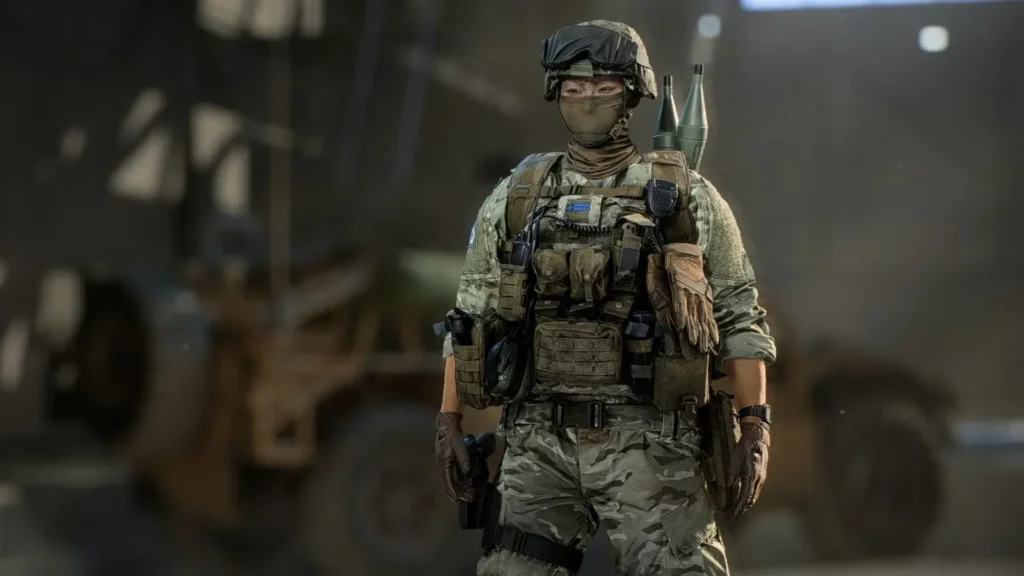
There’s nothing quite like the feeling of swooping down in a jet, unleashing a devastating strafing run on an enemy position, and pulling up just before slamming into a building. Or piloting a helicopter, providing close air support while your gunners rain down fire on unsuspecting targets. Air vehicles in Battlefield 6 can completely change the outcome of a match when you know how to use them.
The problem is that becoming a skilled pilot takes practice. Air vehicles are limited, enemy anti-air systems can make flying difficult, and there’s a steep learning curve between your first crash and consistently dominating the skies. Your teammates won’t appreciate you wasting their team’s only jet by crashing into a mountain 30 seconds after takeoff.
This guide covers everything beginners need to know about flying jets and helicopters in Battlefield 6, including safer practice methods, essential controls, vehicle loadouts, combat strategies, and ways to avoid anti-air threats.
Last Updated: November 11, 2026 | Battlefield 6 Update 2.1.2.0 (Casino Heist)
TL;DR: How to Fly Jets and Helicopters in Battlefield 6
- Practice flying in Portal experiences or Multiplayer Initiation modes before taking aircraft into competitive matches.
- Enable Airplane Control Assists and Helicopter Control Assist under Settings > Gameplay > Vehicles to make flying easier.
- Jets generally spawn after 60 seconds at match start. Depending on the map, they may spawn on HQ runways or already airborne.
- Use Free Look to monitor incoming threats without changing your flight direction.
- Use flares when missiles are incoming, and take advantage of buildings and terrain to break enemy targeting.
- Jets are best suited to air-to-air combat and fast air-to-ground attacks, while helicopters provide sustained fire support and transportation.
- Update 2.1.2.0 fixes several aircraft-related bugs, including the multirole jet WSO guided missile issue and unexpected helicopter flips caused by Supply Pouches.
- The Casino Heist update also adds Area 51, Vegas Strip, and the M142 MRAS to Portal, providing more options for custom vehicle experiences.
Why Air Vehicles Matter So Much
Before getting into the controls, it’s worth understanding why mastering jets and helicopters is such an important part of Battlefield 6.
On large-scale modes like Conquest and Escalation, aircraft can provide a major advantage by supporting infantry, destroying enemy vehicles, and controlling the skies. A skilled pilot can:
- Destroy enemy vehicles: Take out tanks and other ground threats before they reach important objectives.
- Support infantry: Use strafing runs and helicopter weapons to pressure enemies defending capture points.
- Hunt enemy aircraft: Protect friendly ground forces by eliminating opposing pilots.
- Provide reconnaissance: Watch enemy movements and communicate important positions to your squad. Learn more about spotting and pinging enemies.
- Disrupt enemy pushes: Force opposing players into cover and interrupt their attempts to capture objectives.
Jets and helicopters have different combat roles. Fighter jets specialize in aerial combat, attack jets are suited to ground strikes, and helicopters provide a combination of fire support, transportation, and battlefield positioning.
Battlefield 6 features several aerial vehicle categories, including transport helicopters, scout helicopters, attack helicopters, attack jets, and fighter jets. Each has different weapons, seats, strengths, and weaknesses.
However, aircraft availability depends on the selected map and game mode. You cannot assume every large map will provide the same number or combination of jets and helicopters.
Where to Practice Flying Without Ruining Public Matches
Here’s the golden rule: don’t learn to fly in a competitive Conquest match. Your team probably won’t appreciate watching you crash its only available jet into the ground.
Fortunately, Battlefield 6 offers better options for learning aircraft controls. EA recommends practising in Multiplayer Initiation modes or Portal experiences before moving into regular multiplayer battles.
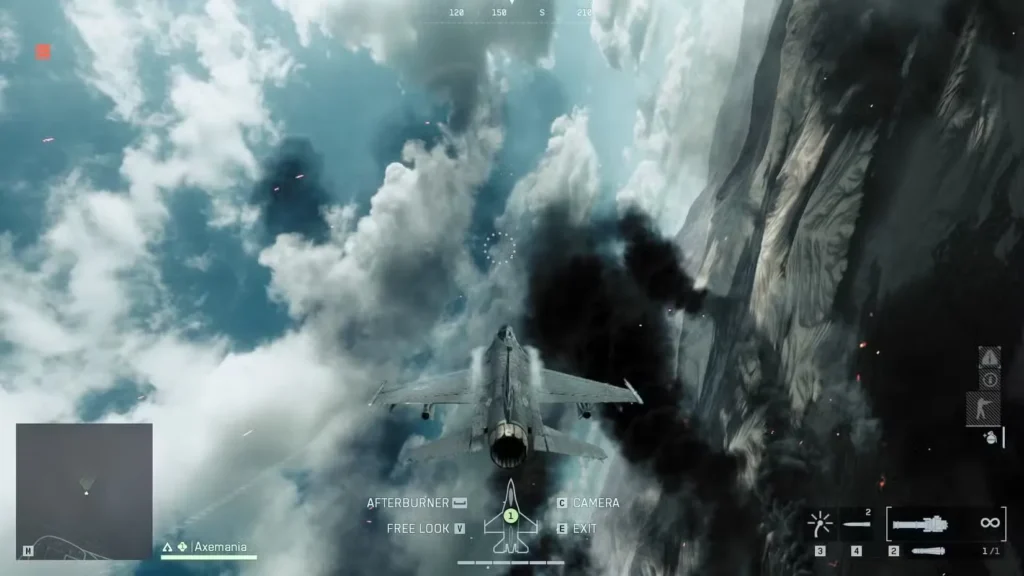
Portal Mode: Your Flight School
Portal is one of the best ways to practise flying without constantly competing for an aircraft in a public match. Community-created experiences and custom setups can provide opportunities to experiment with jets, helicopters, weapons, and vehicle handling.
How to find Portal flight practice experiences:
- Open the Portal or Community section from the Battlefield 6 main menu.
- Browse available Portal experiences or custom vehicle practice servers.
- Search using terms such as “Aircraft Training,” “Flight School,” “Jet Practice,” or “Helicopter Training.”
- Check the experience description to confirm that aircraft are enabled.
- Join an appropriate experience and begin practising basic movements before attempting combat manoeuvres.
Experience availability changes as creators publish, update, or remove their content. Don’t assume an old experience code will still work. Always check that the experience is available in the current Portal browser.
Want to create your own practice experience?
You can also use Portal’s custom experience tools to build a training environment. Select a supported map, configure the game mode and vehicle availability, and create an environment where you can practise without the pressure of a standard multiplayer match.
The November 10 Casino Heist update expanded Portal support by adding Area 51 and Vegas Strip, alongside the new M142 MRAS vehicle. These additions give creators more options when setting up custom vehicle experiences. Remember that adding a map to Portal does not automatically mean every vehicle is available in every custom layout.
EA also announced a staged rollout of the dedicated Battlefield 6 Server Browser after the Casino Heist update. Access is being expanded gradually, so its availability may differ between players.
What to Look for in Portal Flight Training Experiences
Rather than relying on potentially outdated experience codes, look for training experiences that offer the following features:
- Vehicle shooting ranges: Useful for testing weapons, practising aim, and understanding different vehicle loadouts.
- Helicopter training: Look for open spaces where you can practise hovering, turning, landing, and moving between obstacles.
- Jet practice: Choose experiences with enough open airspace to practise takeoffs, turns, strafing runs, and evasive manoeuvres.
- Respawning targets: Helpful for improving weapon accuracy and learning how different aircraft weapons behave.
- Custom vehicle settings: Experiences with adjustable vehicle availability and suitable rules are ideal for learning.
Portal is especially useful because you can repeat difficult manoeuvres without worrying about constantly wasting your team’s aircraft. Just remember that custom experience rules and progression may differ from standard multiplayer.
Solo Practice Tips for Beginners
When practising alone, concentrate on the fundamentals before worrying about getting kills.
- Basic flight controls: Understand throttle, pitch, roll, and yaw.
- Takeoff and landing: Learn how to accelerate, maintain a stable flight path, and land without crashing.
- Hovering: Practise keeping a helicopter steady while adjusting its position.
- Evasive movements: Learn controlled turns and changes in altitude without losing control.
- Target acquisition: Practise using Free Look and switching camera views.
- Weapon systems: Understand when to use cannons, rockets, and missiles.
Don’t rush into complicated manoeuvres. Your first goal should simply be staying in the air and maintaining control of your aircraft.
How to Get Jets and Helicopters in Regular Matches
Once you’re comfortable with the controls, it’s time to start using aircraft in regular multiplayer matches.
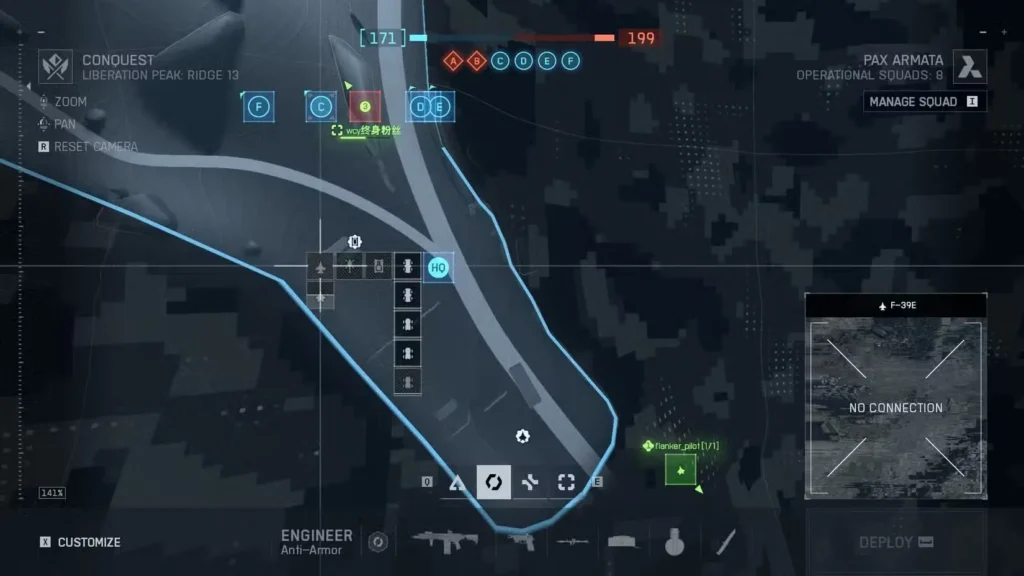
How to Spawn in Air Vehicles
You have two main ways to enter an available aircraft in Battlefield 6.
From the Deployment Screen:
- Open the deployment map before spawning.
- Look for an available jet or helicopter at your team’s HQ or another supported vehicle spawn.
- Select the aircraft if an appropriate spawn slot is available.
- Choose the available pilot position and deploy.
Entering an Aircraft During a Match:
- Move towards an available aircraft at its spawn location.
- Make sure the vehicle is unoccupied or has an available seat.
- Use the interact button to enter the aircraft.
- Check your surroundings before taking off.
Important jet spawn information: According to EA’s vehicle guide, jets generally become available after a 60-second wait when a match begins. They mostly spawn on HQ runways, although certain maps use aircraft that spawn in the air and must be accessed through the deployment screen.
This means you shouldn’t automatically sprint around searching for a jet as soon as the match begins. Check your deployment screen and learn the spawn behaviour of the map you’re playing.
Pro tip: Vehicle availability varies with map layouts, game modes, and team resources. Keep an eye on the deployment screen instead of assuming a particular aircraft will always be available.
Best Maps for Air Vehicle Access
If flying is your priority, focus on larger vehicle-oriented maps and modes that offer aircraft in their selected layouts.
Operation Firestorm:
- A large battlefield that provides room for practising vehicle movement and air-to-ground attacks.
- Useful for learning how to approach enemy positions and retreat safely.
- Update 2.1.2.0 added an M142 MRAS to each team’s HQ by replacing one Main Battle Tank.
Mirak Valley:
- Another large-scale environment suitable for vehicle combat.
- Offers varied terrain for practising positioning and navigating around ground threats.
- The Casino Heist update added an M142 MRAS to each team’s HQ in Conquest.
Area 51:
- Now available in Portal following Update 2.1.2.0.
- The Conquest layout replaces one Main Battle Tank at each team’s HQ with an M142 MRAS.
- Useful for exploring custom vehicle setups and experimenting with Portal configurations.
Railway to Golmud:
- Vehicle availability makes it an interesting map for learning how to manage different ground threats.
- Update 2.1.2.0 replaced the Mobile Anti-Air at Objective B with an M142 MRAS.
- A Main Battle Tank at Objective A was also replaced with an Infantry Fighting Vehicle.
- Remember that other anti-air threats can still make flying dangerous.
These are starting points, not a guarantee that a specific aircraft will be available in every playlist. Check the selected map’s deployment screen before choosing a match specifically for flying.
What about the Casino Heist map? European Casino is an infantry-only map, so it isn’t a suitable location for jet or helicopter practice. The update also expanded Vegas Strip with Rush, Team Deathmatch, and Domination, but these additions shouldn’t be confused with a guarantee of aircraft availability.
Check out our complete Battlefield 6 maps ranking guide for more information about the game’s different environments.
Understanding vehicle availability: Not every mode offers the same vehicle selection. Large-scale Conquest and Escalation matches are generally better places to look for vehicle combat, while infantry-focused playlists may not provide aircraft. Learn more about all Battlefield 6 game modes before choosing your next match.
Essential Piloting Tips and Controls
Now let’s get into the actual flying techniques. Before attempting complicated dogfights and bombing runs, you need to understand how Battlefield 6 handles aircraft controls.
Critical Flying Settings to Change
One of the easiest ways to make flying more manageable is to adjust your vehicle settings before jumping into a multiplayer match.
Navigate to Settings > Gameplay > Vehicles.
1. Enable Airplane Control Assists
Airplane Control Assists simplify jet movement by automatically managing certain flight movements. Instead of manually controlling every pitch, roll, and yaw adjustment, you can guide your jet using the direction you’re looking.
This is particularly useful for beginners who struggle with maintaining control during turns and attack runs.
2. Enable Helicopter Control Assist
Helicopter Control Assist provides a more accessible way to control helicopters. It helps align aircraft movement with your camera direction by automatically managing certain movements.
Importantly, this is a simplified control system, not an automatic hovering feature. You still need to manage your helicopter’s speed, position, and altitude.
You can enable assistance for jets and helicopters separately, so experiment with both options and decide which control style suits you.
3. Customize Your Controls
Mouse and keyboard players may prefer different keybindings from controller players. Battlefield 6 allows you to customize vehicle controls, so make sure important movements are comfortable and easy to access.
For standard aircraft controls, the default PC layout includes:
- Throttle: W and S.
- Pitch: Up and Down Arrow keys.
- Yaw: A and D.
- Roll: Left and Right Arrow keys.
- Camera: C.
- Free Look: V.
These are the standard aircraft controls, not a recommendation to use the same bindings for every flying style. Check your settings before changing anything, particularly if you use simplified flight controls.
4. Adjust Vehicle Sensitivity
Vehicle sensitivity plays an important role in how quickly your aircraft responds to input. Sensitivity that is too high can make you overcorrect during turns, while settings that are too low can make it difficult to respond to incoming threats.
EA’s vehicle guide provides the following recommended starting points:
- Vehicle Aim Sensitivity: 30–50.
- Vehicle Mouse Aim Sensitivity: 20–40.
- Aircraft Control Sensitivity: 100.
- Helicopter Control Sensitivity: 100.
These are starting recommendations rather than mandatory competitive settings. Adjust them through Portal practice until the controls feel comfortable.
Want to optimize your entire setup? Check our Battlefield 6 best settings and optimization guide for more configuration recommendations.
Universal Flying Tips for Jets and Helicopters
Although jets and helicopters have different handling characteristics, several basic techniques apply to both.
Use Free Look Constantly
- Free Look allows you to move your camera around without changing your aircraft’s flight direction.
- On PC, the default Free Look key is V. On controllers, it is D-Pad Down.
- Use it to check for enemy aircraft, anti-air threats, and incoming projectiles.
- Look behind you regularly instead of focusing exclusively on what’s directly ahead.
Master the Map
- Study the minimap before approaching an enemy objective.
- Identify enemy vehicle positions and infantry concentrations.
- Watch for anti-air vehicles and missile threats.
- Plan your approach and escape route before beginning an attack.
Understand Target Priority
Target priority depends on your aircraft and the situation, but eliminating immediate threats should always come before chasing easy kills.
- Enemy aircraft: An opposing pilot can interrupt your attacks and threaten friendly aircraft.
- Anti-air threats: Identify launchers and anti-air vehicles before entering their firing range.
- Enemy armor: Destroy or pressure vehicles threatening your infantry.
- Infantry clusters: Support your team by attacking exposed enemy groups.
Flying directly into an objective without understanding the threats around it is a quick way to lose your aircraft. Approach carefully and disengage when the situation becomes dangerous.
Manage Your Countermeasures
Jets and helicopters can carry countermeasures such as flares to disrupt enemy missile targeting. However, using them too early can leave you exposed when an actual missile is approaching.
- Pay attention to the missile lock warning.
- Understand the difference between a locking warning and an incoming projectile warning.
- Save your flares for incoming missiles whenever possible.
- Combine countermeasures with sharp turns and terrain protection.
- Keep track of your countermeasure cooldown before re-entering combat.
Jet-Specific Tactics
Jets are among the most rewarding vehicles to master in Battlefield 6, but their speed and handling make them difficult for beginners.
Learn to Control Your Speed
- Controlled speed: Avoid making aggressive manoeuvres without understanding how your aircraft responds.
- Combat speed: Maintain enough speed to reposition while keeping your weapons on target.
- Escape speed: Use afterburners when you need to leave a dangerous area quickly.
Different jets handle differently, so spend time learning how each aircraft responds to throttle, pitch, yaw, and roll.
Master the Strafing Run Technique
A strafing run involves approaching a ground target at speed, firing your weapons, and quickly moving away before enemy defenses can destroy your aircraft.
- Identify your target using the minimap and camera.
- Choose an approach that gives you enough room to escape.
- Align your jet with the target before beginning your attack.
- Fire in controlled bursts rather than wasting ammunition.
- Pull away from the target and reposition for another attack.
Don’t repeatedly fly over the same enemy position. Changing your approach makes it harder for opponents to predict where you’ll appear next.
Dogfighting Basics
Dogfighting is the process of engaging opposing aircraft in aerial combat. It requires awareness, positioning, and precise control rather than simply holding down the fire button.
- Monitor your opponent’s position using Free Look.
- Avoid making sudden movements that cause you to lose control.
- Use controlled turns to keep your target within your firing angle.
- Use afterburners when you need to create distance or reposition.
- Don’t chase an enemy into dangerous anti-air coverage.
- Work with friendly pilots when possible.
Understand the WSO Seat
Some multirole aircraft provide a secondary Weapons Systems Officer seat. A squadmate can use this position to operate aircraft weapons and support the pilot.
There is also an important improvement in Update 2.1.2.0: EA fixed an issue that caused guided missiles fired from the WSO seat in multirole jets to become unresponsive. This makes the secondary position more reliable than before the patch.
Helicopter-Specific Tactics
Helicopters offer a completely different flying experience. Unlike jets, they can hover, change altitude more gradually, and provide sustained support to friendly infantry.
Battlefield 6 includes several helicopter categories:
- Transport Helicopters: Primarily used for moving infantry, deploying squads, and providing support with mounted weapons.
- Scout Helicopters: Faster and more agile, with weapons suited to attacking ground targets and supporting air combat.
- Attack Helicopters: Dedicated combat aircraft designed for engaging ground targets and other battlefield threats.
Positioning Is Everything
Helicopters can remain in one area for sustained attacks, but hovering in an exposed position makes you an easy target.
- Use buildings and terrain for protection whenever possible.
- Move out of cover to engage enemies, then reposition.
- Avoid hovering in open areas for extended periods.
- Change altitude and direction to make targeting more difficult.
- Watch out for power lines, trees, towers, and other obstacles.
Communicate With Your Gunners
Attack and transport helicopters become more effective when the pilot and gunners work together.
- Position your aircraft so gunners have clear firing angles.
- Communicate enemy locations using voice chat or squad pings.
- Adjust your movement according to the targets your gunners can engage.
- Pay attention to incoming threats and prioritize keeping the aircraft alive.
Understand the Difference Between Transport and Attack Helicopters
- Transport Helicopters: Focus on moving infantry, providing a squad deployment point, and supporting teammates with mounted miniguns.
- Scout Helicopters: Offer faster movement and a more agile platform for attacking ground targets.
- Attack Helicopters: Focus on direct combat, including destroying enemy vehicles and supporting ground forces.
Knowing your helicopter’s role is important. A transport aircraft should not be used in exactly the same way as an attack helicopter.
Low-Altitude Flying
Flying close to the ground can make it harder for some enemy systems to lock onto your aircraft, but it also introduces additional risks.
- Use buildings and terrain to conceal your approach.
- Stay aware of trees, towers, and other obstacles.
- Move behind cover when anti-air threats become active.
- Only climb into exposed positions when you have a good reason to attack.
Low-altitude flying is particularly useful for jets, but don’t assume it makes you completely immune to enemy fire. You still need to watch your surroundings.
Casino Heist Patch 2.1.2.0: Helicopter Improvements
The Casino Heist update also addressed several helicopter-related bugs. Helicopters no longer flip abruptly when passengers throw Supply Pouches, and EA fixed an issue that could cause helicopters to launch into the air after being hit by a Support Supply Bag.
These are quality-of-life and physics fixes rather than changes to the fundamental helicopter controls, but they help make flying more predictable.
Understanding Vehicle Loadouts
Aircraft loadouts can dramatically change how useful your vehicle is in combat. Before entering a match, spend some time exploring the vehicle customization menu and understanding the weapons and equipment available for your aircraft.
Jet Loadouts Typically Focus On:
- Air-to-air weapons for engaging enemy aircraft.
- Air-to-ground missiles for attacking vehicles and other ground targets.
- Aircraft cannons for direct-fire engagements.
- Countermeasures such as flares for escaping enemy missile locks.
- Additional equipment designed for specific aerial combat roles.
Helicopter Loadouts Typically Focus On:
- Rocket systems for attacking infantry and ground vehicles.
- Guided missiles for targeting enemy armor.
- Mounted machine guns for sustained fire support.
- Flares and defensive equipment for dealing with incoming threats.
Important Update 2.1.2.0 Change: Heavy Warheads now increase the ammunition count of Aim-Guided Rockets on the Panthera KHT Attack Helicopter. If you use this helicopter, check your equipment setup and test the updated ammunition configuration.
Remember that not every aircraft has the same weapon options. Your available attachments and equipment depend on the vehicle you’re customizing.
For more detailed recommendations, check our Battlefield 6 best vehicle loadouts guide.
Dealing With Anti-Air Threats
Even an experienced pilot can be destroyed quickly by focused anti-air fire. Learning how to identify missile threats and escape dangerous positions is essential.
Understand Enemy Missile Warnings
Battlefield 6 provides warning messages that help you understand when another player is targeting your aircraft.
- Locking: An enemy weapon is attempting to lock onto your aircraft.
- Locked: An enemy weapon has successfully acquired a lock.
- Incoming: A projectile is heading towards your aircraft.
These warnings are important because they help you decide when to activate countermeasures or change your flight path.
Survival Strategies
- Use terrain: Buildings, hills, and other solid structures can interrupt incoming missile paths.
- Save your flares: EA recommends using countermeasures when missiles are incoming rather than wasting them too early.
- Avoid predictable flight paths: Flying straight for extended periods makes it easier for opponents to track you.
- Watch anti-air vehicles: Identify enemy anti-air positions before making another attack run.
- Change your approach: Avoid repeatedly attacking the same target from the same direction.
- Know when to disengage: Retreating to a safer area is often better than risking your aircraft for one more attack.
Flying low can make missile lock-ons more difficult, particularly for jets, but it comes with a greater risk of colliding with terrain and becoming vulnerable to other forms of attack. Use it carefully rather than treating it as a guaranteed escape method.
For more information about vehicle controls and countermeasures, see EA’s official Battlefield 6 vehicle guide.
How to Improve Your Pilot Skills
Becoming a good pilot requires consistent practice. Don’t expect to master every aircraft after a couple of matches.
Start With the Fundamentals
- Practise taking off and landing without crashing.
- Fly complete circuits around the map without hitting obstacles.
- Learn to maintain altitude and control your speed.
- Practise attacking stationary targets.
- Move on to attacking moving ground vehicles.
- Finally, start practising air-to-air combat against other aircraft.
Track Your Improvement
You’ll know your flying skills are improving when you start noticing these changes:
- You can control your aircraft without constantly thinking about every movement.
- You understand how much altitude and speed you need for different manoeuvres.
- Your attack runs become more accurate.
- You can identify enemy threats before they attack you.
- You survive longer and contribute more consistently to your team.
Learn From Every Crash
Getting shot down is part of learning. Instead of immediately jumping into another aircraft, think about what happened.
- What destroyed my aircraft?
- Was I flying in a predictable direction?
- Did I ignore a missile warning?
- Could I have used the surrounding terrain more effectively?
- Did I stay in combat when I should have retreated?
Turning your mistakes into lessons is one of the fastest ways to improve.
Class Synergy and Squad Support
Your class choice can still make a difference when operating vehicles, particularly when you leave your aircraft or work with teammates.
Engineer Class:
- The repair tool is useful when supporting damaged friendly vehicles on the ground.
- Anti-vehicle equipment can help when you need to defend yourself after leaving your aircraft.
- Engineers are valuable teammates when your squad is relying heavily on vehicle support.
- Check our Engineer class best loadouts guide.
Recon Class:
- Help your squad identify enemy positions.
- Use spotting equipment and squad communication to identify dangerous targets.
- Provide useful battlefield information while working with friendly aircraft.
- See our Recon class loadouts guide.
Remember that class equipment does not automatically improve your aircraft’s performance. Your main advantage comes from coordinating with squadmates and using the right equipment for your role.
Common Beginner Mistakes to Avoid
New pilots often make the same mistakes. Avoiding these problems will help you survive longer and become more useful to your squad.
1. Flying Too Predictably
- Don’t approach the same objectives from exactly the same direction.
- Change your altitude and approach angle when necessary.
- Use terrain to protect yourself.
2. Ignoring Air Threats
- Monitor enemy aircraft and anti-air positions.
- Use Free Look to check your surroundings.
- Don’t continue a ground attack while an enemy aircraft is actively pursuing you.
3. Overcommitting to Attacks
- Know when a target isn’t worth the risk.
- Abort an attack if enemy defenses become overwhelming.
- Remember that surviving allows you to provide support throughout the match.
4. Poor Communication
- Communicate enemy locations to your squad.
- Request support when necessary.
- Coordinate with other pilots and ground vehicle operators.
5. Ignoring Vehicle Damage
- Retreat when your aircraft has taken significant damage.
- Use available repair opportunities when safe.
- Don’t repeatedly enter combat with a damaged aircraft.
Flying Across Different Battlefield 6 Modes
Aircraft availability and effectiveness can change significantly depending on the selected game mode and map layout.
Conquest: One of the better options for large-scale vehicle combat. Aircraft can support infantry, attack enemy vehicles, and contest control of the skies when the selected map includes aircraft.
Escalation: Offers large-scale battles where vehicle availability and battlefield conditions can change as the match progresses.
Breakthrough: Focuses on attacking and defending sequential objectives. Aircraft can help pressure defensive positions and support attacking teammates where the map layout provides them.
Rush: Offers focused objective-based combat. Check the selected layout before expecting to use aircraft.
Team Deathmatch and Domination: These playlists are more focused on infantry engagements, so they shouldn’t be your first choice when looking specifically for flight practice.
The Casino Heist update added Rush, Team Deathmatch, and Domination to Vegas Strip. It also introduced the separate European Casino map, which is infantry-only. Don’t confuse the new casino content with the larger vehicle-oriented maps used for aircraft practice.
Check out our complete Battlefield 6 game modes guide for more information.
Advanced Tactics for Experienced Pilots
Once you’ve mastered the basics, it’s time to introduce more advanced techniques into your flying style.
Terrain Masking
- Use mountains, buildings, and other structures to obstruct incoming enemy attacks.
- Move into exposed positions only when you have a clear target.
- Use terrain to help break enemy missile tracking and create opportunities to escape.
Bait and Switch
- Encourage enemy aircraft to chase you towards friendly defenses.
- Work with friendly anti-air operators to create opportunities for counterattacks.
- Communicate with ground forces before committing to coordinated attacks.
Altitude Management
- Higher altitude: Gives you a wider view of the battlefield and more room to line up an attack.
- Lower altitude: Can help you use buildings and terrain for protection, but increases collision risks.
- Changing altitude: Makes your flight path less predictable and can help you disengage from dangerous positions.
Formation Flying
- Coordinate with friendly aircraft when multiple pilots are available.
- Assign different roles to pilots depending on their aircraft.
- Have one aircraft focus on enemy aircraft while another supports ground forces.
- Communicate incoming threats and support each other’s repositioning.
Complementary Skills to Practice
Improving your flying skills also means developing other abilities that help you understand the battlefield.
- Vehicle combat: Understand enemy armor, vehicle weapons, and positioning.
- Map knowledge: Learn the locations of objectives, vehicle spawns, and potential threats.
- Communication: Coordinate with your squad and friendly pilots.
- Situational awareness: Learn how to identify threats and react to changes in combat.
Battlefield 6 Update 2.1.2.0: What the Casino Heist Patch Changes for Pilots
Battlefield 6 Update 2.1.2.0 launched on November 10, 2026, bringing the Casino Heist content alongside several gameplay fixes and vehicle improvements.
Although the update doesn’t introduce a new jet or helicopter, it includes several changes that pilots should know about.
- Multirole jet WSO fix: Guided missiles fired from the Weapons Systems Officer seat no longer suffer from the issue that previously made them unresponsive.
- Vehicle collision fix: Vehicles are now less likely to launch into the air after colliding with other vehicles.
- Panthera KHT improvement: Heavy Warheads now increase the ammunition count of Aim-Guided Rockets.
- Helicopter physics fix: An issue that could cause helicopters to launch into the air when hit by a Support Supply Bag has been resolved.
- Supply Pouch fix: Helicopters no longer flip abruptly when a passenger throws a Supply Pouch.
- Portal additions: Area 51, Vegas Strip, and M142 MRAS have been added to Portal.
- Conquest vehicle changes: The M142 MRAS has been added to several existing Conquest layouts, including Operation Firestorm and Mirak Valley.
One important distinction is that the M142 MRAS is a mobile ground-based rocket artillery vehicle, not an aircraft. Its introduction expands vehicle combat but doesn’t add another aircraft to the available lineup.
You can read the complete official Battlefield 6 Update 2.1.2.0 patch notes for the full list of changes.
Wrapping Up: From Ground to Sky
Learning to fly in Battlefield 6 takes time, but it’s one of the most rewarding skills you can develop. There’s an incredible satisfaction in mastering these machines and watching your impact on the match grow.
Start with Portal practice experiences or Multiplayer Initiation modes where mistakes won’t ruin a regular team’s chances. Focus on basic controls before worrying about combat effectiveness, and learn one aircraft type at a time.
Remember the changes introduced in Update 2.1.2.0. The WSO guided missile fix, Panthera KHT Heavy Warheads improvement, and helicopter physics fixes all make certain vehicle interactions more reliable. Also, make use of the expanded Portal options to find a suitable practice environment.
Most importantly, be patient with yourself. Every skilled pilot started somewhere. The difference between someone who constantly crashes and someone who dominates the skies is simply the amount of practice they put in.
Grab Battlefield 6 on Steam, or play on PlayStation and Epic Games Store, jump into a practice experience, and start building those flight hours.
See you in the skies, pilot. Try not to crash into me.
Looking for more Battlefield 6 mastery? Check out our guides on weapons and loadouts, challenges and achievements, and Assault class builds to dominate both on the ground and in the air.