TL;DR
- Character customisation is available from the very start of Pokémon Pokopia, right after you meet your Ditto.
- The only permanent choice is your Ditto’s name — everything else can be changed later.
- You can change your appearance at any time by visiting a mirror.
- Face Colour has 11 shades including classic Ditto purple; Hairstyles start at 7 but more are unlocked as you progress.
- Outfits start with just two choices but expand as you help more Pokémon throughout Pokopia.
- You can mix and match Tops, Pants, and Shoes separately rather than committing to a full outfit set.
- Headwear and Bags round out the customisation suite for your very convincing human disguise.
Character customisation in Pokémon Pokopia is one of the first things you’ll experience after being introduced to the Ditto you’ll be playing as throughout your adventure. While your basic features are naturally Ditto-like — this is a Ditto imitating their long-lost Trainer, after all — there are plenty of ways to make your character feel uniquely yours from the very beginning. And the options only grow as you progress through the game.
Here is every character customisation option in Pokémon Pokopia explained, including what you can change, when you can change it, and what to keep in mind before committing.
You can pick up Pokémon Pokopia on Nintendo Switch 2 if you haven’t already.
The One Thing You Cannot Change – Your Ditto’s Name
Before diving into the full list of customisation options, there is one critical thing to know: your Ditto’s name is permanent. Unlike every other customisation feature in the game, the name you give your Ditto at the start cannot be changed later. Take your time with it — everything else is reversible, but the name is yours to live with for the rest of your Pokopia adventure.
All Character Customisation Options in Pokémon Pokopia
After meeting your Ditto at the start of the game, you’ll be brought straight into the character customisation screen to create your first version of your character. Don’t feel too much pressure at this stage — almost all of these options can be revisited later by visiting a mirror or using the appearance menu. Here is every option available:
Face Colour
You’ll have 11 face colour shades to choose from, ranging from a full spectrum of skin tones to the iconic classic Ditto purple. Whether you want your Ditto to look as humanlike as possible or lean into the fact that this is very obviously a Pokémon in a trenchcoat, the choice is yours.
Hairstyle
At the start of the game you’ll have seven hairstyles to choose from. As you progress through Pokopia and unlock more of the game’s content, additional hairstyles become available. Check out our full Pokémon Pokopia hairstyles list to see every style available and how to unlock them all.
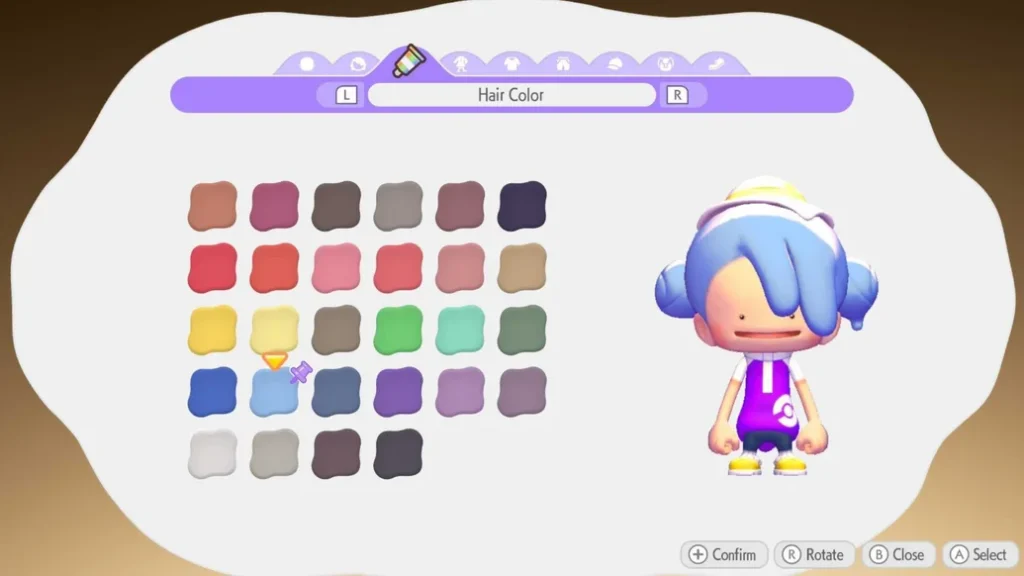
Hair Colour
After choosing a hairstyle, you can pair it with a hair colour of your choice. Options range from subtle natural browns and blondes through to vibrant reds and bright purples. Hair colour can be changed as freely and as often as you like — no need to worry about commitment here.
Outfits
At the beginning of the game only two outfits are available. As you progress through Pokopia, help more Pokémon, and complete Important Requests, more outfits become unlockable. Your wardrobe will grow significantly by the time you’ve explored all four areas of the game, so don’t feel limited by the early selection.
Tops, Pants, and Shoes
If none of the preset outfits appeal to you, you can bypass them entirely and mix and match individual clothing pieces. Tops, Pants, and Shoes can each be selected and coloured independently, giving you far more flexibility than sticking to full outfit sets. This is where most of the deep personalisation in Pokopia’s fashion system lives.
Headwear
Hats, accessories, and headwear round out your look — and arguably make your Ditto look more convincingly human than anything else in the wardrobe. A range of headwear options are available, with more likely unlocking as you progress through the game alongside the outfit selection.
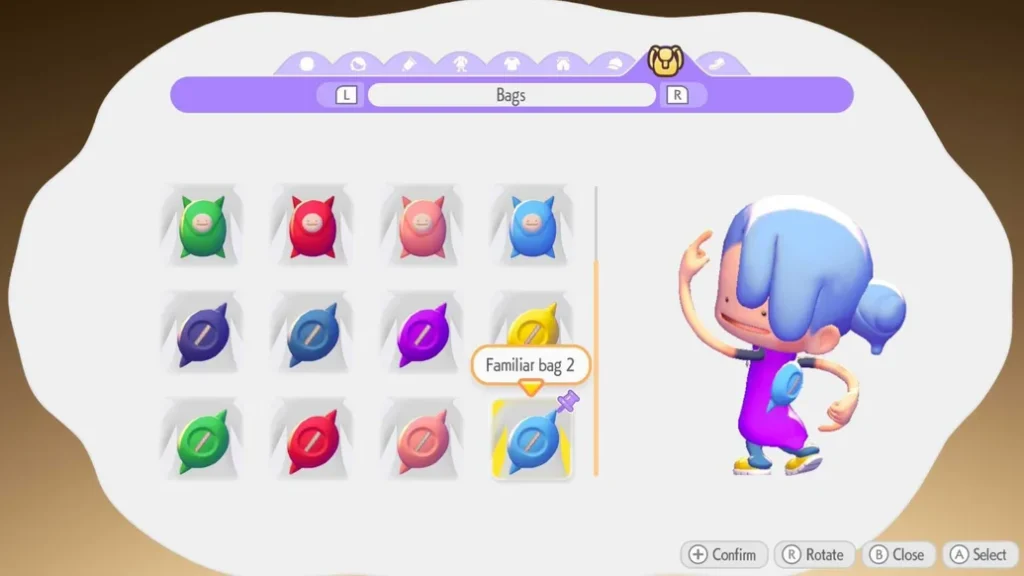
Bags
Finally, every good human impersonator needs a bag. Bags sit on your character’s back and complete the ensemble. Like other accessories, the selection of bags available expands as you put more hours into Pokopia.
How to Change Your Appearance After the Initial Setup
If you want to revisit any of these options after the initial character creation screen, you can change your appearance at any time by finding and interacting with a mirror. Mirrors are available in each area of Pokopia, so you’re never far from a refresh. This means there’s no penalty for experimenting during the initial customisation — if you don’t like your choices, head to the nearest mirror and update your look.
How to Unlock More Customisation Options
Your initial selection of hairstyles and outfits is deliberately limited at the start of the game. The best way to unlock more options is simply to progress — completing Important Requests, raising your Trainer Rank, helping Pokémon, and increasing your Environment Level across all four areas all contribute to expanding your wardrobe over time. Keep an eye on available Mystery Gift Codes too — these sometimes include exclusive cosmetic items that aren’t available through normal gameplay. Our full hairstyles list covers every style currently known and how each one is obtained.
Frequently Asked Questions – Character Customisation in Pokémon Pokopia
Can you change your character’s appearance after the start of Pokémon Pokopia?
Yes — almost everything can be changed at any time by visiting a mirror in any of Pokopia’s areas. The only exception is your Ditto’s name, which is set permanently at the start of the game and cannot be changed later. Everything else, from face colour and hair to outfits and accessories, is freely editable throughout your adventure.
How many hairstyles are there in Pokémon Pokopia?
You start with seven hairstyles, but more become available as you progress through the game. See our complete Pokémon Pokopia hairstyles list for every style currently confirmed and how to unlock each one.
How do you unlock more outfits in Pokémon Pokopia?
New outfits unlock as you help more Pokémon and progress through Pokopia’s main story and Important Requests. The selection grows considerably as you work through all four areas of the game. Some exclusive items may also be available through Mystery Gift Codes.
Can you mix and match clothing in Pokémon Pokopia?
Yes. Rather than being locked into preset full outfit sets, you can select Tops, Pants, and Shoes independently and mix colours and styles as you please. This gives you significantly more personalisation options than the preset outfit list alone.
What face colours are available in Pokémon Pokopia?
There are 11 face colour options, covering a wide range of skin tones as well as the classic Ditto purple. Face colour can be changed at any time via a mirror, just like the rest of your appearance options.
More Pokémon Pokopia Guides
- How to Change Appearance in Pokémon Pokopia
- All Pokémon Pokopia Hairstyles List
- How to Get Leaves in Pokémon Pokopia
- How to Open Area Gates and Raise Trainer Rank in Pokémon Pokopia
- How to Increase Environment Level in Pokémon Pokopia
- Pokémon Pokopia Mystery Gift Codes
- How to Increase Comfort Levels in Pokémon Pokopia
- Pokémon Pokopia Human Records Guide
- Pokémon Pokopia Dream Islands – How to Visit and Materials List
- Pokémon Pokopia Pokédex – All Pokémon Listed
- All Pokémon Pokopia Moves and Transformations List
- Team Initiation Challenge Walkthrough
- Pokémon Pokopia File Size