TL;DR: Bad aim usually comes down to wrong sensitivity, poor crosshair placement, and zero structured practice. Fix your DPI (stick to 400–800), keep your crosshair at head level, warm up 15–20 minutes in Aimlabs or KovaaK’s before every session, learn counter-strafing (or SOCD/Snap Tap on modern keyboards), and review your replays — ideally with an AI coaching tool. Your hardware matters too: a sub-80g mouse, XL mousepad, and at least a 144Hz monitor (360Hz+ for competitive) remove the ceiling on your growth. But none of that matters if you’re tilted, tense, or buying into bad myths. Results take weeks, not days. Stay consistent.
Look, I’ve been there. You’re grinding Valorant or CS2, your teammates are fragging out, and you’re somehow missing guys who are basically standing still. You watch your kill cam and wonder how you even missed that shot. Frustrating isn’t even the right word.
Here’s the thing though — aim isn’t some God-given talent. It’s a skill. And like any skill, you can learn it, drill it, and genuinely get better at it. I spent months actually figuring this out instead of just “playing more,” and the difference is wild. Let me break down everything that actually works.
1. Stop Playing on the Wrong Sensitivity — Seriously
This is the number one thing holding most players back and they don’t even realize it. If your sensitivity is too high, you’re flicking past targets. Too low and you can’t react fast enough in close quarters. Both feel awful in different ways.
Here’s what you need to know: most pro players in games like CS2 and Valorant run between 400 and 800 DPI on their mouse, with in-game sensitivity adjusted from there. The real metric to pay attention to is your eDPI — your mouse DPI multiplied by your in-game sensitivity. For tactical shooters like CS2 and Valorant, most pros land between 200–900 eDPI. Battle royale games like Apex and Fortnite tend to need a slightly higher number because of faster, more chaotic movement.
A quick test to check if your sensitivity is in the right ballpark: put your crosshair on a fixed point on a wall, then strafe left and right. If your crosshair drifts off that spot, something needs adjusting. Also try doing a full 180-degree turn with one comfortable arm swipe across your mousepad — that kind of range of motion is roughly the target.
Once you find something that feels decent, stop changing it. Muscle memory is everything in aiming and it takes weeks to build. Every time you switch sensitivity you restart that process from scratch.
Do this right now: Turn off mouse acceleration in your Windows or OS settings. It makes your cursor move inconsistently based on how fast you swipe, which destroys your ability to build reliable muscle memory. Raw input only, always.

2. Crosshair Placement Is the Cheat Code Nobody Talks About Enough
This is huge and massively underrated. Most players try to improve their aim by reacting faster to enemies. The real pros improve their aim by barely having to move their crosshair at all.
The concept is dead simple: always keep your crosshair at head level. Not at the floor. Not at the sky. Head level. When you round a corner or peek an angle, your crosshair should already be right where an enemy’s head is going to appear. The only adjustment you need to make is a tiny horizontal nudge — which is exponentially faster and more consistent than also having to drag vertically.
This one habit alone cuts your required reaction time by a massive margin. You’ve essentially pre-aimed the shot before the enemy even appears. You just have to click.
When moving through a map, keep your crosshair glued to corners and doorways at head level. Over time your brain maps out common enemy spots, and you’ll find yourself naturally pre-aiming angles without consciously thinking about it.
Watch any pro player’s POV and this becomes obvious immediately. Their crosshair almost never touches the floor.

3. Get in an Aim Trainer — This Is Non-Negotiable
Playing your actual game to improve your aim is like going to the gym and spending most of your session in the locker room. In a real match, you’re rotating, buying guns, managing economy, and communicating. The actual aiming is a fraction of your playtime. Aim trainers cut out everything else and let you just aim, constantly, for as long as you want.
The two best right now are Aimlabs (free on Steam) and KovaaK’s (around $7.99). Aimlabs is the easier entry point — free, beginner-friendly, and has game-specific playlists for Valorant, Apex, CS2, and more. KovaaK’s has a more dedicated community and a structured training program called Voltaic with daily playlists, difficulty tiers, and benchmarks you can track over time.
Two main types of aim to train:
- Tracking — smoothly following a moving target. Essential for Apex Legends, Fortnite, any game where enemies are constantly in motion.
- Flicking — snapping your crosshair instantly from one position to another. Critical in CS2 and Valorant where one-taps and first-bullet accuracy decide fights.
Most games need a mix of both. Lean into whichever your game rewards most.
The biggest mistake in aim training is jumping randomly between exercises. Pick a routine — Voltaic’s program or Aimlabs’ game-specific playlists — and stick with it for weeks. You need to compare your scores on the same scenarios over time to see if you’re actually improving. Random clicking builds nothing. Spend 15–20 minutes in an aim trainer before every session as a warm-up and treat it as seriously as athletes treat stretching.

4. Counter-Strafing, SOCD, and the 2026 Keyboard Meta
This mechanical skill separates decent players from good ones, and in 2026 there’s a new dimension to it worth knowing about.
When you move in most tactical FPS games, your accuracy collapses. The solution is counter-strafing — briefly tapping the opposite direction key to cancel your momentum before firing. Moving left (A key)? Tap D for a split second to stop, then shoot. Done right, your character snaps to a halt almost instantly and accuracy returns. It takes time to make it feel natural, but once it’s in your muscle memory your gunfights get dramatically cleaner.
Now here’s the 2026 twist: SOCD (Simultaneous Opposite Cardinal Directions) and Snap Tap features — popularized by keyboards like the Wooting and now adopted by Razer and others — automate the counter-strafe timing for you. When you press A and D simultaneously, the keyboard registers the last-pressed key, making counter-strafing nearly instant without the precise timing. Whether that counts as “meta” or “cheating” is genuinely debated in competitive circles right now. Most game developers allow it (CS2 and Valorant have not banned it at the time of writing), but some community purists feel it removes a real mechanical skill. Know that it exists, decide where you stand, and factor it in if you’re upgrading your keyboard.
On console, the counter-strafe equivalent is letting your movement fully settle before firing. Keep your deadzone as low as possible without stick drift — competitive console players typically run 3–5% deadzone with a linear response curve, not exponential. It gives more predictable stick movement and cleaner shot timing.
5. Your 2026 Hardware Setup — What Actually Matters
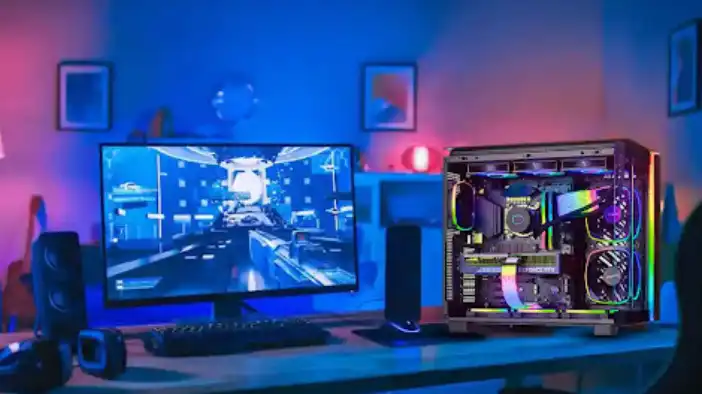
Hardware won’t carry bad technique, but it absolutely sets a ceiling on how far good technique can take you. Here’s what actually makes a tangible difference in 2026:
Mouse: Lightweight is better. Under 80g is the target. Heavy mice cause fatigue and slow down fast movements. Sensor quality matters more than price — you don’t need a $150 mouse, but you do need one that tracks accurately without jitter or built-in acceleration. Comfort and fit for your grip style matter more than raw spec numbers.
Mousepad: Get a big one. Seriously. An XL cloth pad lets you use arm-aiming rather than wrist-aiming. Arm aiming is more stable, less fatiguing, and leads to better consistency at low sensitivities. A solid XL pad runs under $30 and is one of the best value upgrades you can make.
Monitor: The jump from 60Hz to 144Hz is the single biggest hardware improvement most players can make for their aim. Motion is smoother, tracking is easier, and perceived input lag drops noticeably. But in 2026, the pro scene has moved further. 360Hz monitors are now the standard at the top level, and 540Hz and 600Hz panels are reaching the market. At those refresh rates, target tracking during fast strafes becomes noticeably cleaner — not just marketing.
Also worth mentioning: OLED monitors with Black Frame Insertion (BFI) are making waves in 2026. OLED’s near-instant pixel response eliminates the ghosting that plagues fast-moving targets on LCD panels, and BFI reduces motion blur even further. If you’re in the market for a new monitor, OLED at 360Hz+ is worth serious consideration for competitive play.
Polling Rate: 1000Hz is the standard and fine for most players. Mice offering 4000Hz or 8000Hz exist — the latency gains are real but marginal outside the very top of competition.
If you’re thinking about building or upgrading your full gaming PC to hit those high framerates your monitor needs, check out this detailed comparison of the RTX 5070 vs RTX 5080 to figure out which GPU gives you the best return for your budget. Higher framerates directly improve how smoothly you can track moving targets.

6. Recoil Control Is a Learned Skill, Not Luck
Every gun in every FPS game has a recoil pattern — the way your crosshair moves upward and sideways when you fire. Most new players spray and pray. Players who improve learn to compensate for recoil by pulling their mouse in the opposite direction of the kick, turning that chaotic spray into something actually controllable.
In CS2, the AK-47 kicks upward first then drifts in a specific pattern. You can literally memorize it and counter it with deliberate mouse movements. Same goes for the M4 and Valorant rifles. Every gun is different, and learning the pattern for the guns you use most is high-value practice.
Go into a practice range, spray at a wall, and watch where your bullets go. Then try to counter that movement. Repeat. Some players print out recoil patterns and tape them near their monitor when first learning — sounds cringe but it actually works. For battle royale games where spray patterns are more random, burst firing (short controlled bursts rather than full auto) keeps you accurate at range without fighting a completely chaotic recoil pattern.
7. Game Sense and Aim Are the Same Thing in Disguise
Most players think of aim and game sense as completely separate skills. They’re not. They feed directly into each other.
Crosshair placement only works because of game sense — knowing where enemies are likely to appear so your crosshair is already near them before the fight starts. Map knowledge, audio cues, reading rotations, tracking where your teammates are — all of it lets you pre-aim better. If you know from footsteps that an enemy is about to peek a corner, your crosshair is already there before they appear. That half-second advantage is the difference between winning and losing the duel.
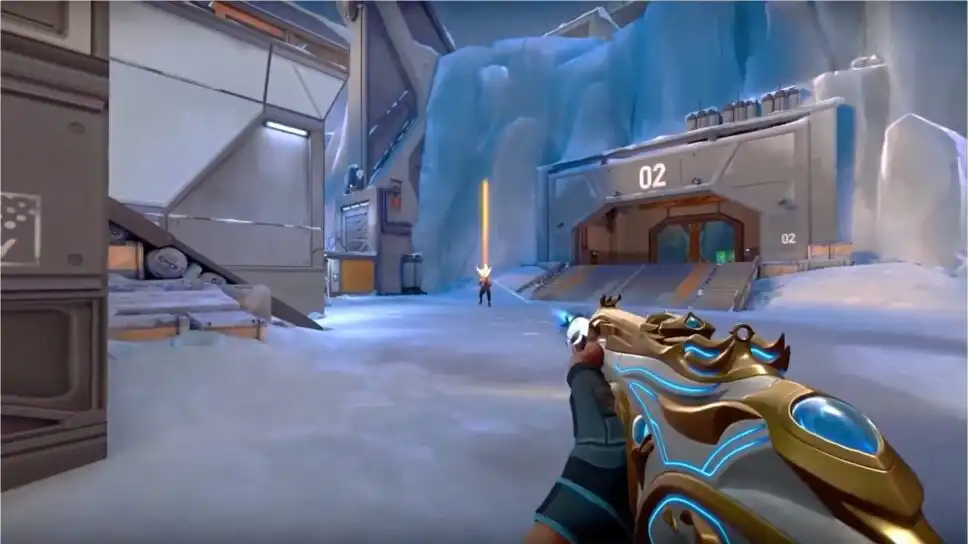
Watch pro streams and VODs not just to copy settings but to observe crosshair placement and angle pre-aiming. Pay attention to how little their crosshair actually moves during gunfights. That’s the goal — minimal movement, maximum precision.
8. VOD Review and AI Coaching Tools in 2026
Most players lose a gunfight, feel frustrated, and immediately queue the next round without reflecting on what went wrong. That pattern keeps you stuck.
Every major FPS now has replay or kill cam functionality. Use it. After a session, go back and watch fights you lost. Ask yourself: where was my crosshair before the fight started? Was I moving when I fired? Did I panic-spray instead of tapping? You’ll spot patterns in your mistakes quickly.
But here’s the 2026 upgrade: AI-powered VOD analysis tools are now genuinely useful for this. Tools like Mobalytics (which expanded to FPS) and Overwolf-based coaching apps can automatically tag your VODs and flag moments where your crosshair placement dropped, where you over-peeked, or where your accuracy fell below baseline. Instead of manually rewatching hours of gameplay, you get a highlight reel of your specific mistakes with stat context attached.
This is what pro players have had access to via personal coaches for years. In 2026, you can get a rough version of it for free or cheap. There’s no excuse not to use it.
9. The Mental Game — Tilt Is Physically Destroying Your Aim
This section doesn’t get talked about enough and it should, because it’s real and it’s measurable.
When you’re frustrated — after a bad round, a stupid death, a teammate throwing — your body physically tenses up. Your grip tightens on the mouse. Your shoulder rises slightly. Your movements go from smooth and controlled to stiff and jerky. Tense muscles kill smooth tracking. The micro-movements that make tracking a moving target feel fluid become impossible when your forearm is locked up from frustration.
This is what tilt actually does to you mechanically. It’s not just “bad vibes” — it’s your nervous system working against your aim.
A few things that genuinely help:
Take a breath between rounds. Literally. One slow breath. It drops your heart rate slightly and relaxes your grip. Sounds too simple to matter. It matters.
Recognize the physical signs of tilt early. If your jaw is clenched, your grip is tight, or you feel yourself rushing shots that you’d normally take patiently — you’re tilting. Stop, shake out your hands, reset.
Hesitation is the enemy of accuracy. On the flip side, when you’re in a confident, relaxed state, your aim feels like it flows. You commit to shots. You stop second-guessing the trigger. That confidence isn’t arrogance — it’s your muscles executing what they’ve trained without interference from your brain overthinking it. Get to that state before important matches, not after you’ve already dug yourself into a mental hole.
If you’re on a bad streak, queue off. Playing 4 more matches in a tilted state doesn’t fix anything. It reinforces bad habits and makes the hole deeper.
10. Busting the Aim Myths That Are Actually Holding You Back
There’s a lot of bad advice floating around aim communities. Let’s kill a few of the most common ones:
Myth: “Higher DPI is always better.” Not even close. After around 800–1600 DPI, the gains are basically zero for aim. What actually matters is the combination of DPI and in-game sensitivity (your eDPI). Most pros run 400 or 800 DPI with a moderate in-game sens. Running 3200 DPI because “it’s more precise” is a marketing trap.
Myth: “You need a $200 mouse to compete.” Nope. You need a mouse with a quality sensor that fits your hand and your grip style. Plenty of $40–60 mice have the exact same sensor found in $150 ones. The extra money usually buys you weight tuning kits, RGB, or branding. Comfort matters more than price.
Myth: “Pros use low sensitivity because it’s objectively better.” Low sensitivity works for most people because it forces arm aiming, which is more stable. But there are radically successful pro players on relatively high sens. The “best” sensitivity is the one that feels effortless to you after 3+ weeks of consistent use.
Myth: “Aim trainers are a waste of time — just play the game.” If you play your game to improve aim, you’re spending maybe 20–30% of your time actually shooting at something. Aim trainers give you 100% shooting time with targeted scenarios. The mechanics transfer. The pros use them. Use them.
Myth: “My hardware is fine, I just need to practice more.” If you’re on a 60Hz monitor, your hardware is actively harming your aim. The jump to 144Hz is dramatic and real. That’s worth acknowledging.

11. Console Players: Your Specific Aim Guide
Everything above about crosshair placement, warmup routines, game sense, and the mental game applies directly to console. The platform-specific stuff is mostly hardware and settings.
Right stick sensitivity between 5–8 is where most competitive FPS console players land. Linear response curves give you more predictable input than exponential — if you haven’t switched to linear yet, try it for a week. Keep your deadzone as low as possible without getting stick drift; test it in a practice mode rather than guessing.
Hall Effect analog sticks (found in some third-party controllers) eliminate drift entirely and are worth considering if you’re replacing a controller anyway. If you’re on PS5, the DualSense is solid, and there’s a solid writeup on what PS5 DualSense V2 upgrades might look like worth checking out.
And if you’re weighing up platforms heading into late 2026, the PS5 vs Xbox Series X vs Switch 2 value comparison breaks down what makes sense depending on how seriously you’re taking competitive play.
12. Physical Stuff That Actually Affects Your Aim
This sounds like sports coach territory but it’s real and measurable.
Fatigue degrades your fine motor control. After 4–5 hours of gaming, your micro-adjustments get noticeably sloppier. Grinding ranked at 2am when exhausted doesn’t improve your aim — it reinforces sloppy habits while tilting and losing rating. Schedule your serious sessions when you’re fresh.
Posture matters. If you’re hunched over your desk with your elbow hanging off the edge, your mouse control is already compromised before the match starts. Keep your elbow supported on the desk or armrest, monitor at eye level, and shoulders relaxed.
Take breaks. Every 45–60 minutes, stand up, shake out your hands, rest your eyes for a minute. Your accuracy picks back up after a short break compared to grinding through accumulated fatigue.
Hydration and sleep are real variables too. Pro teams have sports scientists tracking this stuff. You don’t need to go that far, but being well-rested and hydrated before an important session versus exhausted and dehydrated is a measurable difference in your fine motor performance.
Your 2026 Aim Improvement Routine — Full Schedule
Here’s a realistic routine that produces results without burning you out. Bookmark this.
| Frequency | Task | Goal |
|---|---|---|
| Every Session | 15–20 min Aimlabs or KovaaK’s (same routine, same scenarios) | Muscle memory & warm-up |
| Every Match | Conscious crosshair placement — head level, pre-aim corners | Minimize reaction time required |
| Every Match | Counter-strafe before every shot, no firing while moving | Clean first-bullet accuracy |
| Weekly | VOD review of 2–3 losses (manual or AI tool) | Identify recurring mistake patterns |
| Weekly | Compare aim trainer scores vs. last week | Track actual measurable progress |
| Monthly | Hardware check: clean mousepad, check for stick drift, verify sens hasn’t shifted | Eliminate hardware variables |
| Every 3–4 Weeks | If scores plateau, increase drill difficulty or try a variation — don’t change sens | Keep growth curve moving |
Results won’t happen overnight. Give any change 2–3 weeks before judging it. Building muscle memory is slow, but once it’s there it’s permanent.
Final Thought — Now It’s Your Turn
The players who improve fastest aren’t necessarily grinding the most hours. They’re practicing the right things deliberately, staying consistent, keeping their head right, and not falling for bad advice. Stop mindlessly queuing ranked and wondering why nothing’s changing. Warm up properly. Fix your crosshair placement. Review your replays. Keep your sensitivity locked.
You’ve got the roadmap now. Go use it.
Drop your current eDPI in the comments — your DPI multiplied by your in-game sensitivity. Let’s see what you’re running and whether there’s room to optimize it.
Also worth reading on GamingProMax:


