Let’s get straight to it — yes, Minecraft is cross-platform, but not in the way most people expect. You can’t just boot up the game, invite a friend on a different device, and expect it to work automatically. There are a couple of things you need to know first, and if you skip them, you’ll end up frustrated staring at an empty friends list.
The biggest thing to understand: which edition you’re on matters a lot. Minecraft has two completely different versions — Bedrock and Java — and they don’t play nicely together by default. Once you understand that distinction, everything else clicks into place.
This guide covers exactly which platforms can play together, how to set up crossplay step by step, what Realms and GeyserMC are about, and how to troubleshoot when things go wrong. Let’s dig in.
What Does Cross-Platform Mean in Minecraft?
Cross-platform play (or crossplay) means players on different devices — say, a PC and a PlayStation 5 — can join the same game world and play together in real time. It’s a feature that’s become expected in modern multiplayer games, and Minecraft handles it better than most titles — at least on Bedrock Edition.
In Minecraft’s case, crossplay means your friend grinding on Xbox can hop into your world while you’re building from your Android phone or your Windows PC. You’re all in the same world, seeing the same blocks, dealing with the same creepers.
The catch is that this only works if everyone is on Minecraft Bedrock Edition. Java Edition has a completely separate multiplayer ecosystem, and the two editions simply don’t speak to each other out of the box.
Minecraft’s Two Editions: Bedrock vs. Java
Before jumping into crossplay specifics, you need to understand why there are two editions in the first place.
Minecraft Java Edition
Java Edition is the original version of Minecraft, released back in 2011. It runs on Windows, macOS, and Linux — computers only. Java is the version hardcore players, mod enthusiasts, and redstone engineers tend to love. It has deeper mod support, different game mechanics, and a massive server community (places like Hypixel have millions of players).
The downside for crossplay: Java Edition is strictly PC-only multiplayer. You can only connect with other Java players. Console players, mobile players — none of them can join your Java world by default. That’s just how it’s built.
Minecraft Bedrock Edition
Bedrock Edition was built as the unified version of Minecraft after Microsoft acquired Mojang. It runs on the same core code across every platform, which is what makes cross-platform play possible. Bedrock runs on:
- Windows 10 and Windows 11 (PC)
- Xbox One and Xbox Series X|S
- PlayStation 4 and PlayStation 5
- Nintendo Switch
- iOS and iPadOS
- Android devices
- Chromebooks — Chromebook players run the Android build of Bedrock Edition, installed directly from the Google Play Store. It’s fully cross-platform capable with every other Bedrock device — Xbox, PlayStation, Switch, PC, and mobile. Chromebooks launched in 2020 or later are generally compatible. If you’re on a school-managed Chromebook, your admin may have restricted the Play Store or cross-network play, so check with your school’s IT department if the game isn’t showing up or crossplay is blocked.
If you bought Minecraft on a console or mobile device after 2017, you have Bedrock. If you see it listed simply as “Minecraft” (without Java attached) in any console store, that’s Bedrock.
Quick note: PC players who purchased Minecraft before mid-2022 typically had only Java Edition. Mojang later gave Java players a free copy of Bedrock and vice versa — so many PC players now own both.
Is Minecraft Cross-Platform? The Full Compatibility Breakdown
Here’s the quick reference table for who can play with whom in 2026:
| Platform | Edition | Can Cross-Play With |
|---|---|---|
| Windows PC | Bedrock | Xbox, PS4/PS5, Switch, Mobile, Chromebook |
| Windows PC | Java | Other Java Edition players only |
| Xbox One / Series X|S | Bedrock | PC Bedrock, PS4/PS5, Switch, Mobile, Chromebook |
| PlayStation 4 / PS5 | Bedrock | PC Bedrock, Xbox, Switch, Mobile, Chromebook |
| Nintendo Switch | Bedrock | PC Bedrock, Xbox, PS4/PS5, Mobile, Chromebook |
| iOS / Android | Bedrock | PC Bedrock, Xbox, PS4/PS5, Switch, Chromebook |
| Chromebook | Bedrock (Android) | PC Bedrock, Xbox, PS4/PS5, Switch, Mobile |
| macOS / Linux | Java | Other Java Edition players only |
The pattern is simple: Bedrock plays with Bedrock. Java plays with Java. They don’t mix — unless you use workarounds.
How to Set Up Minecraft Crossplay on Bedrock Edition
Setting up crossplay on Bedrock is actually pretty painless once you know the steps. Here’s exactly how to do it.
Step 1: Make Sure Everyone Has Bedrock Edition
This sounds obvious, but it trips people up constantly. Everyone who wants to play together needs Minecraft Bedrock Edition. Not Java. If one person in your group is on Java and the rest are on Bedrock, it won’t work without third-party tools (covered later).
Step 2: Create a Microsoft Account (Free)
Every platform — including PlayStation and Nintendo Switch — requires a Microsoft (Xbox) account to enable cross-platform friends and multiplayer. The account is free to create at account.xbox.com. On Xbox, you already have one. On PS4/PS5, Switch, and mobile, you’ll be prompted to link one when you first launch Minecraft.
Step 3: Enable Multiplayer in World Settings
When creating or loading a world, head to the Multiplayer tab in the world settings. Make sure Multiplayer Game is toggled On, Visible to LAN Players is enabled if you want local network play, and player permissions are configured the way you want.
Step 4: Add Friends by Gamertag
In the Minecraft main menu, go to the Friends tab. Search your friend by their Xbox Gamertag (their Microsoft account username). Send a friend request, and once they accept, their world will appear under Joinable Cross-Platform Friends when they’re online.
Step 5: Join or Invite
The host can select Invite to Game from the pause menu and invite friends from their list. Alternatively, friends can browse the Friends tab and join a hosted world directly. That’s it — you’re in the same world, regardless of what platform either of you is on.
Looking to build something epic with your new cross-platform crew? Check out our guide on how to build a floating island base in Minecraft for some seriously impressive project ideas.
Crossplay on Each Platform: Specific Notes
PC (Windows) + Xbox
This is one of the most seamless crossplay combinations in gaming. Both platforms use the same Microsoft account infrastructure, so adding friends and jumping into worlds is quick. Just make sure both players are on Bedrock — not Java — on the PC side.
PC + PlayStation
PlayStation crossplay requires linking your PSN account to a Microsoft account. Do this the first time you launch Minecraft on PS4 or PS5. Once linked, your gamertag shows up in cross-platform friend searches just like any other platform.
Xbox + PlayStation
Yes, Xbox and PlayStation can actually play Minecraft together — which still surprises people. Both run Bedrock Edition and both use Microsoft accounts for Minecraft’s friend system. Add each other by gamertag and you’re good.
Nintendo Switch
Switch runs Bedrock Edition and fully supports crossplay with PC, Xbox, PlayStation, and mobile. You’ll need a Nintendo Switch Online membership for online play, and you’ll link a Microsoft account the first time you launch Minecraft.
Mobile (iOS and Android)
Mobile players often get forgotten in crossplay discussions, but they’re fully included in the Bedrock ecosystem. An Android player can join a world hosted on someone’s PS5, and an iPhone user can build alongside a Switch player. The Bedrock codebase is the same regardless of device.
Subscription Requirements for Online Play
The game itself might support cross-platform play, but some platforms require paid subscriptions for online multiplayer. Here’s the breakdown:
- Xbox — Xbox Live Gold or Xbox Game Pass required
- PlayStation — PlayStation Plus required for online multiplayer
- Nintendo Switch — Nintendo Switch Online membership required
- PC (Windows Bedrock) — No additional subscription needed
- iOS / Android / Chromebook — No additional subscription needed
So if your friend on Switch can’t connect, the first thing to check is whether their Nintendo Switch Online sub is active.
Using Minecraft Realms for Cross-Platform Play
Realms is Minecraft’s official server hosting service run by Mojang, and it’s one of the cleanest ways to set up a persistent world for a group of friends.
Bedrock Realms supports crossplay across all Bedrock platforms and keeps your world online 24/7 — even when the host isn’t playing. Up to 10 players can be online at once, and your Marketplace purchases and skins carry over. Realms for Bedrock costs around $7.99/month.
Java Realms works only for Java Edition players (PC only). It costs around $9.99/month and doesn’t allow Bedrock players to join.
Realms is a solid pick for friend groups or families who want to play regularly without the hassle of managing a dedicated server. The downside is the 10-player cap and the lack of mod support on Bedrock Realms. If you want full control and larger player counts, a self-hosted server is the better route. You can read all about setting that up in our guide on how to make and join a Minecraft server.
Can Java and Bedrock Play Together? (GeyserMC Explained)
Officially, no. Java and Bedrock Edition use different programming languages and entirely different networking systems. That’s the core reason they can’t connect natively.
There’s a popular third-party solution called GeyserMC. It’s a plugin that runs on a Java Edition server and acts as a translator, letting Bedrock clients connect to Java servers. In other words, your console or mobile friend can technically join a Java server using GeyserMC.
It works — but with caveats:
- Setup requires technical know-how and server access
- It works best for basic survival gameplay
- Complex mods and plugins on the Java side often break or behave unexpectedly for Bedrock players
- It’s not an official solution, so reliability can vary
⚠️ Warning: GeyserMC is not an official Mojang product. If your Java server is running heavy mods or plugins, expect Bedrock players to experience bugs, broken features, or disconnects. It works best on lightly modded or vanilla-style servers.
💡 Pro Tip: If your whole group is flexible on edition, just move everyone to Bedrock. It takes about 10 minutes to set up and removes the GeyserMC complexity entirely. GeyserMC is really worth the effort only when someone in your group is locked into Java and absolutely can’t switch — for example, a long-time modded Java player who can’t give up their setup.
Java Edition Multiplayer: How It Works Without Crossplay
Java Edition doesn’t support cross-platform play with consoles or mobile, but its multiplayer is still robust on its own.
Java players can connect through three main methods. First, LAN Play — connect with other players on the same local network, free and easy, but everyone needs to be on the same Wi-Fi. Go to the pause menu and select Open to LAN to make your world joinable. Second, Shared Server IP — rent or host a Java server, then share the IP address with friends who add it under Multiplayer > Add Server. Third, Java Realms — Mojang’s hosted server solution for Java, simple to set up and always online, but limited to PC players only at $9.99/month.
Java multiplayer is genuinely great if your whole crew is on PC. The massive modding ecosystem especially shines here — coordinating with friends on the same mod pack, building massive redstone contraptions together, or diving into a custom modded adventure is something Bedrock can’t replicate. Our guide to installing mods in Minecraft is a great starting point if you want to explore that side of things.
Cross-Progression in Minecraft: Does Your Progress Transfer?
Cross-play and cross-progression are two separate things worth knowing about.
Cross-play means playing with people on different devices simultaneously. Cross-progression means your progress, worlds, and purchases follow you when you switch devices.
In Bedrock Edition, your Marketplace purchases (skins, texture packs, add-ons) and Minecoins follow your Microsoft account across all platforms. So if you buy a skin pack on Xbox, it’s there when you log in on your phone. World data is stored locally unless you use Realms or manually export and transfer world files.
Java Edition keeps worlds as local saves on your PC. You can copy them between machines (Windows, Mac, Linux), but there’s no automatic cloud sync.
Common Crossplay Problems and How to Fix Them
Even with Bedrock’s generally smooth crossplay, issues pop up. Here are the most common ones and what to do.
Can’t see friends in the Friends tab — Make sure both players are on Bedrock (not one on Java). Confirm both Microsoft accounts are properly linked. Check that friend requests were actually accepted. Both players should also be on the same Minecraft version — a mismatch blocks joining.
Invited friend can’t join the world — Check the host’s world settings and confirm Multiplayer Game is toggled On. If the friend is on a console, confirm their platform subscription is active. NAT type issues can block invites, especially on consoles — rebooting your router or enabling UPnP in router settings usually fixes this.
Game says “Outdated Client” or “Outdated Server” — Both players need to be on the same version of Minecraft. Update both sides and try again.
💡 Pro Tip — Version Numbers Changed in 2026: Mojang overhauled their versioning system this year. Instead of the old 1.21.x format, versions are now named by year. Java Edition is currently on 26.1.1 and Bedrock on 26.12. Java and Bedrock use different patch numbers even within the same game drop, so don’t be thrown off by mismatched trailing numbers — what matters is that everyone is on the same drop. Go to Settings → About in-game to confirm your version before troubleshooting a failed connection.
Cross-play blocked on child accounts — Microsoft Family Safety settings can restrict cross-network play for accounts flagged as minors. Check and adjust privacy settings in the Microsoft Family app or on account.microsoft.com.
Friends on PlayStation or Switch won’t appear — Make sure the Microsoft account is properly linked in-game under Settings. On PS4/PS5, this sometimes needs to be re-linked after system updates.
What Makes Bedrock Better for Crossplay?
Bedrock’s strength in multiplayer goes beyond just allowing different platforms to connect. Because it runs the same codebase across every device, updates roll out at roughly the same time for everyone. Skins and Marketplace content follow your account, meaning you don’t rebuy cosmetics when switching devices. The friends system through Microsoft accounts is unified, so managing your friend list in one place works everywhere.
For families especially, Bedrock’s crossplay makes Minecraft incredibly easy to share. A parent on a PC can jump into their kid’s Switch world without any technical gymnastics.
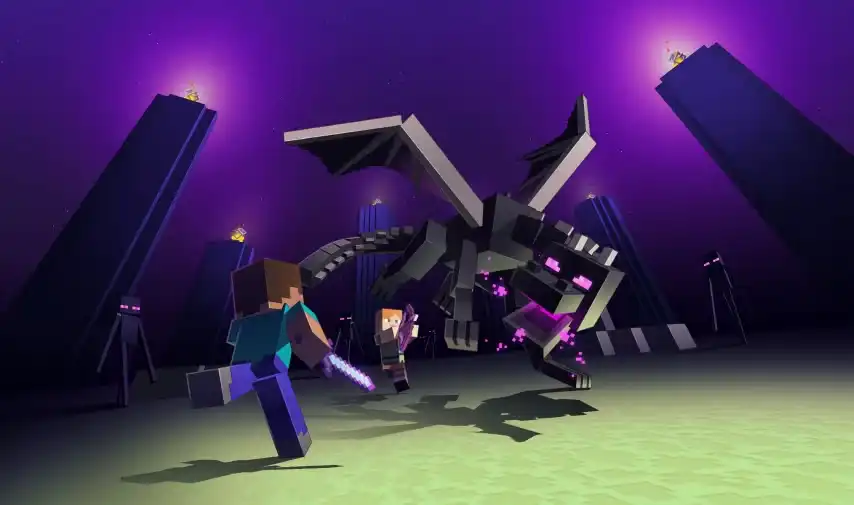
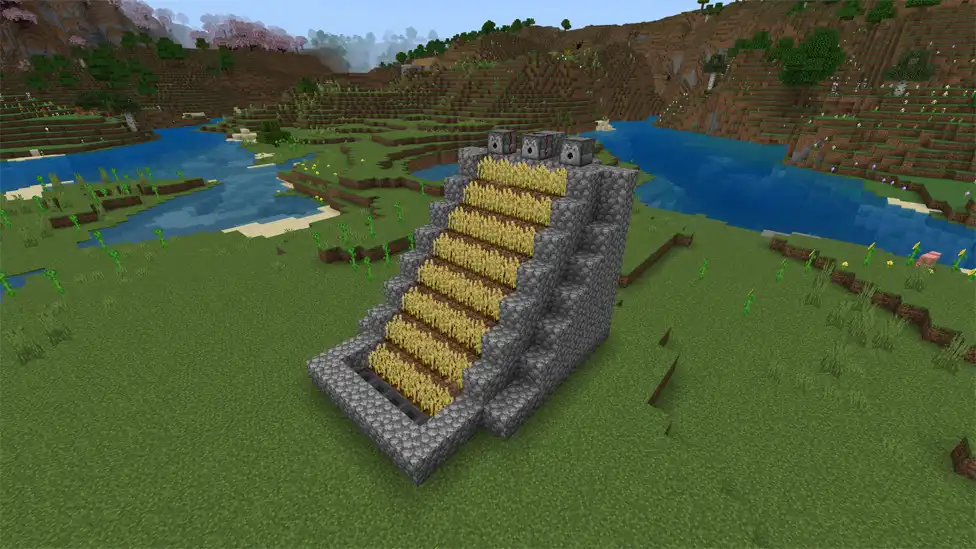
Once you’ve got crossplay running, there’s no shortage of things to do together. Tackle defeating the Ender Dragon as a team, or set up a shared automatic farm to keep everyone supplied.
Setting Up Your First Cross-Platform World: A Quick Walkthrough
If you just want to jump in and skip the back and forth, here’s the fastest route:
- Agree on Bedrock Edition — make sure everyone installs Bedrock, not Java
- Everyone creates or links a Microsoft account
- Add each other as friends using Xbox Gamertags
- The host creates a new world with Multiplayer enabled in world settings
- Invite friends from the Friends tab or have them join from their Joinable Friends list
- Set world permissions — visitor, member, or operator
- Start playing
If you want the world to stay available even when the host isn’t playing, add a Realm. Otherwise the world only runs when the host’s game is open.
Want to make sure your crew hits the ground running? Our tips on how to survive your first night in Minecraft apply whether you’re playing solo or with a full cross-platform squad.
Fun Things to Do Together in Cross-Platform Multiplayer
Once your group is connected, here are a few things that work brilliantly with multiple players.
Explore and gather together — Split up across biomes and share resources. One player mines while another farms. Our guide to finding diamonds gives your group the early advantage.
Build a base together — Collaborative builds are where Minecraft multiplayer really shines. Check out our treehouse base guide or underground bunker guide for group-friendly project ideas.
Set up shared farms — A well-designed XP mob farm benefits the whole group. Get your enchanting table running and start gearing everyone up.
Take on the Nether together — Exploring the Nether is significantly safer with backup.
Brew potions for the squad — Potions become a shared resource in multiplayer. Our potion brewing guide covers everything you need.
Minecraft Education Edition: A Special Case
Education Edition is completely separate from both Bedrock and Java and can’t interact with either. Within its own ecosystem, multiplayer is available across Windows, macOS, ChromeOS, and mobile — as long as all players are under the same organization and account system.
Legacy console versions like the Xbox 360 Edition or PS3 Edition have no crossplay support at all and have been officially discontinued.
Final Thoughts
Minecraft’s crossplay is one of its strongest selling points in 2026. The fact that a kid on an iPad can build with their parent on a PS5 while a sibling joins on Xbox — all in the same world — is still not something every game pulls off this smoothly.
The main takeaway: if cross-platform play matters to you, choose Bedrock Edition. It removes the headaches entirely. If you’re on PC and care more about mods and a deeper technical experience, Java is still worth it — just know you’re signing up for a PC-only multiplayer scene.
For most players, especially those with friends spread across different devices, Bedrock is the right call. Get everyone set up with Microsoft accounts, add each other by Gamertag, and you’ll be in the same world within minutes. Then go explore, build something ridiculous, and tame some animals together — our guide to taming animals in Minecraft will get you started on that front.
Frequently Asked Questions
Is Minecraft cross-platform between PC and PS5?
Yes, if both players are using Bedrock Edition. The PC player needs Minecraft Bedrock from the Microsoft Store, not Java. Once both are on Bedrock and connected via Microsoft accounts, crossplay works seamlessly.
Can Xbox and PlayStation play Minecraft together?
Yes. Both consoles run Bedrock Edition and both link through Microsoft accounts for Minecraft’s friend system. No workarounds needed.
Is Minecraft Java Edition cross-platform?
No, not natively. Java Edition only supports multiplayer with other Java Edition players on PC. Cross-play with consoles or mobile requires GeyserMC, a third-party server plugin.
Do I need PlayStation Plus or Xbox Live for Minecraft crossplay?
PlayStation Plus is required for online multiplayer on PS4/PS5. Xbox Live Gold or Game Pass is required on Xbox. Nintendo Switch Online is required on Switch. PC and mobile players don’t need any additional subscription.
Can Minecraft Java and Bedrock players play together?
Not officially. GeyserMC can bridge the two editions on a server, but it requires technical setup and comes with limitations around mods and plugins.
Do I need Minecraft Realms for crossplay?
No. Realms are optional. You can play cross-platform by hosting a regular Bedrock world and inviting friends, or using LAN if everyone’s on the same network. Realms just keep the world online when the host isn’t playing.
Is cross-platform play free in Minecraft?
Crossplay itself is free on PC and mobile. Console players need active subscriptions (PlayStation Plus, Xbox Live, or Switch Online) for online multiplayer, which are paid separately from the game.
Can mobile players join a PC Minecraft world?
Yes, as long as both are on Bedrock Edition. iOS and Android players can join worlds hosted on Windows, Xbox, PlayStation, or Switch — and vice versa.
What version of Minecraft are we on in 2026?
Mojang changed their versioning system starting this year. Versions are now named by year rather than the old 1.x.x format. Java Edition is currently on 26.1.1 and Bedrock is on 26.12. Always check your version in Settings → About before trying to connect with friends, since mismatches will block you from joining.


