Key Takeaways
- GTA 6 players are still reporting problems with the game’s dynamic weather system more than a week after launch.
- Rockstar’s November 23 update officially addressed a bug preventing the weather from changing for extended periods.
- Some players continue experiencing constant sunshine, with little to no rain, fog, or thunderstorms outside scripted missions.
- Clearing the PS5 system software cache has restored dynamic weather for some affected players.
- The community-discovered workaround does not work for everyone.
- Rockstar has not announced a release date for another dedicated weather fix as of November 28, 2026.
Imagine spending 50 hours exploring Leonida and barely seeing a single drop of rain. For a game that promised one of the most advanced weather systems Rockstar has ever created, that’s a pretty strange experience.
Unfortunately, that’s exactly what some Grand Theft Auto 6 players are dealing with right now.
More than a week after its November 19 launch, GTA 6’s dynamic weather system continues to cause problems. Even after Rockstar released an update specifically addressing the issue, players are reporting that Vice City remains stuck under seemingly endless sunshine.
The good news is that the community has discovered a potential workaround. The bad news? It doesn’t appear to work for everyone.
Rockstar needs to address the weather situation
by u/-MindHorror- in GTA6
GTA 6 Weather System Is Still Broken After November 23 Update
Rockstar released its first post-launch GTA 6 update on November 23, 2026, addressing several problems affecting the PS5 and Xbox Series X/S versions.
Among the seven fixes listed in the official GTA 6 patch notes was a particularly welcome change for players wondering why Leonida seemed incapable of producing bad weather.
Rockstar stated that it had fixed an issue that resulted in the weather not changing for extended periods.
The acknowledgment confirmed what many players had suspected since launch. The lack of rain and thunderstorms wasn’t necessarily an intentional design choice. There was an actual bug affecting the weather system.
However, in the days following the update, reports continued appearing across Reddit and X from players experiencing the same problem.
Some claim they have barely encountered any weather changes outside scripted story sequences, despite spending dozens of hours exploring the open world.
Others report seeing occasional clouds but very little rain or dramatic weather.
Considering how heavily Rockstar promoted the game’s atmospheric effects before release, it’s understandable why players are disappointed.
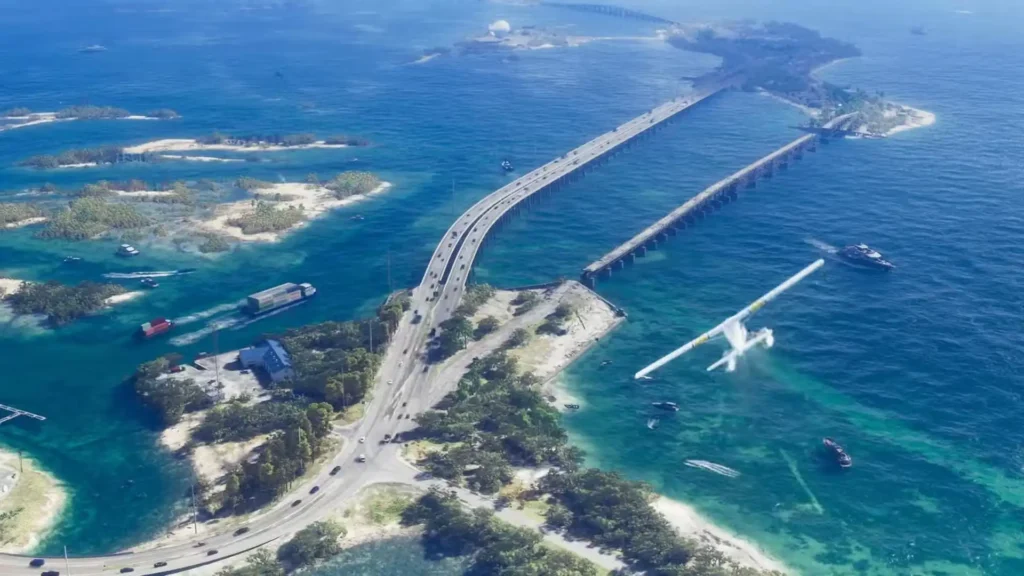
GTA 6 Players Report Constant Sunshine and Missing Thunderstorms
Over the past few days, the weather bug has become a major talking point within the GTA 6 community.
Reddit discussions have attracted players sharing remarkably similar experiences. Some have completed substantial portions of the campaign without encountering a proper thunderstorm, while others say the November 23 patch made little noticeable difference.
One player reported spending approximately 56 hours in GTA 6 without experiencing dramatic weather before discovering a potential fix.
Another Reddit user reported that rain returned within 15 minutes of clearing their console’s system cache.
However, other players have reported continuing to experience sunny conditions even after clearing the cache multiple times and rebuilding their console’s database.
The experiences suggest that Rockstar’s initial fix may have resolved the problem for some players without eliminating every instance of the bug.
Common GTA 6 Weather Bug Symptoms
- Weather remains sunny for unusually long periods.
- Rain rarely or never occurs during free-roam gameplay.
- Thunderstorms appear only during scripted missions.
- Cloud formations show little noticeable variation.
- Weather conditions remain unchanged across multiple in-game days.
- The issue persists after installing the November 23 update.
Of course, experiencing several sunny days doesn’t automatically mean your game is broken. The weather system is designed to be dynamic, and conditions can vary depending on your location.
But if you’ve spent dozens of hours in Leonida without seeing meaningful weather changes, you may be experiencing the same issue reported by other players.
How to Fix GTA 6 Weather Not Changing on PS5
While Rockstar hasn’t confirmed a universal solution for the remaining weather problems, PS5 players have discovered a workaround that appears to restore weather variation in some cases.
The method involves clearing the console’s system software cache through Safe Mode.
Before proceeding, make sure GTA 6 is fully updated and your latest gameplay progress has been saved.
Clear PS5 System Cache to Fix GTA 6 Weather
- Save your GTA 6 progress and completely close the game.
- Turn off your PlayStation 5 rather than leaving it in Rest Mode.
- Once the console has shut down, press and hold its power button.
- Release the power button after hearing the second beep.
- Connect your DualSense controller using a USB cable.
- Press the PlayStation button to access Safe Mode.
- Select Option 6, Clear Cache and Rebuild Database.
- Select Clear System Software Cache.
- Allow the console to restart normally.
- Launch GTA 6 and spend some time exploring Leonida.
These steps follow the official procedure outlined in Sony’s PlayStation Safe Mode guide.
Clearing the system software cache is not designed to delete installed games or saved progress. Nevertheless, backing up important saves before using Safe Mode is recommended.
Important: Do not select Reset PS5 or Reset PS5 (Reinstall System Software). These are completely different options that delete user data.
Does Rebuilding the PS5 Database Fix GTA 6 Weather?
Some players have also reported success after rebuilding their PS5 database in addition to clearing the cache.
This option is available under the same Clear Cache and Rebuild Database menu in Safe Mode. It scans the console’s storage and recreates its content database.
However, there is no official confirmation that rebuilding the database is necessary to resolve GTA 6’s weather bug.
It’s worth trying the cache-clearing method first before considering additional troubleshooting steps.
Does the PS5 Cache Fix Work for Everyone?
No. Although several players have reported encountering rain and thunderstorms shortly after clearing their cache, others haven’t noticed any improvement.
Rockstar also hasn’t publicly explained why the workaround appears to help certain players.
Some community members suspect that temporary data stored before the November 23 update may interfere with the corrected weather system. That’s a possible explanation, but it hasn’t been verified by Rockstar.
For now, clearing the PS5 cache should be considered a community-discovered workaround rather than a guaranteed permanent fix.
How to Fix GTA 6 Weather Bug on Xbox Series X/S
Xbox players experiencing similar weather problems can try completely restarting their console.
Since Xbox doesn’t offer the same Safe Mode cache-clearing menu as PS5, the troubleshooting process is slightly different.
- Save your GTA 6 progress.
- Completely quit GTA 6.
- Remove the game from Quick Resume if it is present.
- Fully shut down your Xbox console.
- Wait briefly before restarting the console.
- Check whether GTA 6 has any pending updates.
- Launch the game and test the weather during free roam.
These are general troubleshooting steps rather than a confirmed fix for the weather bug.
There is currently no verified universal Xbox workaround. Avoid deleting your saved data or reinstalling the entire game solely because the weather isn’t changing.
Why GTA 6’s Dynamic Weather System Is Such a Big Deal
Weather has always played a role in Grand Theft Auto, but Rockstar wanted to take things considerably further with GTA 6.
Leonida is heavily inspired by Florida, a region known for intense humidity, sudden downpours, tropical storms, and rapidly changing weather conditions.
Rockstar’s pre-release coverage showcased a weather system designed to make these environmental changes feel like a natural part of the world rather than simple visual effects.
GTA 6 Advanced Weather Features
- Dynamic cloud formations.
- Heavy rain and thunderstorms.
- Localized weather conditions.
- Fog and changing visibility.
- Changing ocean and wave conditions.
- NPC reactions to adverse weather.
- Weather-related challenges when traveling by boat or aircraft.
These features are particularly important in a game where exploring the open world is often just as entertaining as completing story missions.
Driving through Vice City at night during heavy rainfall offers a completely different atmosphere from cruising along the same streets under clear skies.
Even familiar locations can feel different when storm clouds roll in, visibility drops, and rain begins reflecting the city’s neon lights.
That’s the sort of detail players were looking forward to experiencing. Being stuck with constant sunshine takes away some of that variety.
What Else Did the GTA 6 November 23 Update Fix?
The weather system wasn’t the only feature addressed in Rockstar’s first post-launch update.
The patch, identified as version 01.002.002 on PS5 and 1.0.2.2 on Xbox Series X/S, introduced seven fixes covering gameplay, stability, and progression problems.
GTA 6 November 23 Patch Notes Overview
- Resolved multiple problems that caused the game to crash.
- Addressed weather conditions becoming stuck for long periods.
- Corrected an issue preventing autosaves from working properly.
- Resolved problems with phone calls needed to progress the story or unlock missions.
- Addressed a bug preventing players from losing their Wanted Level.
- Fixed an issue involving the gym’s deadlift bar.
- Corrected problems with partners handing over bags containing items intended for sale to fences.
Players experiencing problems with law enforcement or understanding police activity can also check our guide to all GTA 6 Heat icons and their meanings.
Although the first patch addressed several important issues, the continuing weather complaints show that more work may be needed.
When Will Rockstar Permanently Fix GTA 6 Weather?
As of November 28, 2026, Rockstar has not announced a release date for another update specifically targeting the remaining weather problems.
Given the number of community reports following the November 23 patch, the issue could receive further attention in a future update.
However, Rockstar hasn’t confirmed whether another weather-related fix is currently in development.
Players still experiencing problems should consider submitting a support report with their console model, game version, current story chapter, and details about how long the weather has remained unchanged.
It’s also worth mentioning whether clearing the console cache or restarting the game made any difference.
That information could help distinguish between an unusually long period of sunny weather and a genuinely malfunctioning weather system.
GTA 6’s Weather Bug Is Frustrating, but There’s Still Plenty to Explore
GTA 6 has only been available for a little over a week. For an open-world game of this size, discovering unexpected bugs after launch isn’t particularly surprising.
That doesn’t mean players should have to accept a major advertised feature not working as intended, though.
Leonida still offers an enormous amount of content, from hidden weapons and robberies to strange encounters and mysteries scattered across the map.
While waiting for further updates, players can explore some of the game’s more interesting secrets, including:
- How to Get the Crabshack VF5 SMG in GTA 6.
- GTA 6 Port Gellhorn Stash House Robbery Guide.
- How to Find the Serial Killer in GTA 6.
Hopefully, Rockstar can resolve the remaining weather issues before too long. After waiting 13 years for a new Grand Theft Auto game, nobody should have to spend another 50 hours waiting for it to rain.