TL;DR
- MW4 multiplayer and DMZ are a fresh start — no weapons, Operators, or camos carry over from previous games
- COD Points transfer on the same platform where you bought them
- Double XP Tokens carry over — and now only count down during active matches, not in menus
- Pre-order and Beta cosmetics carry into MW4 (Hunter Killer Operator, Moonlit Pearl and Gilded Ruin camos)
- Warzone Season 1 (November 6) keeps legacy Operators and weapons from MWII, MWIII, Black Ops 6 and Black Ops 7
- Legacy weapons in Warzone are locked to a five-attachment preset — no Gunsmith access
- A new Operator Skin Toggle in Warzone lets you hide non-MW4 skins on your screen
- Legacy camos do NOT carry forward anywhere — not in MW4 or Warzone
Every time a new Call of Duty launches, the same question comes up: what happens to everything I already unlocked? With COD Modern Warfare 4, the answer depends entirely on whether you are talking about MW4 multiplayer and DMZ or Warzone. The rules are different for each, and mixing them up will leave you confused on day one.
This guide breaks down everything clearly — what transfers, what stays behind, and what the limitations look like in practice once you are actually in the game.
What Is Carry Forward Content in COD?
Carry forward refers to any content — weapons, cosmetics, currencies, or unlocks — that moves from a previous Call of Duty title into the new one. Not everything qualifies, and the rules change from game to game.
With MW4, Activision and Infinity Ward have drawn a clear line. MW4 multiplayer and DMZ start fresh. Your old guns, camos, and Operators do not come with you into the new game’s core modes. Warzone operates under different rules — more of your older collection survives there, though with important restrictions.
The split caused a lot of confusion at announcement, partly because the messaging changed. Activision originally suggested camos would carry over to Warzone, then corrected that statement. What is confirmed and final is covered below.
What Carries Over Into MW4 Multiplayer and DMZ
The list of what transfers into MW4’s main multiplayer and DMZ modes is short. Infinity Ward built MW4 around a completely new weapon pool and Operator roster. Nothing from Black Ops 7 or earlier titles crosses over in terms of gameplay content.
Here is exactly what does carry forward:
COD Points
Your unspent COD Points transfer into MW4 — but only on the same platform where you purchased them. COD Points are tied to the platform storefront, not your Activision account globally. If you bought points on PlayStation, they are available on PlayStation. Switch to Xbox and that balance does not follow you. You can still access your balance through the Call of Duty web store, but you cannot spend PlayStation-purchased points on Xbox.
Double XP Tokens
All unused Double XP Tokens — Level XP, Weapon XP, and Battle Pass XP variants — carry forward into MW4. There is also an important change to how they work in MW4: tokens now only count down while you are actively in a match. Time spent sitting in menus, the lobby screen, or anywhere outside an active game no longer drains your token timer. This is a quality-of-life improvement that makes your remaining tokens go significantly further than they did before.
Hold any unused tokens until you are in MW4. Since every player starts at level one with zero weapon unlocks, the early grind is where XP tokens deliver the most value.
MW4 Beta Rewards
If you played the Modern Warfare 4 Beta, any cosmetic rewards you earned during that period carry into the full game. Beta rank and weapon progression were reset when the Beta ended — that does not transfer. Only the cosmetic items you unlocked by hitting specific beta milestones make the jump.
Hunter Killer Operator Skin (Pre-Order Bonus)
Players who pre-ordered Modern Warfare 4 receive the Hunter Killer Operator Skin. This is available in MW4 multiplayer from launch. It does not carry into Warzone — it is exclusive to MW4’s multiplayer and DMZ modes.
Moonlit Pearl and Gilded Ruin Camos (Pre-Order + Black Ops 7 Challenge)
Two universal camos are available for players who pre-ordered MW4 and completed a linked challenge in Black Ops 7. The Moonlit Pearl and Gilded Ruin camos carry forward as usable cosmetics in MW4. These are the only camos that make the transition — all other legacy camos, including mastery camos from previous games, do not transfer anywhere.

What Carries Over Into Warzone Season 1
Warzone’s integration with Modern Warfare 4 happens at the start of Season 1 on November 6, 2026. The rules here are noticeably more generous than MW4 multiplayer, but there are real restrictions on what you can actually do with older content once it arrives in the new Warzone chapter.
Legacy Weapons and Blueprints
All weapons from Modern Warfare II, Modern Warfare III, Black Ops 6, and Black Ops 7 carry forward into Warzone. They appear in a dedicated Legacy tab in the Loadout menu. However — and this is the key restriction — Gunsmith is disabled for all legacy weapons.
Here is how legacy weapons work in Warzone Season 1:
- Each legacy base weapon gets a fixed preset build with five attachments, unlocked through the Armory
- You cannot modify or tune those attachments — the build is locked
- Legacy Blueprints retain their existing attachment configurations and function as locked builds too
- Old Custom Loadouts built around legacy weapons are not supported — you will need to rebuild them around MW4 weapons or use the preset builds
Only MW4 weapons can be fully customized in Gunsmith with tuning and free attachment choices. Legacy weapons sit in the pool as usable tools, but they are frozen as they were. Raven Software plans to balance MW4 weapons on a two-week cycle. Legacy weapons fall outside that balancing loop, so how competitive they remain in the meta over time is not guaranteed.
Legacy Operators and Skins
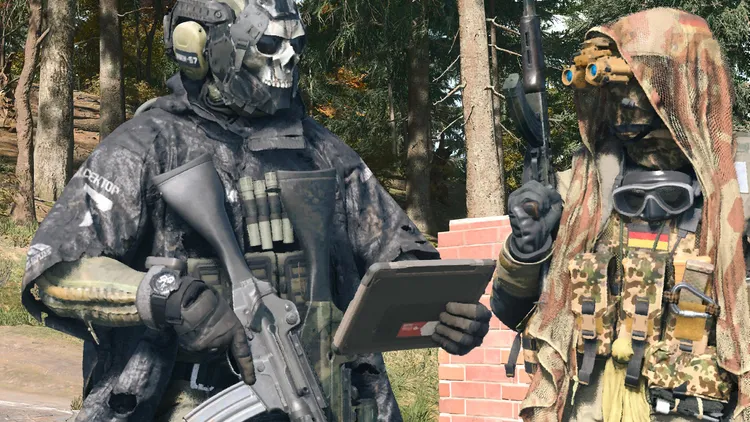
Operators and Operator Skins from Modern Warfare II, Modern Warfare III, Black Ops 6, and Black Ops 7 all carry over into Warzone. You can equip and use them in Season 1 matches the same way you did before.
Season 1 also introduces a new feature tied to this: the Operator Skin Toggle.
The Operator Skin Toggle — What It Does
The Operator Skin Toggle is a Warzone-exclusive setting that gives you control over what you see in matches. When you turn it on, every Operator from a non-MW4 title — opponents, squadmates, and party members — displays as a standard Modern Warfare 4 Operator on your screen. Your own selected Operator stays unchanged for you personally.
A few things worth knowing about the toggle:
- It is off by default — you need to activate it manually in settings
- It is all-or-nothing — you cannot selectively hide only certain skins or only opponent skins
- Other players are not affected by your toggle setting — it only changes what you see on your own screen
- The toggle arrives with Season 1 alongside the broader Warzone carry forward update
The toggle exists for players who want visual consistency with the new MW4 era without being pulled out of immersion by older game skins. It is optional — players who want to see all the legacy cosmetics in the game can leave it off.
COD Points and Double XP Tokens in Warzone
The same rules apply in Warzone as in MW4 multiplayer. COD Points carry over on the same platform. Double XP Tokens transfer and now only count down during active matches.
What Does NOT Carry Forward at All
This is where a lot of players get caught out. Several categories of content that people assume will transfer simply do not — in either MW4 or Warzone.
Legacy Camos — Gone from Both
This was the biggest surprise in the carry forward announcement. Legacy camos do not carry over anywhere — not into MW4 multiplayer, not into Warzone. This includes mastery camos earned in Black Ops 7 and every earlier title.
Activision initially said camos would carry into Warzone, then corrected that statement. Only Operators, Operator Skins, and Weapon Blueprints qualify as legacy cosmetics in Warzone. Camos fall outside that list entirely.
Weapons, Operators and Progression in MW4 Multiplayer
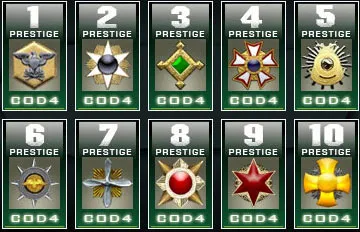
No weapons, Operator unlocks, weapon levels, or Prestige progress from previous games enter MW4’s multiplayer or DMZ. Everyone starts at level one with the same base weapon pool. Your old unlocks remain accessible in whichever game you earned them — they just do not transfer forward.
COD Points Across Platforms
COD Points bought on one platform do not move to another. This is not a new rule — it has always worked this way — but it trips up players who switch consoles around a new release. PlayStation points stay on PlayStation. Xbox points stay on Xbox.
Full Carry Forward Comparison Table
- COD Points — MW4 multiplayer/DMZ: Yes (same platform) | Warzone Season 1: Yes (same platform)
- Double XP Tokens — MW4 multiplayer/DMZ: Yes | Warzone Season 1: Yes
- MW4 Beta Rewards — MW4 multiplayer/DMZ: Yes (cosmetics only) | Warzone Season 1: No
- Hunter Killer Operator Skin — MW4 multiplayer/DMZ: Yes (pre-order) | Warzone Season 1: No
- Moonlit Pearl and Gilded Ruin Camos — MW4 multiplayer/DMZ: Yes (pre-order + BO7 challenge) | Warzone Season 1: No
- Legacy Operators and Skins — MW4 multiplayer/DMZ: No | Warzone Season 1: Yes
- Legacy Weapons — MW4 multiplayer/DMZ: No | Warzone Season 1: Yes (five-attachment preset only)
- Weapon Blueprints — MW4 multiplayer/DMZ: No | Warzone Season 1: Yes (fixed builds, no Gunsmith)
- Legacy Camos — MW4 multiplayer/DMZ: No | Warzone Season 1: No
How to Check Your Carry Forward Items on Launch Day
On launch day, navigate to the available tokens screen inside Modern Warfare 4. Your Level, Weapon, and Battle Pass tokens should appear there automatically. Your COD Points balance should match whatever you hold on that same platform.
Once Season 1 begins on November 6, the Legacy tab in the Warzone Loadout menu is where all your older weapons and their fixed preset builds are stored. The Operator Skin Toggle is available from that point too, but you have to activate it manually — it will not be on by default.
Why Does MW4 Multiplayer Start Fresh?
This question comes up every year. The short answer is studio separation. Modern Warfare 4 is developed by Infinity Ward — a completely different team from Treyarch, who made Black Ops 7. Weapons, Operators, and progression systems are built differently between studios. Carrying over gameplay content between entirely separate weapon systems creates balancing nightmares and player experience problems that most developers choose not to deal with.
Warzone sits outside that separation because it is a shared platform rather than a studio-specific title. Its weapon pool was always meant to be cumulative, which is why legacy content survives there even as individual games reset.
Where to Get COD Modern Warfare 4
- Call of Duty Modern Warfare 4 on Steam (PC)
- Call of Duty Modern Warfare 4 on PlayStation Store
- Call of Duty Modern Warfare 4 on Xbox
For everything else about the launch, check our Modern Warfare 4 campaign early access guide and our full breakdown of Modern Warfare 4 Vault Edition rewards and pre-order bonuses. If you are jumping into the campaign, our guide on how to beat Makarov in MW4 and our complete MW4 campaign trophy and achievement list are worth bookmarking.
Frequently Asked Questions
Does anything carry over to MW4 from Black Ops 7?
Very little. Only COD Points (same platform), Double XP Tokens, MW4 Beta cosmetics, the Hunter Killer Operator pre-order skin, and the Moonlit Pearl and Gilded Ruin camos (tied to pre-order and a BO7 challenge) carry over into MW4 multiplayer and DMZ. No weapons, Operators, or progression from Black Ops 7 transfers.
Do COD Points carry over to Modern Warfare 4?
Yes, but only on the same platform where you purchased them. COD Points bought on PlayStation stay on PlayStation. They do not transfer if you switch platforms. Your balance will appear automatically in MW4 when you launch on the same platform.
Do Double XP Tokens carry over to MW4?
Yes. All unused Level, Weapon, and Battle Pass XP Tokens carry forward. MW4 also changes how they work — tokens now only count down during active matches, not while you are in menus or lobbies. This makes leftover tokens more valuable than before.
Does Warzone reset when MW4 launches?
No. Warzone does not reset. When Season 1 launches on November 6, 2026, Operators and weapons from Modern Warfare II through Black Ops 7 carry forward into the new Warzone chapter. Legacy weapons appear in a dedicated Legacy tab and work with a fixed five-attachment preset.
Can I use Gunsmith on legacy weapons in Warzone Season 1?
No. Gunsmith is disabled for all legacy weapons. Each one gets a fixed preset build through the Armory. Legacy Blueprints also retain their existing attachment configuration but cannot be modified. Only MW4 weapons have full Gunsmith access.
Do camos carry forward to Warzone?
No. Legacy camos do not carry forward into MW4 or Warzone. This includes mastery camos from Black Ops 7 and all earlier titles. Activision initially said camos would carry to Warzone and later corrected that. Only Operators, Operator Skins, and Weapon Blueprints qualify as legacy content in Warzone.
What is the Operator Skin Toggle in Warzone?
The Operator Skin Toggle is a Warzone-exclusive setting introduced with Season 1. When activated, it replaces every non-MW4 Operator skin on your screen with a standard MW4 Operator appearance — for opponents, party members, and squadmates. Your own Operator stays as you have it set. The toggle is off by default, is all-or-nothing, and only affects what you see on your own screen.
When does Warzone integrate with MW4?
Warzone’s MW4 integration happens at the start of Season 1 on November 6, 2026. The Legacy weapon tab, Operator Skin Toggle, and carry forward content all arrive on that date rather than at MW4’s October 23 launch.