
TL;DR
- Blinding Flash is a free skill — no Stamina cost, no cooldown, usable from the very start of the game
- PC: Press and hold Ctrl + Left Mouse Button at the exact same time to enter stance, then release Ctrl and press it again to focus light
- Controller: Hold L1/LB + R1/RB together, then release R1/RB and hold it again to focus
- It’s a two-step input — entering the stance is step one, focusing the light is step two
- In combat: instantly blinds and stuns nearby enemies — works on bosses too
- Blinding Flash Finisher follows up with a high-damage multi-hit combo — one of the best early skills in the game
- For puzzles: hold focus on crystals or light sources until they change color and activate
- For exploration: use it from high ground to reveal hidden Abyss Nexus points and nearby points of interest with a blue glow
- Also burns vines and foliage on Ancient Ruins puzzles and mechanisms
Blinding Flash is one of the most useful skills in Crimson Desert, but it trips up a huge number of players right at the start of the game. The input is a two-step process — not a single button press — and the game’s tutorial doesn’t explain it well enough, especially on mouse and keyboard.
Once it clicks, this skill becomes something you’ll use constantly — in every fight, every puzzle area, and every time you arrive somewhere new on the map.
When Do You Get Blinding Flash?
Blinding Flash is unlocked automatically during the Prologue, shortly after Kliff’s first encounter with Myurdin. When you arrive at a sealed door with a crystal above it, the game gives you a brief tutorial for the skill and requires you to use it to progress.
It’s a free skill — it costs nothing to use, has no cooldown, and doesn’t consume Stamina. You’ll have it for the entire game from that point forward.
Blinding Flash Controls — Full Breakdown
This is where most players get confused. Blinding Flash is a two-step input, not a single press. Here’s exactly how it works on each platform:
Mouse and Keyboard (PC)
Step 1 — Enter stance: Press and hold Ctrl + Left Mouse Button at the exact same time. This is critical. If you press one before the other, even slightly, the game won’t register it. Both inputs must happen simultaneously.
Once Kliff raises his sword, you’re in Blinding Flash stance.
Step 2 — Focus the light: Release Ctrl, then press and hold Ctrl again to start focusing the light on your target. Keep holding it aimed at the object or enemy until the desired effect triggers.
Tip for PC players: If the default input feels awkward, you can remap Blinding Flash activation to Mouse 4 or Mouse 5 in the control settings. This makes the whole process significantly smoother.
Controller (PlayStation / Xbox)
Step 1 — Enter stance: Press and hold L1/LB + R1/RB at the same time. Kliff will raise his sword into the Blinding Flash stance.
Step 2 — Focus the light: Release R1/RB, then press and hold R1/RB again to begin focusing the light on your target.
Controller is noticeably smoother for this skill than mouse and keyboard. If you’re on PC and struggling, a controller makes Blinding Flash much easier to execute consistently.

Common Mistake: Why Blinding Flash Feels Like It’s Not Working
The single most common issue players report is that nothing happens when they try to use Blinding Flash. The reason is almost always the same: they’re not doing the two-step input.
Entering the stance and focusing the light are two separate actions. Just holding L1+R1 or Ctrl+LMB enters the stance — it doesn’t automatically focus. You need to release and re-press to begin focusing.
Once you understand it as a two-step sequence — enter, then focus — it becomes consistent every time.
Using Blinding Flash in Combat
In combat, Blinding Flash works differently from puzzles. You don’t need to focus the light on a specific point. Just entering the stance is enough.
Basic use: Enter Blinding Flash stance to release a flash of light that blinds and stuns nearby enemies for a short moment. This interrupts their attacks, gives you room to breathe, and lets you follow up while they’re dazed. It works on groups, individual enemies, and even certain bosses.
It’s especially useful when you’re surrounded. The brief stun window gives you enough time to eat a healing item, reposition, or launch a heavy attack combo.
No Spirit or Stamina cost — use it as often as you need in fights.
Blinding Flash Finisher — Upgrade This Early
The Blinding Flash Finisher is one of the strongest early skills in the game and should be a top priority for your Abyss Artifacts.
After entering Blinding Flash stance and blinding nearby enemies, hold RMB / R2 / RT to activate the Finisher. Kliff launches into a rapid multi-hit combo, automatically dashing between enemies while dealing heavy damage.
Here’s why it’s so powerful:
- The world slows down slightly during the animation, making it very hard for enemies to hit you
- Kliff auto-dashes from enemy to enemy as long as he has Spirit
- The final hit of the combo sends weaker enemies flying and leaves survivors briefly exposed
- Kills and attacks during the combo restore Spirit — meaning the cost is almost self-sustaining
- It effectively breaks large groups of enemies that would otherwise overwhelm you
This skill is genuinely one of the best tools for surviving the early game, where large enemy groups are a constant challenge. Pair it with Nature’s Echo and Forward Slash for devastating results.
You can unlock Blinding Flash Finisher two ways: spend one Abyss Artifact in the skill tree, or learn it via the observe mechanic by watching an enemy or NPC use a similar motion during combat. The Artifact method is faster and more reliable.
For a full skill priority breakdown including where Blinding Flash Finisher fits in your overall build, check the best skills to level up first in Crimson Desert guide. It also pairs well with the setup in our best early build guide.
Using Blinding Flash to Solve Puzzles
Outside of combat, Blinding Flash is your primary tool for activating light-based puzzles and clearing overgrown Ancient Ruins.
Light Reflection and Crystal Puzzles
For puzzles that involve crystals or light sources — like the sealed door in the Prologue — stand in front of the object, enter Blinding Flash stance, then focus the light directly at it.
Hold the focus aimed at the crystal or light source. You’ll see it change color — from orange to purple — as it charges. Hold it there until it completes the activation cycle and changes back. The mechanism will trigger and the puzzle will resolve.
For some puzzles, you need to hold the focus for around three seconds or slightly longer. Don’t rush it. Hold steady and wait for the color change.
Burning Foliage on Ancient Ruins
Blinding Flash also burns away vines, leaves, and overgrowth covering puzzle mechanisms and stone pillars in Ancient Ruins. Before interacting with any outdoor puzzle, use Blinding Flash to clear the vegetation first.
This is required in several ruins across Pywel — including the Duskwood Ancient Ruins puzzle and the nearby Duskwood Checker puzzle at the Waterside Ruins. If a pillar or mechanism won’t respond, there’s likely still foliage on it.
Using Blinding Flash for Exploration
This is the use most players discover last — and it’s one of the most valuable.
Revealing Points of Interest
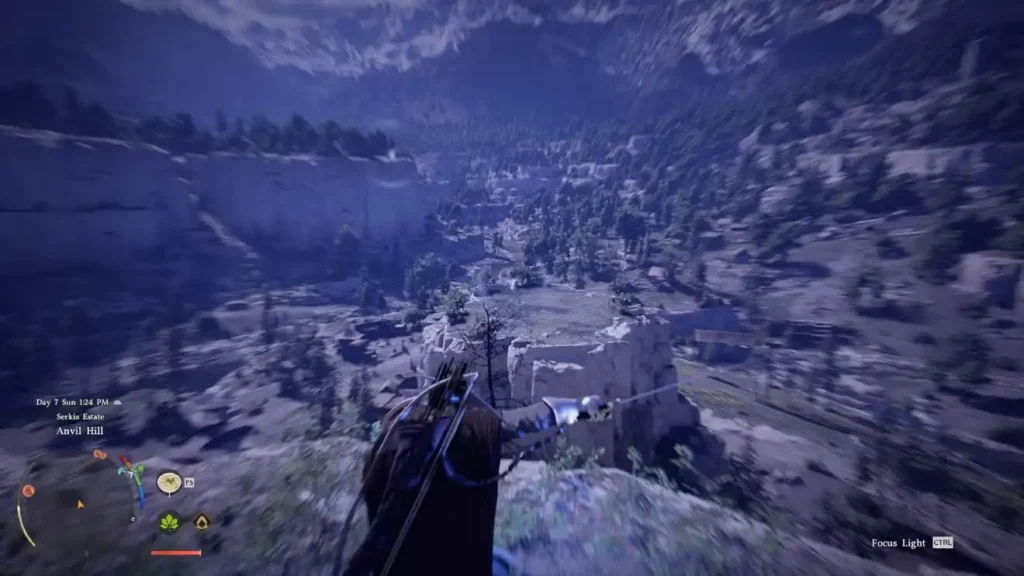
When you’re out exploring the world, entering Blinding Flash stance will cause nearby hidden locations to glow with a blue light. This works regardless of whether you’ve explored the surrounding map area yet.
Get to any elevated point — a hilltop, a cliff edge, a rooftop — and use Blinding Flash while slowly scanning the horizon. Blue markers will appear in the distance, pointing you toward:
- Hidden Abyss Artifacts and Ancient Ruins
- Abyss Nexus fast travel points you haven’t activated yet
- Other points of interest worth investigating
This works even while mounted, so you can scan large areas quickly on horseback. Make it a habit whenever you enter a new region.
Activating Abyss Nexus Fast Travel Points
When you find an Abyss Nexus that won’t activate, aim Blinding Flash directly at it and hold focus. The Nexus will respond to the light and become usable as a fast travel point. Check out the how to fast travel in Crimson Desert guide for the full system breakdown.
Blinding Flash and Puzzle Types — Quick Reference
Here’s a quick summary of when and how to use Blinding Flash across common puzzle scenarios:
Sealed crystal doors — Focus light on the crystal above the door until it activates. Hold for 3+ seconds.
Overgrown Ancient Ruins mechanisms — Burn the foliage off first before attempting to interact with pillars or pumps.
Light reflection puzzles — Stand in front of the light source, focus Blinding Flash on it, hold until the color changes from orange to purple and back.
Exploration scanning — Use from high ground to reveal nearby Abyss Nexus points and hidden locations with blue glow markers.
For more specific puzzle solutions that use Blinding Flash as part of the solution process, these guides cover everything:
- Haunted Hill Ruins Puzzle Solution
- How to Drain Water Puzzles in Crimson Desert
- Duskwood Checker Puzzle Solution
- Dragon Stone Chamber Puzzle Solution
- Abyss Without Balance Puzzle Solution
- Arboria Forest Fountain Puzzle Solution
Quick Recap
Blinding Flash has no cost, no cooldown, and three completely different uses. In combat, just enter stance to stun enemies — add the Finisher for a devastating follow-up combo. For puzzles, focus the light on crystals and mechanisms until they activate or change color. For exploration, scan from high ground to reveal hidden Abyss Nexus points and nearby secrets with a blue glow.
The only thing to remember is the two-step input: enter stance first, then release and re-press to focus. Once that clicks, the skill works perfectly every time.
For a complete look at everything Crimson Desert has to offer, check out our full Crimson Desert review.
Available on: PlayStation 5 | Xbox | Steam | Epic Games


