TL;DR
- The FOB (Forward Operating Base) is your home base between DMZ deployments.
- There are 13 confirmed FOB Stations in total — 9 are available from the start.
- 4 stations must be unlocked: 3D Printer (Level 2), Vendor (Level 5), Gunsmith (Level 10), and Dog Tag Case (Level 20).
- The Boss Board unlocks after completing any 2 DMZ Orders — not through leveling.
- You upgrade most stations using the 3D Printer once it is unlocked.
- The Stash holds 40 items and 12 weapons by default — both can be expanded.
What Is the FOB in Modern Warfare 4 DMZ?
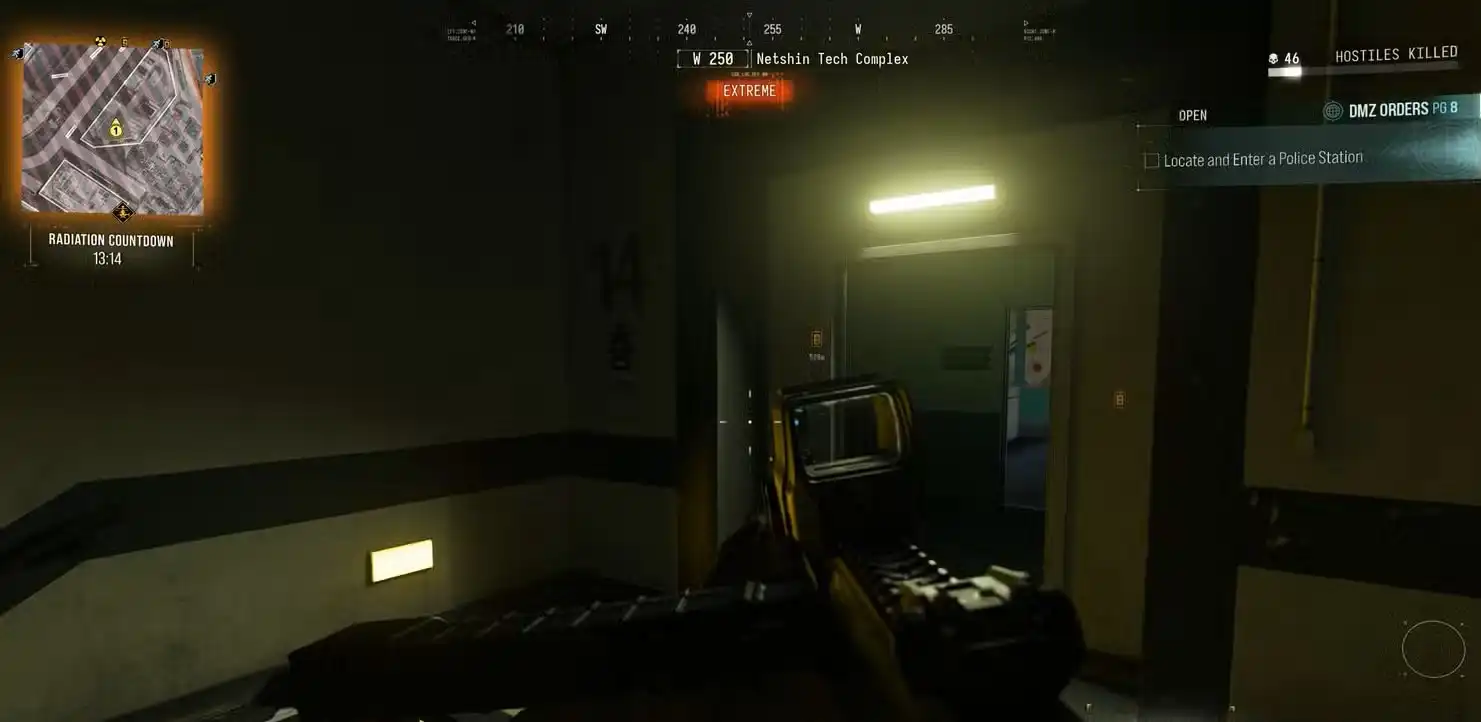
The Forward Operating Base, or FOB, is the hub you return to between every DMZ run. It is not just a menu — it is a walkable base you move through in third person. Every station has a physical location inside the camp.
Think of it as your preparation zone. Before you deploy into Hajin, you come here to sort your gear, check your missions, craft equipment, buy weapons, and set up your Operators. After a run, you come back to bank your loot and plan the next deployment.
The FOB starts fairly small, but it grows as you push through your DMZ Player Level track. More stations open up, and the ones you already have can be upgraded to do more. By the time you hit level 70, it is a fully built-out base.
For a deeper look at DMZ progression and every level reward, see our MW4 DMZ XP and all level unlocks guide.
How Many FOB Stations Are There in MW4 DMZ?
There are 13 FOB Stations in Modern Warfare 4 DMZ. Nine of them are available from the very first time you open the game. The remaining four unlock through DMZ Player Level progression or by completing DMZ Orders.
Here is the full list at a glance:
| Station | How to Unlock |
|---|---|
| Operators (Active Duty) | Available from the start |
| DMZ Orders | Available from the start |
| Stash / Loadout | Available from the start |
| Firing Range | Available from the start |
| Survival Kits | Available from the start |
| Bounty Leaderboard | Available from the start |
| DMZ Progression | Available from the start |
| Events | Available from the start |
| Deploy | Available from the start |
| 3D Printer | DMZ Player Level 2 |
| Boss Board | Complete 2 DMZ Orders |
| Vendor | DMZ Player Level 5 |
| Gunsmith | DMZ Player Level 10 |
| Dog Tag Case | DMZ Player Level 20 |
All FOB Stations in MW4 DMZ: Explained One by One
Operators (Active Duty) — Available from the Start
This is where you manage the Operators assigned to your FOB. You start with two Active Duty Operator slots. Each Operator is an individual character that can be deployed, equipped, and upgraded separately.
When you earn DMZ XP with an Operator, their Dog Tag levels up. Each Dog Tag level earns a Trait Point, which you spend here to unlock passive upgrades for that Operator. Think of these as character-specific perks that carry into every deployment.
If an Operator goes MIA during a run, you can pay a recovery fee to get them back. The cost depends on how much you had invested in that Operator. You unlock a third Active Duty slot at DMZ Player Level 15.
The Vault Edition of MW4 gives you three active Operator slots from the very start, saving you from grinding to level 15.
DMZ Orders — Available from the Start
DMZ Orders are your mission board. This is where you pick up Mission Directives — structured objectives that guide your Operator’s story progression through the exclusion zone and unlock further DMZ content.
Orders are grouped into pages. Completing them pays out DMZ Cash, loot, and resources. More importantly, completing your second DMZ Order unlocks the Boss Board station, so you want to start working through orders early.
You can track active Orders from the station before a deployment. They also feed into your progression beyond just XP — some Orders unlock specific recipes, cosmetics, or story beats.
For more on MW4’s storyline structure, see our guide to all MW4 choices and their consequences.
Stash / Loadout — Available from the Start
This is your storage hub. The Stash holds everything you extract from Hajin between runs — weapons, consumables, armor, backpacks, and crafting ingredients. It is shared across all your Active Duty Operators, so anything one Operator stores is available to all of them.
The Loadout panel is where you build what your Operator carries into the next deployment. You pull items from your Stash into the Loadout here.
By default the Stash holds 40 items and 12 weapons — counted separately. Both can be upgraded. Item Stash slots increase at DMZ levels 22, 45, and 70, adding 18 slots each time. Weapon Stash slots increase at levels 35 and 60, adding 6 slots each time. If you need more space quickly, building Stash upgrades at the 3D Printer is the fastest path.
If you deploy without a backpack equipped, you go in with the Basic Pack — 8 item slots. The bigger backpacks you unlock and craft expand what you can carry out of Hajin per run.
Firing Range — Available from the Start
The Firing Range sits in a wooded section of the FOB, positioned between the Gunsmith and Vendor stations once those unlock. You bring any ranged weapon from your Loadout and test it on targets at multiple distances — from under 10 metres all the way past 100 metres.
The range has walls you can crouch, go prone behind, and mount to — so you can check how a build feels before taking it into a real run. It is the right place to dial in optics and test how a new weapon handles before committing it to your Loadout.
Survival Kits — Available from the Start
Survival Kits are themed loot packs. When you open one, the contents go directly into your Stash. They do not take up any Stash space until you open them, and unopened kits can stack in this station indefinitely.
There are several types of kits, each focused on different playstyles:
- Deployment Kits — General-purpose supplies for any run.
- Triage Kits — Medical-focused items for staying alive longer.
- Armor Kits — Protective gear and plate carriers.
- Equipment Kits — Tactical and lethal equipment bundles.
- SERE Kits — High-value kits for risky, high-reward runs.
You earn Survival Kits from DMZ Player Level rewards, completing DMZ Orders and Missions, and through in-game Events. Open them before your first deployment — they give you free starting gear with zero downside.
Bounty Leaderboard — Available from the Start
This station tracks the weekly Bounty rankings. It shows the leading Hunters and the most Wanted players currently active in the game.
In DMZ, if you kill enough enemy operators you become Wanted — and other players can accept a Hunter contract to track you down. If a Hunter kills you and exfils with your Dog Tag, they collect a cash reward. The Bounty Leaderboard gives you visibility on how this system is playing out across the player base.
Bounty payouts also scale with your DMZ progression — you earn 10% extra at level 30, 25% at level 40, 50% at level 50, and 100% extra at level 70.
DMZ Progression — Available from the Start
This is the level tracker. Open it anytime to see your current DMZ Player Level, how much XP you need to reach the next level, and what rewards are coming at each upcoming level.
It covers all 70 levels and shows the full reward list — Printer Recipes, FOB Stations, Station Upgrades, Operator Skins, consumables, Survival Kits, and Fire Support unlocks. If you want to plan ahead for which levels to hit first, check here before each session.
For the complete level breakdown, see our full DMZ XP and level unlocks guide.
Events — Available from the Start
The Events station tracks any active limited-time objectives running in DMZ. These come with their own reward structures separate from the main DMZ Orders. Complete event objectives during the window they are live to earn the associated rewards.
Event rewards can include Survival Kits, cosmetics, and exclusive gear not available elsewhere. Check this station regularly so you do not miss active windows.
Deploy — Available from the Start
This is where every run begins. Walk to Deploy when you are ready and it opens your deployment menu. You choose between three main ways to enter Hajin:
- Story Missions — Narrative-driven objectives that tie into the MW4 campaign story and pay out significant XP rewards.
- Dynamic Operations — Repeatable, multi-step operations that reward XP, DMZ Cash, and increasingly rare Supply Drops.
- Free Roam — No specific objective. Go in and loot, fight, complete Side Ops, or explore at your own pace.
Ground infil is free. You pay an infil cost if you select certain deployment types that use vehicle or helicopter entry points. Check the cost before you confirm.
For tips on the best deployment types for fast leveling, our DMZ XP guide covers which mode earns the most XP per run.
Unlockable FOB Stations: How to Get Each One
3D Printer — Unlocks at DMZ Player Level 2
The 3D Printer is the most important station in the entire FOB. Once it opens at level 2, you can start crafting gear before every deployment instead of relying purely on what you loot in the field.
The Printer uses two things: Printer Resources (the four base materials — Synthetics, Electronics, Chemicals, and Metals) and 3D Printer Ingredients (rarer components you extract from Hajin). Combine them with a Recipe and the station produces the item.
Crafting categories inside the Printer include:
- Consumables
- Plate Carriers and Armor Vests
- Backpacks
- Tactical Equipment (unlocked at DMZ Level 4)
- Lethal Equipment (unlocked at DMZ Level 7)
- Field Upgrades (unlocked at DMZ Level 12)
- Fire Support (unlocked at DMZ Level 28)
- Gear and Ingredients
- FOB Upgrades
The Upgrades category in the Printer is where you improve other FOB stations — adding more Stash space, upgrading your Bank, unlocking Gunsmith discounts, and more. Most station upgrades in the game flow through the 3D Printer rather than unlocking automatically through levels.
You can also pin Recipes and required Ingredients from inside the Printer menu. Pinned ingredients show a tracker icon during your deployment so you know when you find one. This saves a lot of time if you are farming specific items.
Getting to level 2 and unlocking the 3D Printer should be your very first goal in DMZ. You can hit it in a single Dynamic Op run.
Boss Board — Unlocks After 2 DMZ Orders
The Boss Board is the only station that does not require a DMZ Player Level. Instead, you unlock it by completing any two DMZ Orders. Complete your second Order and this station opens immediately.
At the Boss Board, you spend DMZ Cash to buy intel on Lieutenants — the mid-tier PvE bosses that roam around specific areas in Hajin. Purchasing their intel reveals their general location on your Tac-Map during a deployment.
Lieutenants drop rare 3D Printer Ingredients and other loot when killed. The Board also gives you visibility on Commanders, the higher-tier boss encounters. Taking down Commanders is one of the best ways to collect rare crafting materials needed for higher-level Printer recipes.
The intel refreshes, so check the Boss Board before a run if you are farming specific ingredients for crafting. For related content, check our MW4 notes and collectibles guide.
Vendor — Unlocks at DMZ Player Level 5
When you hit level 5, the Vendor opens. This is a daily rotating shop where you spend DMZ Cash to buy weapons, equipment, and gear. The inventory refreshes daily, so what is available today may not be there tomorrow.
The Vendor is useful early on when your 3D Printer recipe library is still small. If you have cash saved from completed Dynamic Ops, the Vendor lets you buy things you cannot yet craft. At DMZ Level 18, the Vendor gets an upgrade that adds more items to its daily rotation. At Level 32, another upgrade expands it further still.
Any cash you spend here comes from your FOB Bank, which stores the DMZ Cash you bring out from successful exfils. The Bank starts with a $100,000 cap. You can increase it through 3D Printer upgrades.
Gunsmith — Unlocks at DMZ Player Level 10
The Gunsmith opens at level 10 and is where you interact with weapons at the FOB. It has two main functions.
First, you can spend DMZ Cash to buy attachments for weapons you have already looted in Hajin — scopes, barrels, grips, and more — to improve their performance before your next run.
Second, you can build entirely new weapons from scratch using Weapon Manuals. Weapon Manuals are found as loot in Hajin. When you bring one back and use it at the Gunsmith, you can build that weapon with DMZ Cash, fully kitted with attachments.
At DMZ Level 25, you earn a permanent 5% discount on all Gunsmith purchases. This small discount adds up over time if you are building weapons regularly.
For weapon unlock information outside of DMZ, see our guide on how to unlock all MW4 weapons.
Dog Tag Case — Unlocks at DMZ Player Level 20
The Dog Tag Case is the last major station unlock, arriving at level 20. When you kill an enemy operator in Hajin and successfully exfil with their Dog Tag, it gets stored here on display.
It is mostly a trophy system — a record of rival operators you have eliminated and extracted from. The Case can be expanded using the 3D Printer to hold more tags as your collection grows.
Dog Tag progression is also tied to how your own Operators earn Trait Points. Every time your Dog Tag levels up from earning DMZ XP, you receive one Trait Point for the active Operator. A strong exfil can level your Dog Tag more than once in a single run.
For more on finding Dog Tags in the world, check our MW4 dog tag location and safe code guide.
FOB Station Upgrades: What You Can Improve
Beyond unlocking new stations, many of the existing ones can be upgraded through the 3D Printer’s Upgrades menu or automatically through DMZ level milestones. Here is a summary of what can be upgraded and when:
- Stash (Item Slots) — +18 slots at DMZ levels 22, 45, and 70. Starts at 40, maxes at 94 items.
- Stash (Weapon Slots) — +6 slots at DMZ levels 35 and 60.
- Operator Slots — +1 Active Duty slot at DMZ Level 15.
- Vendor — More items for sale at DMZ levels 18 and 32.
- Gunsmith Discount — 5% off all Gunsmith purchases at DMZ Level 25.
- 3D Printer: Tacticals — Print tactical equipment, unlocks at DMZ Level 4.
- 3D Printer: Lethals — Print lethal equipment, unlocks at DMZ Level 7.
- 3D Printer: Field Upgrades — Print field upgrades, unlocks at DMZ Level 12.
- 3D Printer: Fire Support — Print fire support items (killstreaks), unlocks at DMZ Level 28.
- Bounty Payout — Increases at levels 30 (+10%), 40 (+25%), 50 (+50%), and 70 (+100%).
- Bank Cap — Upgradeable through the 3D Printer using DMZ Cash.
- Dog Tag Case — Expandable through the 3D Printer.
Which FOB Stations Should You Unlock First?
If you are just starting out in MW4 DMZ and want to get useful as fast as possible, here is the order that makes the most sense:
1. Hit DMZ Level 2 fast. The 3D Printer opens here and it changes everything. One Dynamic Op is usually enough to get you there. Once the Printer is open, you can start crafting armor and gear instead of showing up to every run with whatever you happened to loot last time.
2. Complete 2 DMZ Orders quickly. This unlocks the Boss Board. Knowing where Lieutenants are on the map saves a lot of blind searching when you are farming rare ingredients for crafting.
3. Push to DMZ Level 5 for the Vendor. Having a daily shop available gives you more options when your crafting setup is still limited. If you have cash and the printer does not have the recipe you need yet, the Vendor fills the gap.
4. Get to Level 10 for the Gunsmith. This is a turning point. Building weapons from Weapon Manuals you find in Hajin is far more reliable than depending on what happens to drop in a run. Once this opens, bring back every Weapon Manual you find.
5. Level 20 for the Dog Tag Case. This is the last major station. It is less critical than the others for gameplay, but reaching level 20 also means you have already unlocked a big chunk of useful recipes and upgrades along the way.
For tips on how to reach these levels faster, our MW4 DMZ XP guide covers the fastest methods, including how Story Missions stack against Dynamic Ops for XP.
Tips for Getting the Most Out of Your FOB
- Open your Survival Kits before your first run. They go straight into your Stash and give you free starter gear. There is no reason to leave them sitting unopened.
- Pin ingredients in the 3D Printer. Pinned items show a tracking icon in Hajin, so you know exactly when you find something you need.
- Check the Vendor daily. The rotation refreshes every 24 hours. What is not there today might be exactly what you need tomorrow.
- Use the Firing Range before upgrading optics. Test the attachment at range before spending DMZ Cash on it at the Gunsmith.
- Grab Weapon Manuals every time you find them. They are how the Gunsmith gets its full value — every Manual is a weapon you can build rather than having to rely on floor loot.
- Build Stash upgrades at the 3D Printer early. Running out of Stash space mid-grind is frustrating. Expand it as soon as you can afford the materials.
More MW4 DMZ and Campaign Guides
Looking for more content across Modern Warfare 4? Here are some related guides:
- MW4 DMZ XP and all 70 level unlocks
- How to unlock all MW4 weapons
- How to unlock all MW4 killstreaks
- All MW4 campaign rewards
- All MW4 notes and collectibles locations
- MW4 dog tag locations and safe code solutions
- All MW4 code solutions
- MW4 Stranded puzzle codes and yellow crate locations
- Does MW4 have Zombies?
- MW4 Warzone carry-forward content
- How to beat Makarov in MW4
- Full MW4 trophy and achievement list
- MW4 Vault Edition rewards and pre-order bonuses
Where to Buy Modern Warfare 4
DMZ is included exclusively with the full purchase of Modern Warfare 4. It is not a separate free-to-play mode.